Three fictional product concepts generated in HummingBytes. Open an image, read the original prompt and borrow the details that fit your idea.
Nano Banana 2
Make the materials specific.
Translucent lilac housings, ivory cushions and morning sunlight give this audio concept its character.
Original prompt in English+
Photorealistic luxury industrial-design campaign photograph, one pair of original over-ear headphones with translucent smoked-lilac earcup housings, visible beautiful precision hardware inside, softly padded ivory ear cushions, a brushed aluminum headband with a single oxblood accent. Headphones rest naturally upright on a low cylindrical pale limestone plinth, earcups both touching the plinth, physically plausible gravity, no levitation. Monochrome pale lavender architectural studio with one strong shaft of morning sun, crisp elongated shadow, delicate reflections through translucent plastic, premium macro-level material realism, camera three-quarter front view with 85mm lens. Clean portrait 3:4 composition, entire product visible, large and centered, generous breathing room, editorial product photography for a contemporary audio design brand. No words, no logos, no humans, no duplicate headphones, no collage, no watermark.
Seedream 5.0 Lite
Write the words you want to see.
A chocolate packaging concept with a defined palette, printed wording and a simple arrangement.
Original prompt in English+
A meticulous photorealistic premium chocolate packaging campaign photograph, portrait composition. Three slim rectangular artisan dark-chocolate boxes arranged as an elegant geometric still life on warm cream travertine steps. Packaging colors: deep oxblood, pale blush, and butter yellow. Each box has the same refined minimal typographic design: large clean uppercase word CACAO, smaller line SINGLE ORIGIN, and small 72% beneath. Exact legible spelling, sophisticated restrained Swiss typography, no additional text. One small unwrapped piece of dark chocolate with crisp broken edge in foreground, no crumbs scattered. All boxes rest naturally on stone with accurate contact shadows, eye-level three-quarter viewpoint, soft late-afternoon sunlight, deep warm shadows, impeccable print and paper texture, subtle blind embossing. Composition feels like a contemporary design magazine still life, confident color blocking, tactile materials, realistic photography, generous spacing, no floating objects, no collage, no graphics outside the packaging, no watermark.
GPT Image 2
Set the light and the angle.
A low viewpoint and crisp side light bring out the yellow shell, vents and dark stone.
Original prompt in English+
One photorealistic commercial product photograph of a beautifully designed cycling helmet with matte acid-yellow shell, precise elongated vents, a deep oxblood rear accent and black straps neatly resting beside it. Helmet sits naturally on a low dark basalt block in a minimal warm-gray architectural studio. Low three-quarter camera angle, dramatic crisp afternoon side light, subtle scuffs on stone, immaculate polymer texture, believable product construction and proportions. Entire helmet visible, portrait composition, premium contemporary cycling campaign, confident color, plenty of breathing room. Only one image, no words, no logo, no people, no collage.
Each example uses a different prompt and model. These are individual results, not a model comparison. A new generation will vary.
Write your first prompt
Give the image a clear brief.
Start with the details that matter to you. Review the result, then change one part of the prompt to explore another direction.
01
Name the subject and materials
Say what you want to see, including the shape, color or texture that makes it distinctive.
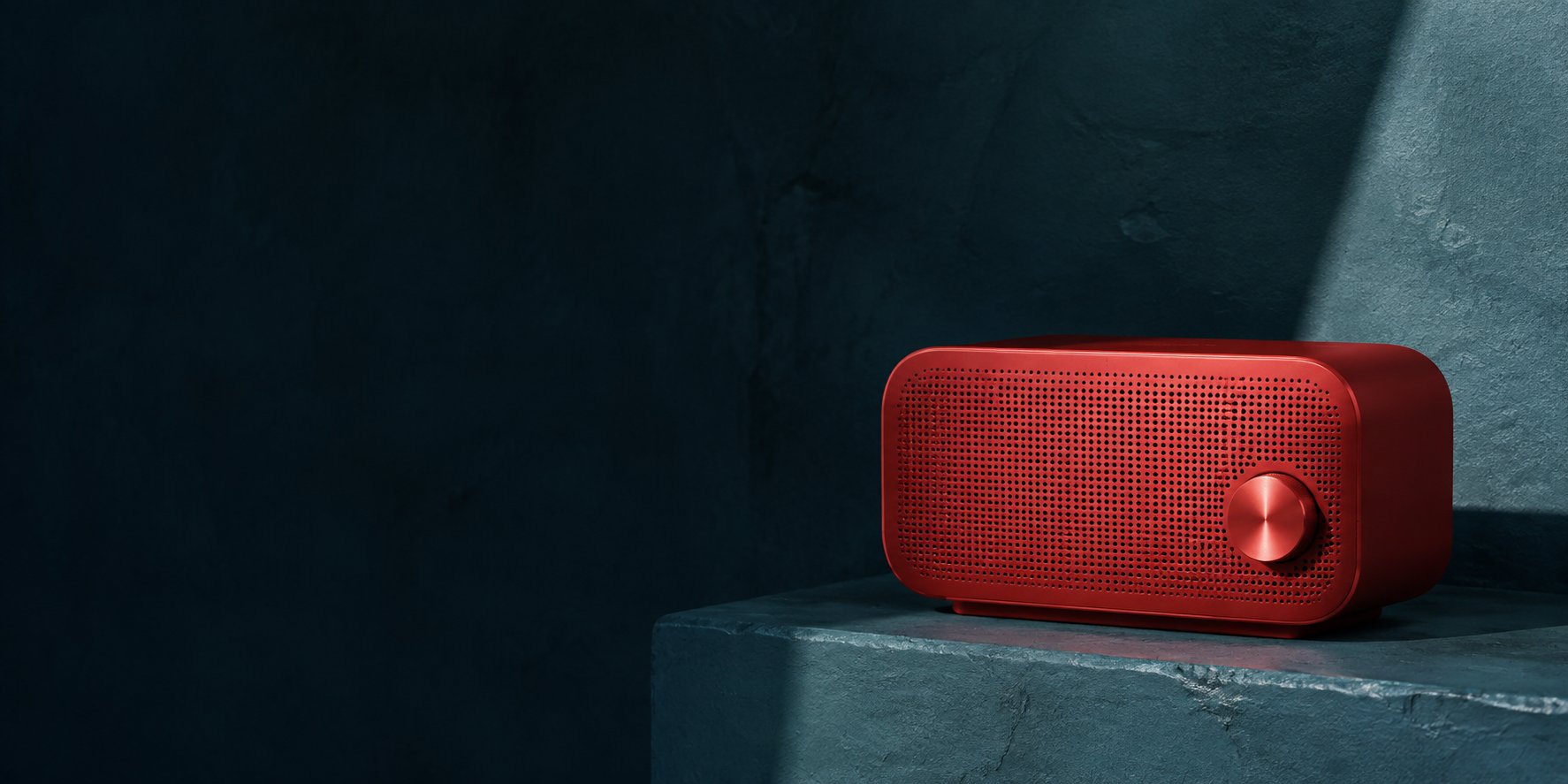
For example: A red portable speaker with a perforated metal grille.
02
Choose the setting and composition
Describe the surroundings, viewpoint and space around the subject.
For example: On a dark teal stone ledge, viewed from a low three-quarter angle.
03
Describe the light and finish
Add a lighting direction or visual style. Include exact wording if the image needs text.
For example: Warm side light, crisp shadows, realistic product photography. No logo.
These short phrases are a starting point for your own prompt.
AI Assist
Have the idea, need the wording?
Ask AI Assist for a prompt suggestion in the image form. Review it and decide what to use before you generate.
Describe the subject, composition, setting and light. Name the details that matter, such as materials, colors or exact text. Review the output and refine the prompt where the image differs from your idea.
What can I create from text?+
You can explore campaign visuals, fictional product concepts, portraits, illustrations, invitations and social images. Choose a model and describe the result you want. Review generated images before using them in a finished project.
Will a text prompt preserve my actual product?+
Text alone describes a concept. If you need an existing product, person or composition to guide the result, start with a reference image in image-to-image or use Product Images for product photos. Always check the output for changes to important details.
Can I try the same prompt with different models?+
Yes. You can choose another supported image model in the form and reuse your prompt. Model settings, credit costs and results can differ, so review the estimate and compare the generated images.
Will copying a prompt recreate the example exactly?+
No. The prompts shown here are the original generation prompts, but outputs vary between runs and with model settings. Use them as starting points, then adjust them for your own subject and composition.
Do I need a paid plan to generate images?+
Image generation requires a plan that includes the selected model and enough credits for the request. The form shows the credit estimate before generation. Check Pricing for the current model and plan options.
Can HummingBytes help me write a prompt?+
Paid accounts can use AI Assist when it is enabled. It suggests a revised prompt for you to review before generation. Requests have a per-billing-cycle quota and do not use generation credits.
HummingBytes / Your next image
Start with a sentence.
Choose a model, write your idea and see where the first image takes you.