Explore the original examples and their prompt directions. Results vary with your inputs and settings.
Generated with GPT-Image-1.5
01
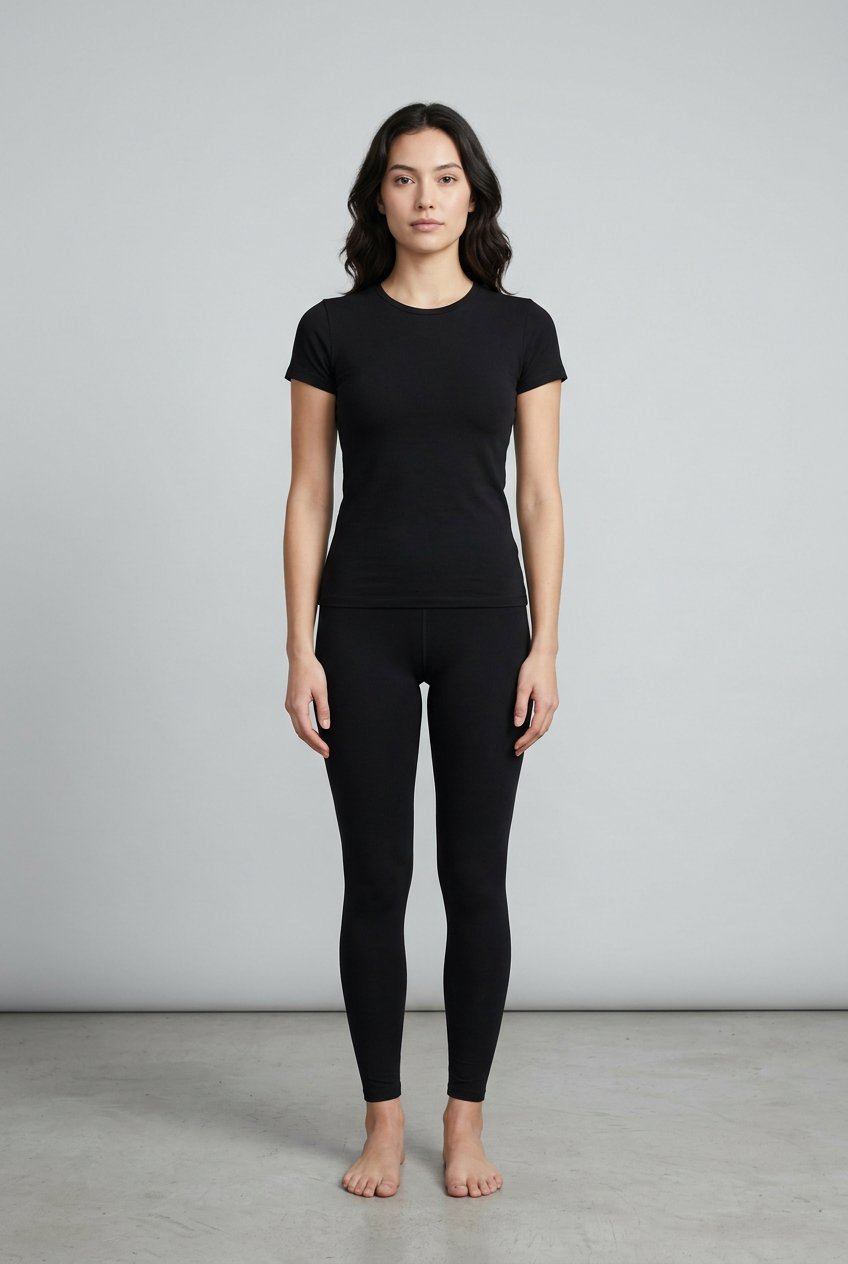
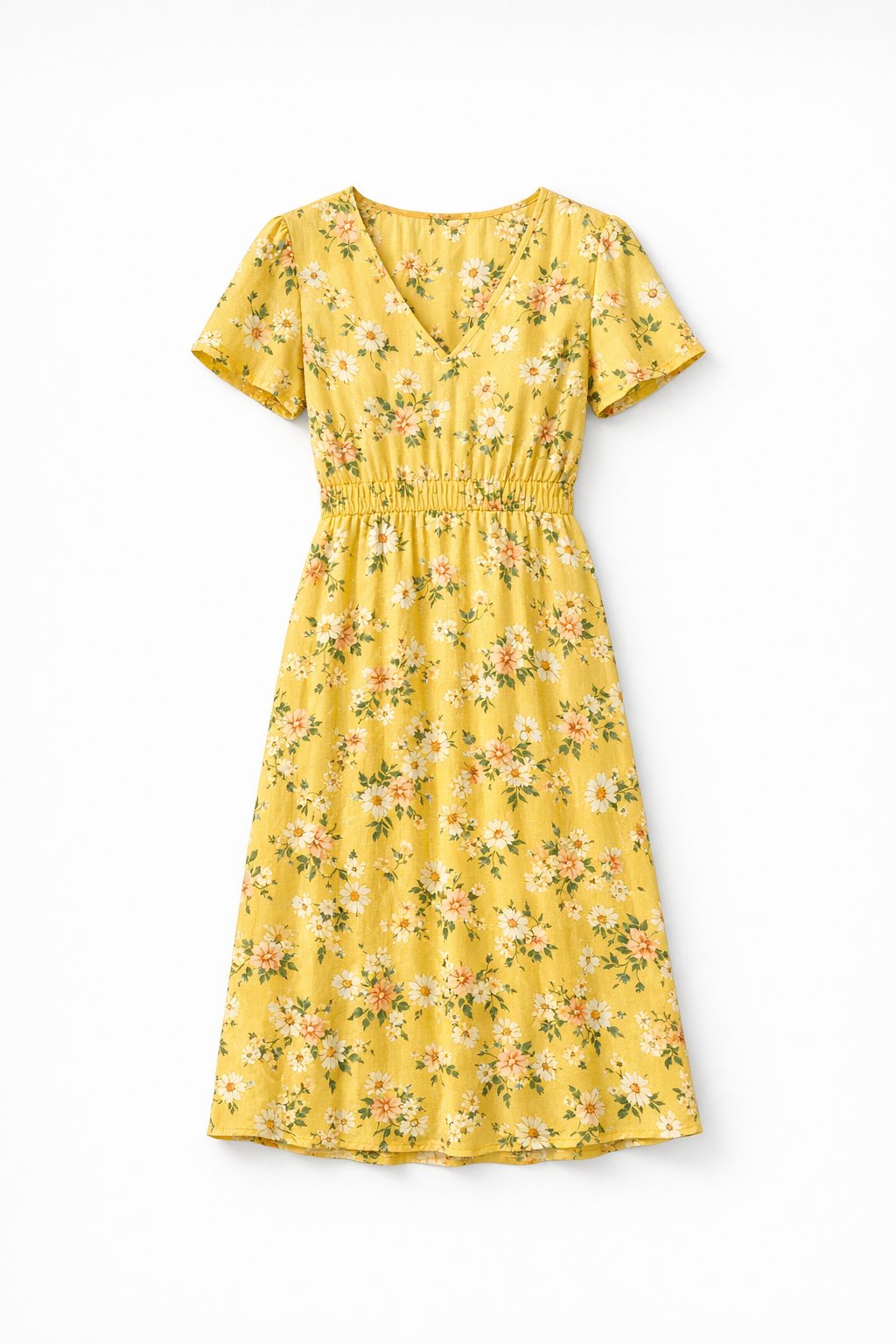
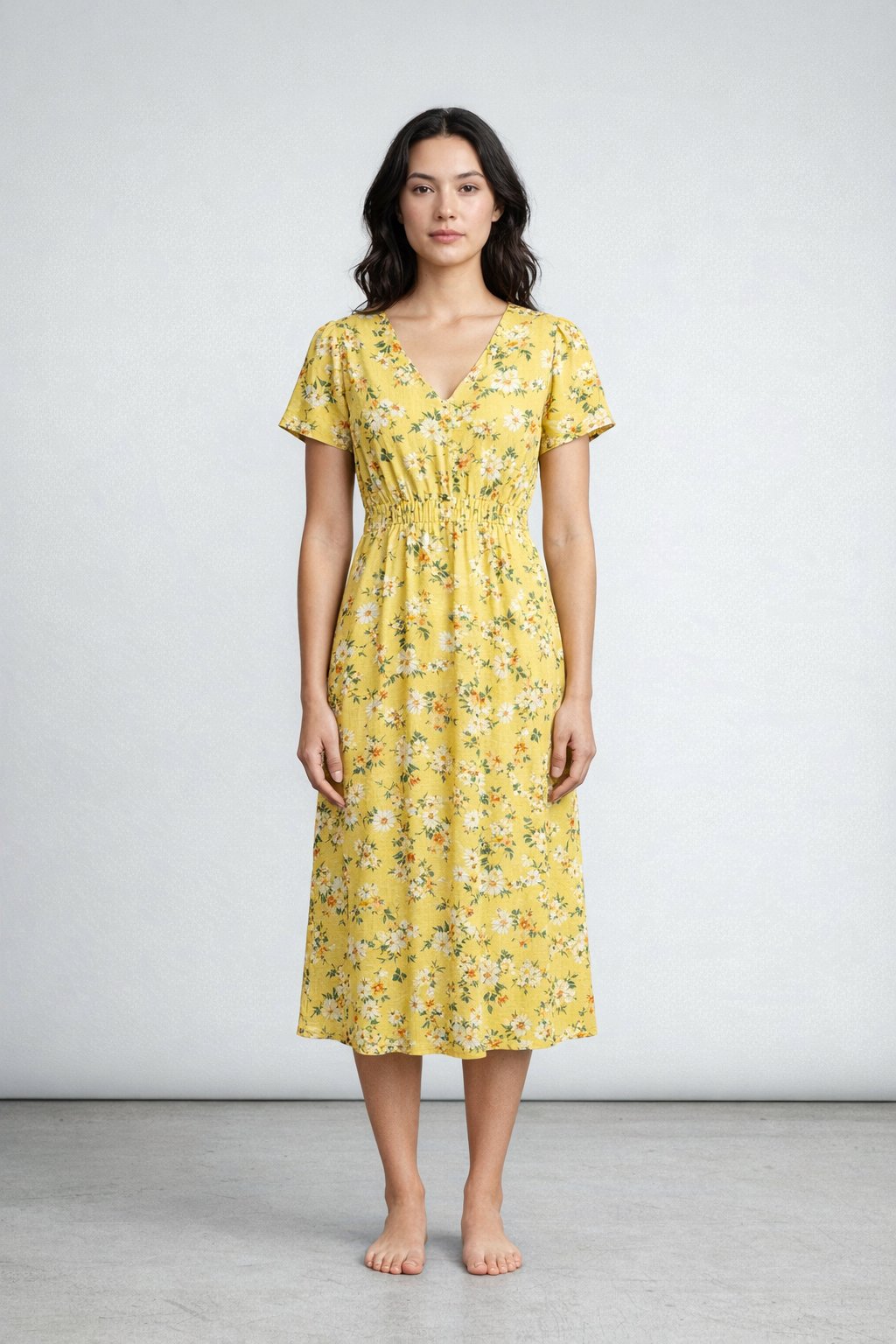
Virtual try-on
100%
Model input
100%
Garment input
100%
Final try-on
Flat-lay garment applied to an existing model photo
This is aimed at fashion and ecommerce teams that want to reuse approved model photography while swapping in new garments without booking another shoot.
Prompt direction+
Keep the original background, framing, face, and pose. Apply the uploaded yellow floral dress naturally to the model with believable draping and lighting.
02
Transparent PNG
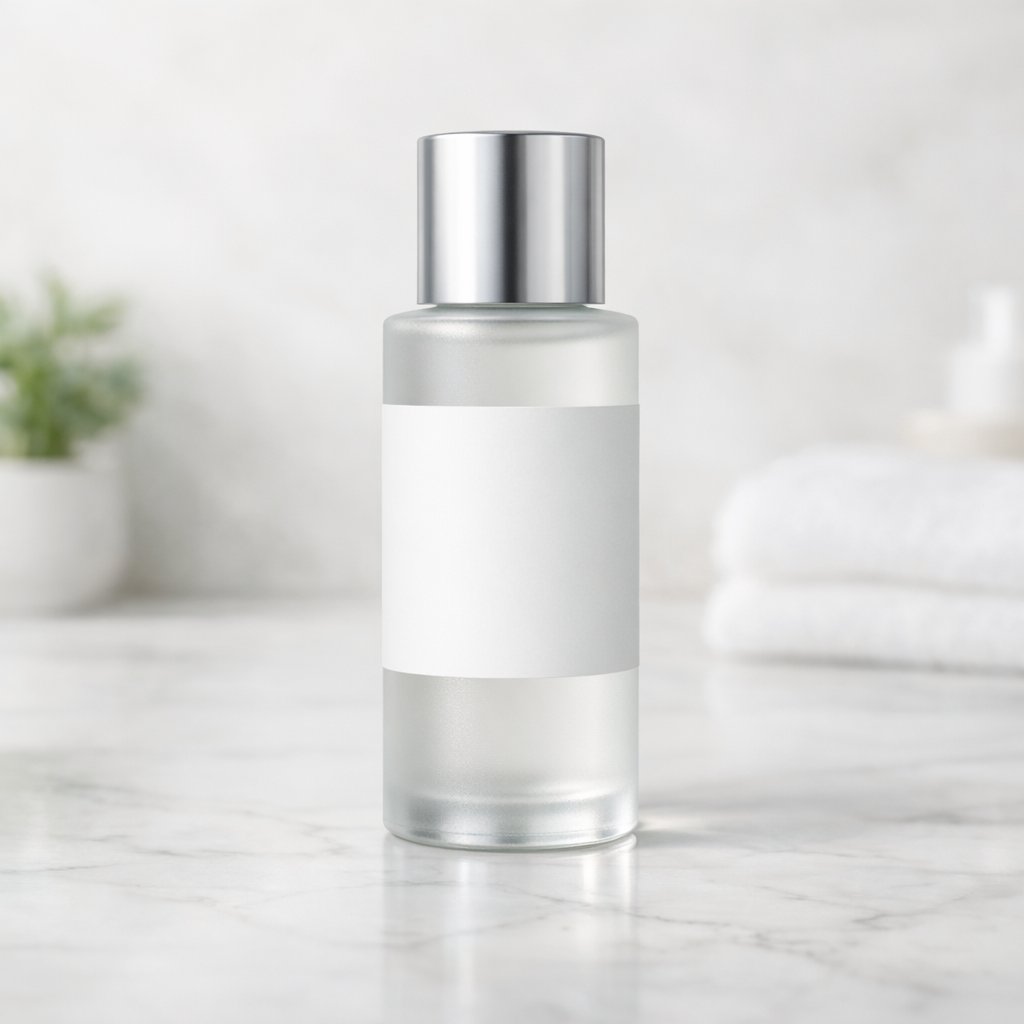
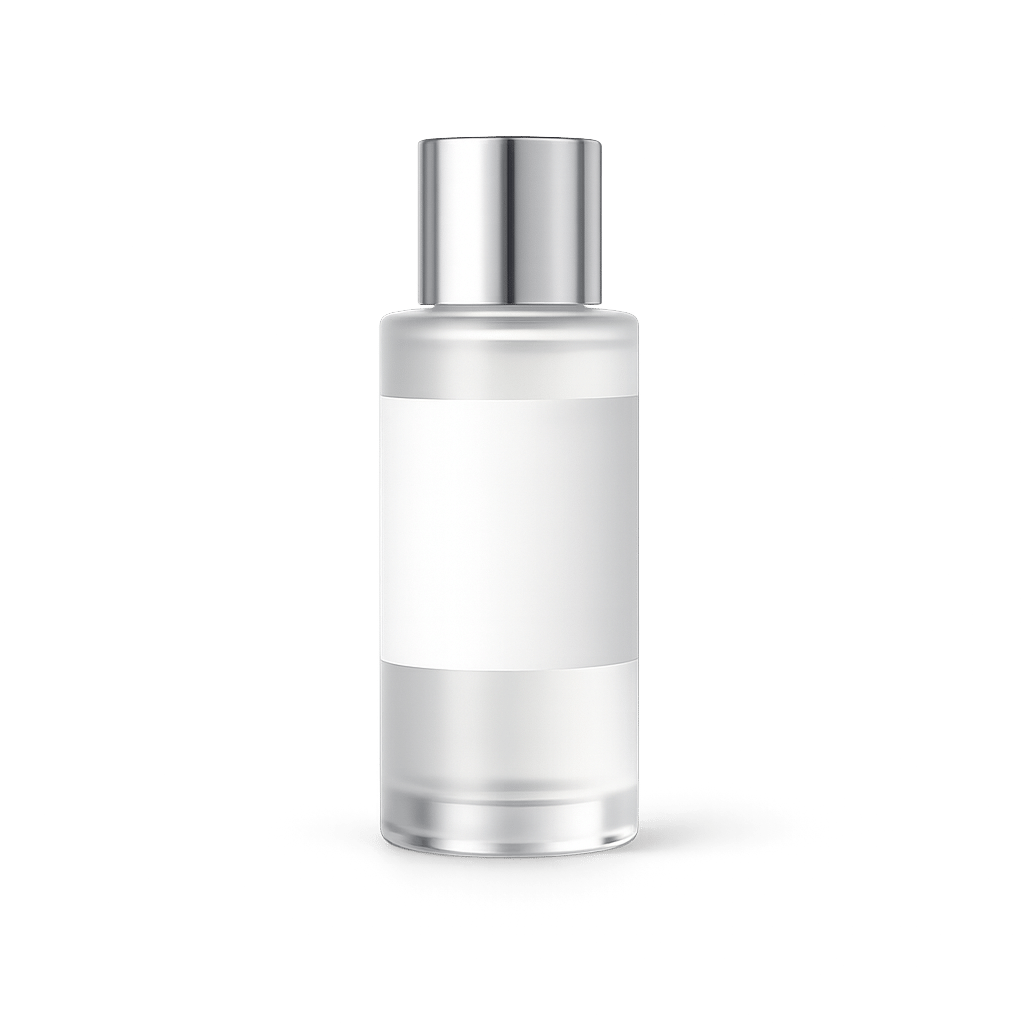
InputGPT-Image-1.5 result
A product extracted onto a transparent background
Compare the lifestyle source with the product cutout. Check the edges and label before using it in a catalog.
Prompt direction+
Extract the skincare bottle onto a transparent RGBA background with crisp edges, preserved label legibility, and a polished product finish.
03
Infographic
100%
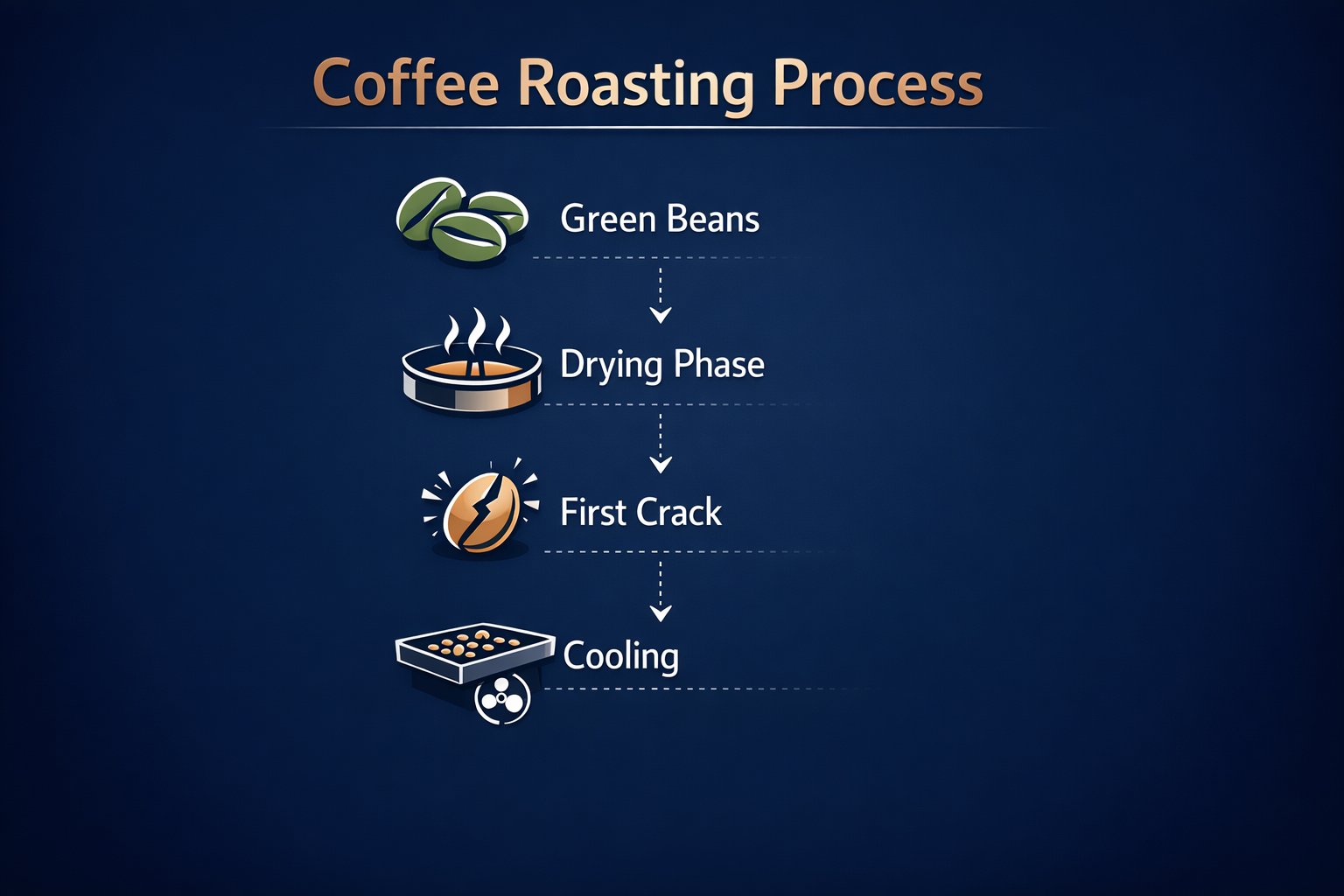
A coffee-roasting infographic
This is the kind of output consultants, marketers, and in-house design teams pay for when they need readable, presentation-ready diagrams instead of generative art.
Prompt direction+
Build a modern navy presentation slide explaining the coffee roasting process with four exact stage labels and clean visual hierarchy.
04
Product UI
100%
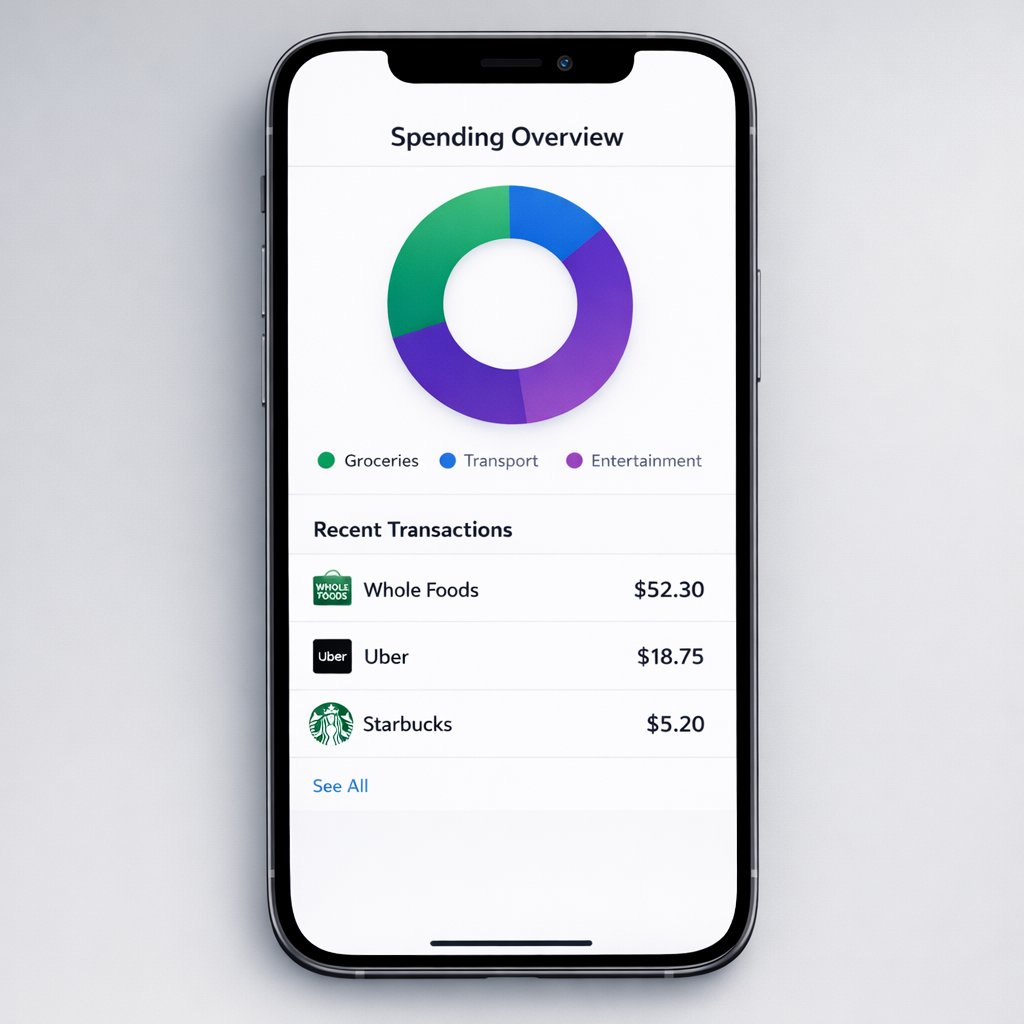
Shipped-looking mobile finance interface mockup
This is where interface hierarchy matters: spacing, cards, typography, and believable app structure instead of fuzzy concept art.
Prompt direction+
Create a polished personal finance dashboard inside a bezel-less smartphone with a donut chart and three exact merchant rows.
05
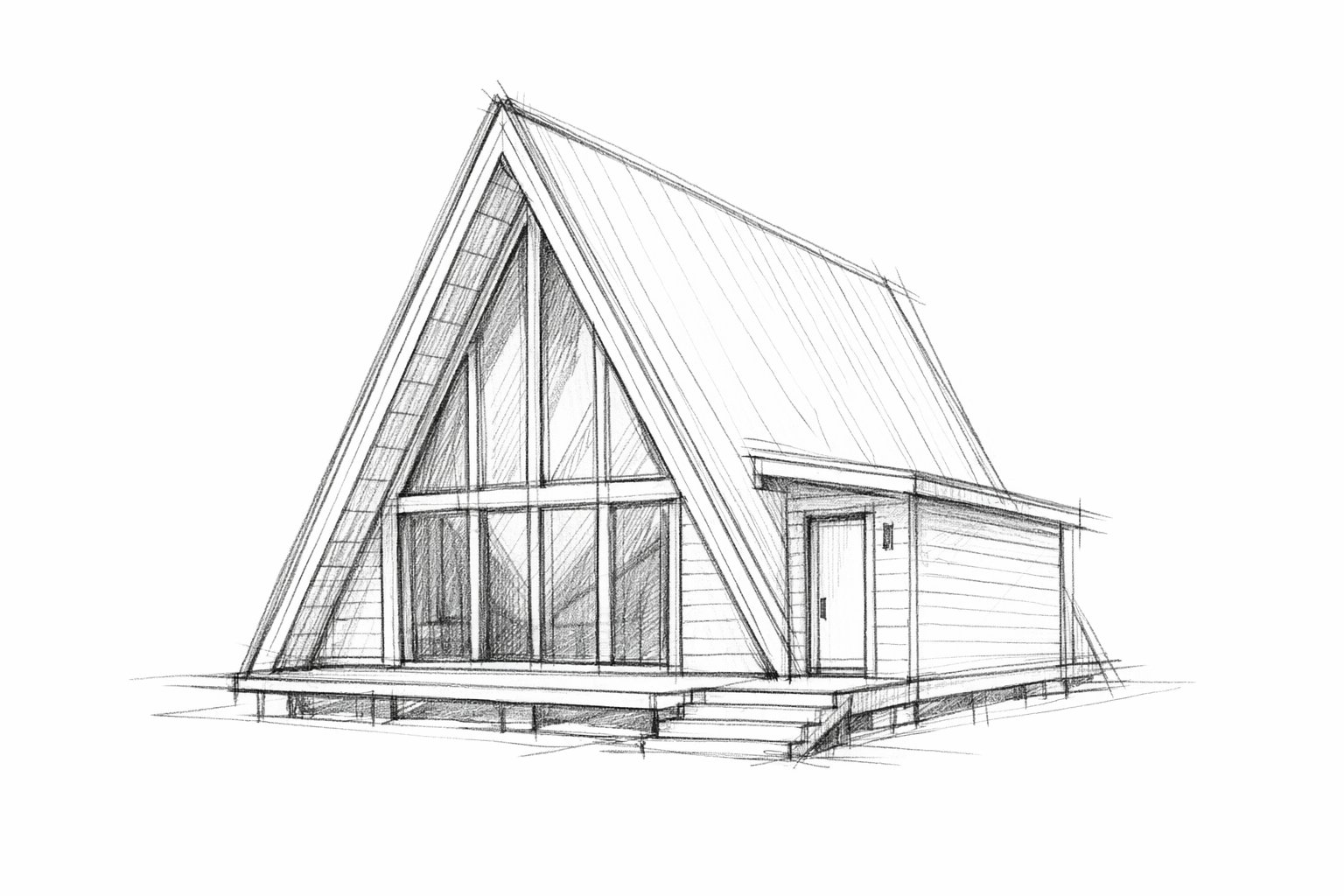
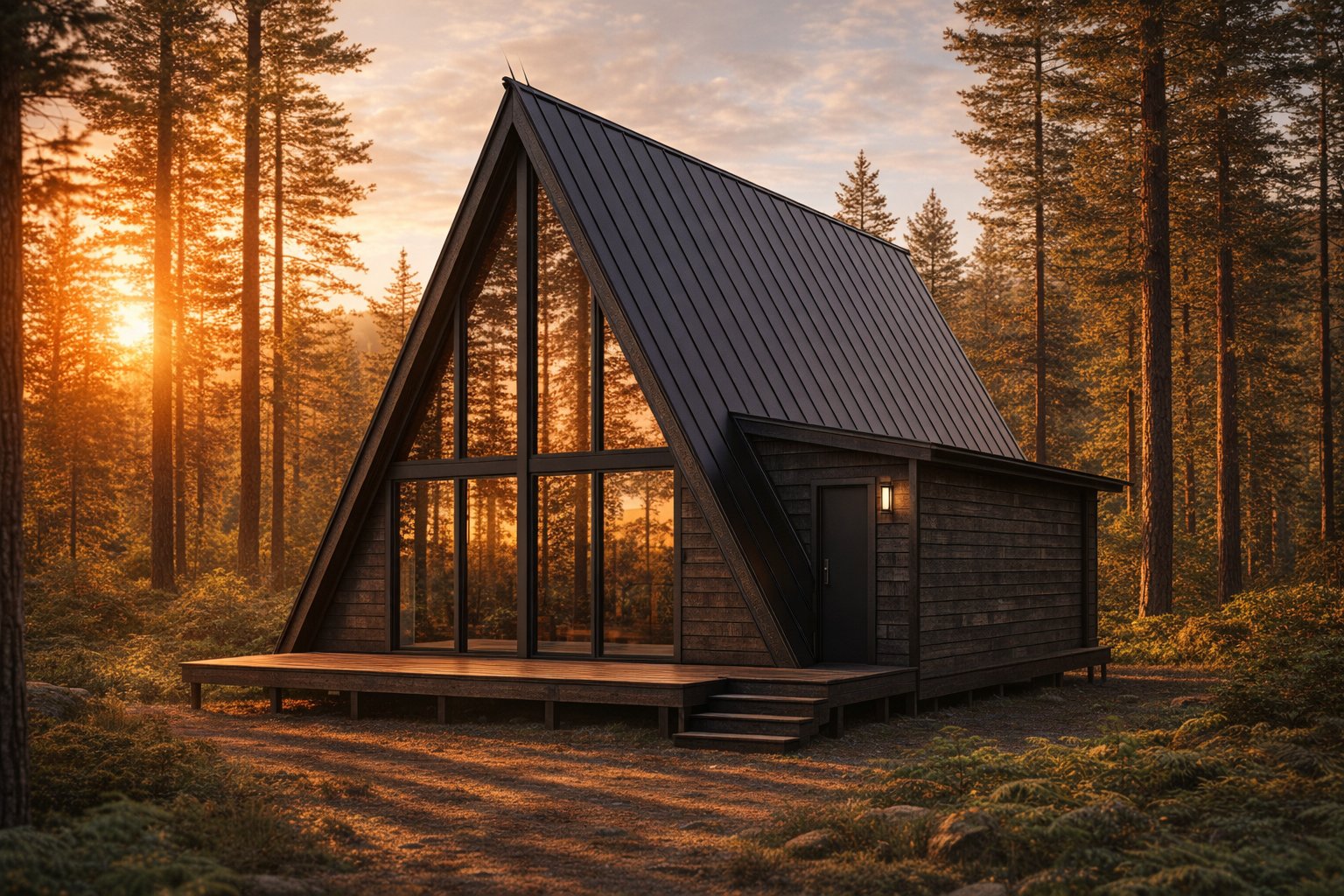
Sketch to render
InputGPT-Image-1.5 result
An architectural sketch turned into a render
The A-frame cabin sketch guides this render. Compare the geometry and opening positions against the source.
Prompt direction+
Turn an uploaded A-frame cabin sketch into a photoreal render while preserving the exact layout, perspective, and opening positions.
Where it may help
Where GPT-Image-1.5 may still be useful
GPT-Image-1.5 works best when the workflow has structure: a reference image, a layout to follow, or a specific production constraint like transparent output. These are the narrower cases where it makes sense to test.
Catalog cleanup workflows
Try it when the real need is transparent output, clean cutouts, and product-prep steps that are awkward to do manually at scale.
Virtual try-on experiments
Useful when you want to test whether a garment-application workflow can work with your existing model photography and product references.
Infographic and slide drafts
Worth testing when you need structured visual communication with readable labels and a more presentation-like layout.
UI and dashboard mockups
Still relevant for users who want to explore interface-like outputs and see how far the model gets on hierarchy and in-image text.
Geometry-led transformations
A reasonable test case when the output starts from a sketch, layout, or structured input and the model needs to keep that structure recognizable.
Users who specifically want OpenAI image output
Some users simply want GPT-Image-1.5 available as an option. This page exists to support that choice clearly and honestly.
Less ideal for
These tasks need extra testing before you choose a model.
Choosing an everyday model
Compare a few of your common tasks with Nano Banana 2 and GPT Image 2 before deciding.
High-volume everyday iteration
Run a small trial and compare output quality, time and credit use before choosing a model for a larger set.
Photorealistic scenes without structural input
Test open-ended scenes with several models when you do not have a sketch, reference or layout to guide the result.
What to expect
Match the model to the task
Test with your own product images, layout requirements and output settings.
The examples cover transparent backgrounds, layouts and multiple references. Use them to choose a task to try.
Transparent outputs
Useful when
You want to test background removal, clean product isolation, or other catalog-style tasks where transparent output is part of the workflow.
Watch for
The result still has to earn its place through output quality; capability alone is not enough.
Structured layouts
Useful when
You want to test infographics, dashboard-style mockups, or other images where hierarchy and readable text matter more than pure aesthetics.
Watch for
Output consistency can vary, so test with your actual inputs before committing to a production workflow.
Multi-image workflows
Useful when
You want to test compositing or virtual try-on scenarios that depend on multiple inputs rather than one prompt-only image.
Watch for
Support for the workflow does not automatically make it the best model choice overall.
Why it may still be worth testing
Put the output to work
Review the result for the placement where you plan to use it.
Transparent backgrounds and compositing can reduce manual steps. The final result still needs review.
Less manual masking
Transparent PNG output can remove a whole background-removal step from catalog prep and merchandising workflows.
Fewer design handoffs
Structured infographics and UI mockups reduce the need to move every early deliverable into Figma or Photoshop before it becomes readable.
Reuse existing photography
Virtual try-on and multi-image compositing let teams squeeze more value out of existing model and product photography instead of reshooting every variation.
Better production control
Compare the geometry, labels and visual hierarchy with your source material before approving a result.
Quality dial for the job
Use lower quality for faster iteration and higher quality when the final asset needs to hold up in production or client review.
Where to go next
Compare model results, explore a feature, or find a starting point for your next project.
Start with the kind of brief this model is meant to handle
These prompts lean toward production deliverables instead of generic visual exploration, because that is where GPT-Image-1.5 should earn its keep.
Virtual try-on
Apply a garment to an existing model shot
Goal: Virtual clothing try-on for a fashion ecommerce product page. Background and scene: keep the original model photo exactly the same. Subject: the woman from the source image now wearing the uploaded yellow floral dress. Key details: match drape, folds, lighting, and body geometry naturally. Constraints: preserve her exact face, pose, hairstyle, and proportions.
Goal: Prepare a product cutout for catalog use. Background and scene: transparent RGBA PNG. Subject: the skincare bottle from the uploaded image. Key details: crisp silhouette, preserved label readability, clean edges, subtle contact shadow. Constraints: keep the product geometry exact and do not restyle the bottle.
Goal: Create a polished educational infographic. Background and scene: deep navy presentation slide. Subject: the coffee roasting process. Key details: clear stage flow, minimalist icons, and the exact labels Green Beans, Drying Phase, First Crack, and Cooling. Constraints: keep typography clean, legible, and completely free of gibberish.
Goal: Create a realistic mobile app UI mockup. Background and scene: soft gray presentation background with a modern smartphone frame. Subject: a personal finance dashboard. Key details: donut chart, white interface, and transaction rows for Whole Foods, Uber, and Starbucks. Constraints: make it feel like a real shipped iOS app, not concept art.
Goal: Turn an architectural sketch into a photoreal render. Background and scene: golden-hour pine forest setting. Subject: the A-frame cabin from the uploaded sketch. Key details: charred timber siding, reflective glass, matte black standing-seam roof. Constraints: preserve the exact layout, perspective, and structural openings from the sketch.
GPT-Image-1.5 is a supported OpenAI image model on HummingBytes for users who specifically want workflows like transparent PNG output, compositing, structured layouts, and UI-style image generation.
Does GPT-Image-1.5 support transparent backgrounds?+
Yes. One of the clearest reasons to test it is transparent-background output for product extraction and catalog preparation workflows.
Is GPT-Image-1.5 good for UI mockups and infographics?+
These are among the workflows this page focuses on. If your goal is interface-like layouts or structured visual communication, it is reasonable to test there.
Is GPT-Image-1.5 good for virtual try-on or multi-image compositing?+
Those are supported workflows on HummingBytes and they are among the clearest reasons to test GPT-Image-1.5 specifically.
How do I choose between GPT-Image-1.5 and another model?+
You can choose GPT-Image-1.5 in HummingBytes. Compare your usual tasks with other available models to find the output and cost that suit you. See Nano Banana 2 model page
Can I use GPT-Image-1.5 for ecommerce catalog prep?+
Yes. That is still one of the clearest reasons to test it, especially when the workflow includes transparent extraction, product cleanup, or multi-image compositing.
When should I use GPT-Image-1.5 instead of Nano Banana 2?+
Try both on your actual inputs. This page includes GPT-Image-1.5 examples for transparent output, multi-image compositing and structured layouts. See Nano Banana 2 model page
Your next image
Try your next brief with GPT-Image-1.5.
Start with a product cutout, a composition or a layout you need to create.