AI apparel product photography

AI Apparel Product Photography

Turn a simple clothing photo into cleaner ecommerce apparel assets with a white-background product image, a lifestyle shot, a material close-up, and a styling or scale reference.

Start from your own garment photo and create stronger clothing product images without a full fashion shoot.

Core framework

The 4 apparel image types ecommerce listings need

Strong apparel listings usually need more than one clean image. They need a product-first image, one contextual lifestyle frame, one texture or material detail, and one scale or styling reference that helps the shopper understand the garment faster.

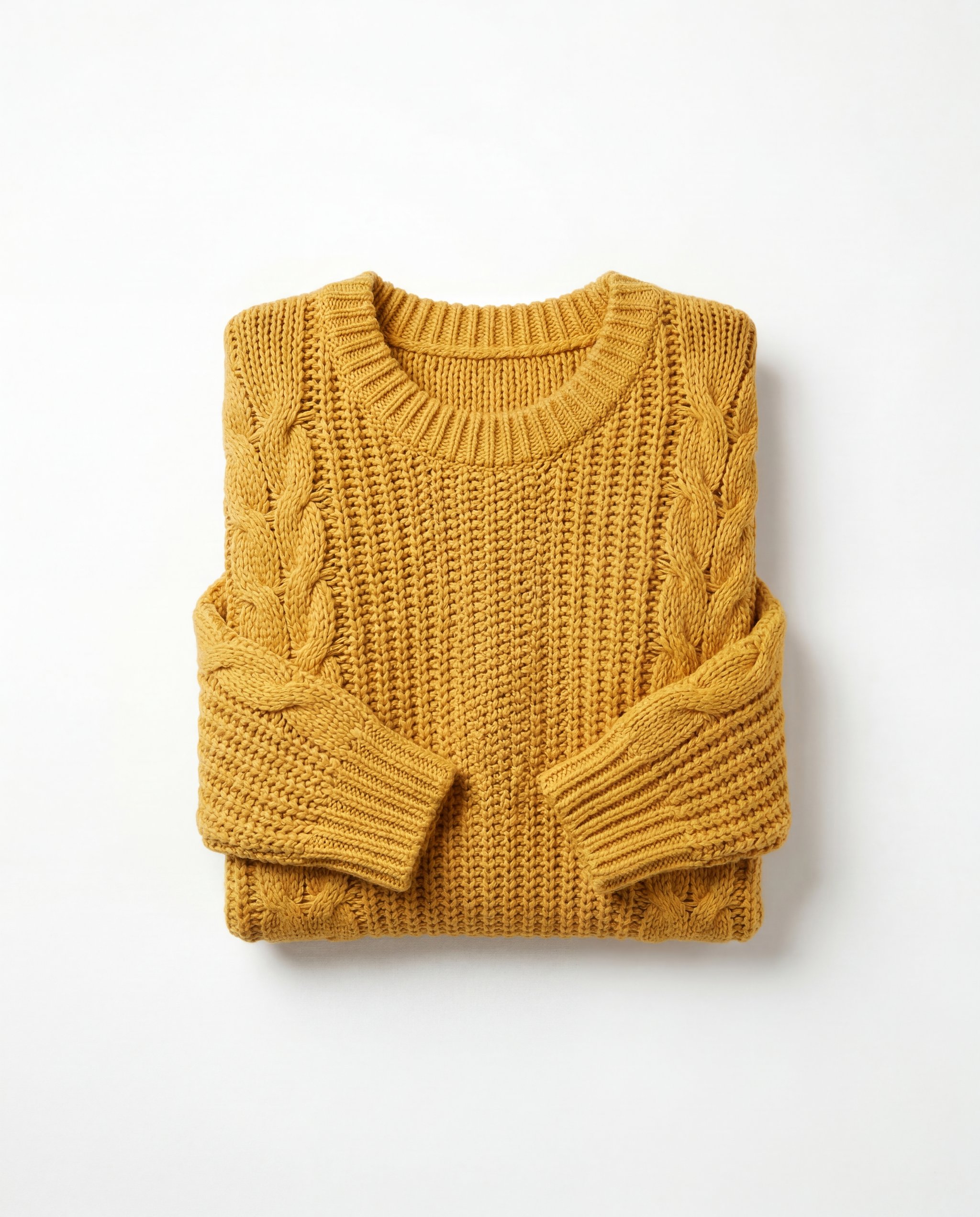
Clean flat-lay ecommerce image of a chunky mustard-yellow oversized sweater on a pure white background

1. Clean product image

Use a clean studio-style apparel image to show the garment shape, color, and knit structure clearly at first glance.

Common mistake: Letting the garment drift into a generic folded sweater that no longer matches the source item.

Create a clean product image
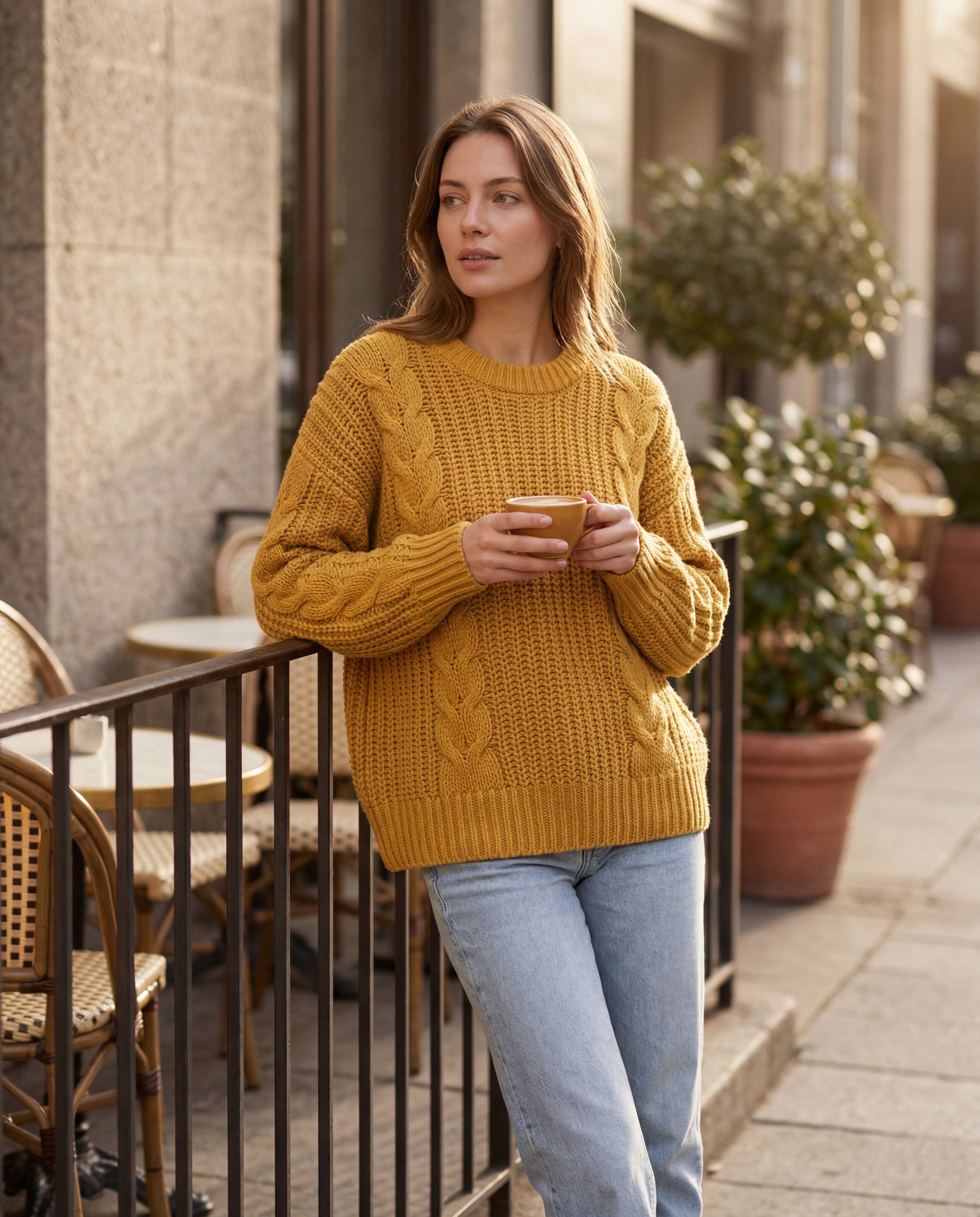
Lifestyle apparel photo of a model wearing a chunky mustard-yellow oversized sweater outside a cafe terrace

2. Lifestyle fashion image

Use one believable lifestyle frame to show how the garment feels in context without turning the image into editorial campaign art.

Common mistake: Pushing the scene so far into fashion-campaign styling that the garment stops feeling useful for ecommerce.

Create a lifestyle shot
Macro detail photo of the ribbed collar and knit texture of a mustard-yellow oversized sweater

3. Detail or material image

Use one close-up to make the fabric, weave, finish, or trim feel easier to trust before the shopper reads any bullet points.

Common mistake: Cropping so tightly or stylizing so aggressively that the material detail stops feeling like the same garment.

Create a material close-up
Flat-lay scale reference image of a mustard-yellow oversized sweater beside a leather crossbody bag and sunglasses

4. Fit, scale, or styling reference image

Use one supporting image to help the shopper judge scale, styling context, or how the garment fits into a full outfit story.

Common mistake: Using a weak comparison setup that looks decorative but does not actually help the shopper understand the garment.

Create a styling reference image
Complete set proof

See a complete apparel image set in action

The goal is not one nicer garment photo. The goal is a full apparel set where each image does a different ecommerce job and the product page feels more complete.

Sleeveless dress image set

This dress example shows how one source garment can become a cleaner product image, a believable lifestyle shot, a fabric detail, and a styling or scale reference without losing the original silhouette.

Clean white-background ecommerce image of the sleeveless midi dress

Clean product image

The white-background product shot that makes the dress shape and color easier to read immediately.

Lifestyle apparel photo of a model wearing the same sleeveless midi dress outdoors

Lifestyle image

The contextual frame that helps the dress feel wearable without drifting into editorial styling.

Macro detail photo of the fabric texture and construction of the sleeveless midi dress

Material detail

The close-up that makes the fabric texture and construction feel more trustworthy.

Styling and scale reference image of the sleeveless midi dress in a shopper-friendly outfit context

Styling reference

The supporting image that helps the shopper judge outfit context, silhouette, and scale.

Bomber jacket image set

This jacket example shows how one rough source photo can become a cleaner white-background product image, a believable street-style lifestyle shot, a hardware detail, and a styling or scale reference without losing the original garment identity.

Clean white-background ecommerce image of the bomber jacket

Clean product image

The white-background product shot that makes the jacket shape, trim, and color easier to read immediately.

Lifestyle apparel photo of the same bomber jacket worn in a street-style setting

Lifestyle image

The street-style frame that helps the jacket feel wearable without drifting away from ecommerce use.

Macro detail photo of the bomber jacket hardware and trim construction

Hardware detail

The close-up that makes the zipper, trim, and construction details feel more trustworthy.

Styling and scale reference image of the bomber jacket in an ecommerce-friendly outfit context

Styling reference

The supporting image that helps the shopper judge outfit context, silhouette, and relative scale.

Oversized sweater image set

This single-SKU apparel set shows how one source garment can become a cleaner product image, a contextual lifestyle shot, a material detail, and a scale-friendly styling reference.

Clean flat-lay ecommerce image of a chunky mustard-yellow oversized sweater on a pure white background

Clean product image

The studio-style apparel shot that makes the garment easy to read immediately.

Lifestyle apparel photo of a model wearing a chunky mustard-yellow oversized sweater outside a cafe terrace

Lifestyle image

The contextual frame that gives the sweater more merchandising value.

Macro detail photo of the ribbed collar and knit texture of a mustard-yellow oversized sweater

Material detail

The close-up that makes the knit quality feel more trustworthy.

Flat-lay scale reference image of a mustard-yellow oversized sweater beside a leather crossbody bag and sunglasses

Scale reference

The supporting image that helps the shopper judge styling context and relative size.

Transformation proof

From simple clothing photo to polished apparel assets

The hero gives the fast payoff. This section shows the deeper proof: one rough garment photo can become a stronger apparel image system instead of staying a weak seller shot.

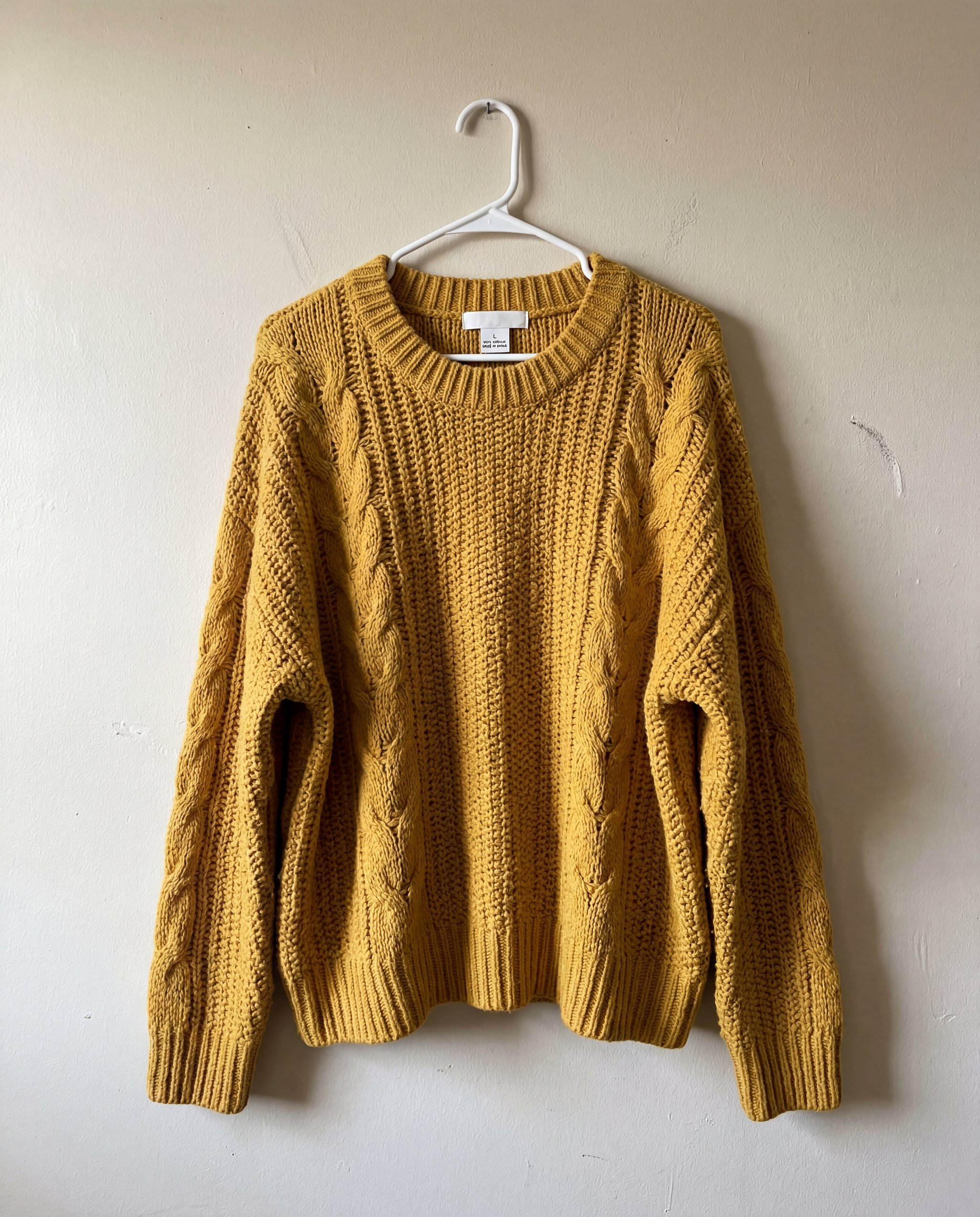
Raw smartphone-style source photo of a chunky mustard-yellow oversized sweater hanging on a plastic hanger against a beige wall

Basic source photo

Start with a weak clothing photo. The job is to preserve the same garment and turn it into stronger apparel visuals shoppers can actually use.

Apparel-ready outputs

Clean flat-lay ecommerce image of a chunky mustard-yellow oversized sweater on a pure white background

Clean product image

The first transformation turns the weak source into a cleaner apparel image that is easier to use on product pages and listings.

Macro detail photo of the ribbed collar and knit texture of a mustard-yellow oversized sweater

Material detail

The second transformation pulls out fabric texture and construction detail so the same garment feels more trustworthy online.

Workflow

How HummingBytes helps you create apparel product photos

The workflow is practical: start from a simple clothing photo, create the core apparel image types a listing needs, improve weak source presentation, and iterate faster once the garment identity is locked.

  1. Start from a simple clothing photo

    Upload the garment photo you already have instead of planning a full apparel shoot from scratch.

  2. Create the core apparel image types

    Generate the clean product image, lifestyle shot, material detail, and supporting styling reference from the same source item.

  3. Improve weak source presentation

    Clean up framing, texture readability, and commercial polish so the garment feels more sellable online.

  4. Iterate fast once one direction works

    Once the garment identity holds up, generate stronger apparel variants faster than another round of photography.

Prompt starters

Prompt starters for apparel product photography

Pick the apparel image type you need, start from your garment photo, and refine from there.

Clean product image prompt starter

Use the uploaded clothing photo as the source. Preserve the exact garment identity and create a clean ecommerce apparel product image on a pure white background with clearer fabric detail and a polished commercial finish.

Create a clean product image

Lifestyle image prompt starter

Use the uploaded clothing photo as the source. Preserve the exact garment identity and create a polished lifestyle apparel image that shows the same garment in a believable ecommerce-friendly setting.

Create a lifestyle shot

Material detail prompt starter

Use the uploaded clothing photo as the source. Preserve the exact garment identity and create a premium material close-up that emphasizes texture, weave, and construction details.

Create a material close-up

Fit or styling reference prompt starter

Use the uploaded clothing photo as the source. Preserve the exact garment identity and create a clean apparel styling or scale reference image that helps the shopper understand the garment better.

Create a styling reference image

Frequently asked questions about AI apparel product photography

What kinds of apparel images can I create from one source photo?

You can create clean product images, lifestyle shots, material close-ups, and supporting styling or scale-reference images from one garment source.

Can I start from my own clothing photo?

Yes. The page is built around that workflow: start from a simple clothing photo and turn it into stronger ecommerce apparel visuals.

How consistent is the garment identity across outputs?

The goal is to preserve the same garment while changing the presentation around it. Clear source photos and prompts that emphasize identity help the outputs stay grounded in the original item.

Can I use HummingBytes for Shopify or marketplace apparel listings?

Yes. The image types on this page are designed to fit common ecommerce and marketplace apparel workflows, not only one channel.

How fast can I generate a full apparel image set?

Once you have a usable source photo and one direction that works, you can build out the core apparel image set much faster than planning separate shoots for each image type.

Do I need a studio-quality source image to get good results?

No. This workflow is built for simple garment photos, although clearer lighting, framing, and visibility of the item usually make it easier to preserve the garment reliably.
Ready to build the set?

Create better apparel product photos from your source image

Generate cleaner product images, stronger lifestyle shots, and more useful apparel supporting visuals from the clothing photo you already have.