HummingBytes benchmark · Tested March 2026
Seedream 5.0 Lite vs Seedream 4.5
Seedream 5.0 Lite is the stronger mixed-workload choice and won all six editing tests. Seedream 4.5 retains the advantage for landmarks, UI mockups and small, dense text.


Existing benchmark outputs. Read the prompt and verdict in the tests below.
Choose by the result you need
Each criterion links to the original test. These observations describe the displayed outputs.
Seedream 4.5
Strong resemblance, less skin detail.
Seedream 5.0 Lite
Slightly better skin and facial detail.
Seedream 4.5
Sharper and more faithful landmark.
Seedream 5.0 Lite
Smoother, more synthetic background.
Seedream 4.5
More accurate text and ticket layout.
Seedream 5.0 Lite
Less faithful to the requested text.
Seedream 4.5
Less accurate face and skin preservation.
Seedream 5.0 Lite
Better face preservation and background integration.
How to read these results
We compared generated images and edits using the prompts and references shown below. Inspect the full images before choosing for your own brief.
These are the original benchmark results. Prices, timings and supported formats describe the test configuration, not a new measurement.
Testing details and limitations
We run the same benchmark suite on both models, archive all candidates, and report a winner only after a side-by-side review of the best output from each model.
Each test uses matched prompts and, where applicable, the same input image for both models. We generated 4 candidates per model per test and selected the best output from each side using consistent criteria: prompt adherence, realism, typography/layout accuracy, and preservation quality in edits. Results shown on this page reflect our March 2026 test runs and may change as models are updated. In current configuration, cost and speed are approximately similar, while maximum output is up to 4K for Seedream 4.5 and up to 3K for Seedream 5.0 Lite.
Cost and speed were approximately equal in the tested configuration. Maximum configured output was 4K for Seedream 4.5 and 3K for Seedream 5.0 Lite.
Seedream 5.0 Lite had a slight portrait-detail edge and cleaner infographic hierarchy. Neither model produced reliable live-data infographics; time-sensitive facts need manual verification.
Image generation
Inspect the output pairs and their references. Open a prompt to see exactly what was requested.
Portraits and scene realism
Inspect faces, physical detail, landmarks and named objects.
Portrait Headshot (Seedream 4.5 Sweet Spot)
What this test checks
Both models perform well on portrait headshots, but Seedream 5.0 Lite keeps slightly richer skin detail and facial fidelity in this run.
Winner:
Seedream 5.0 LiteWhy this winner
Seedream 5.0 Lite preserves skin texture and facial details slightly better while keeping strong resemblance.


<- drag to compare ->
Compare input vs
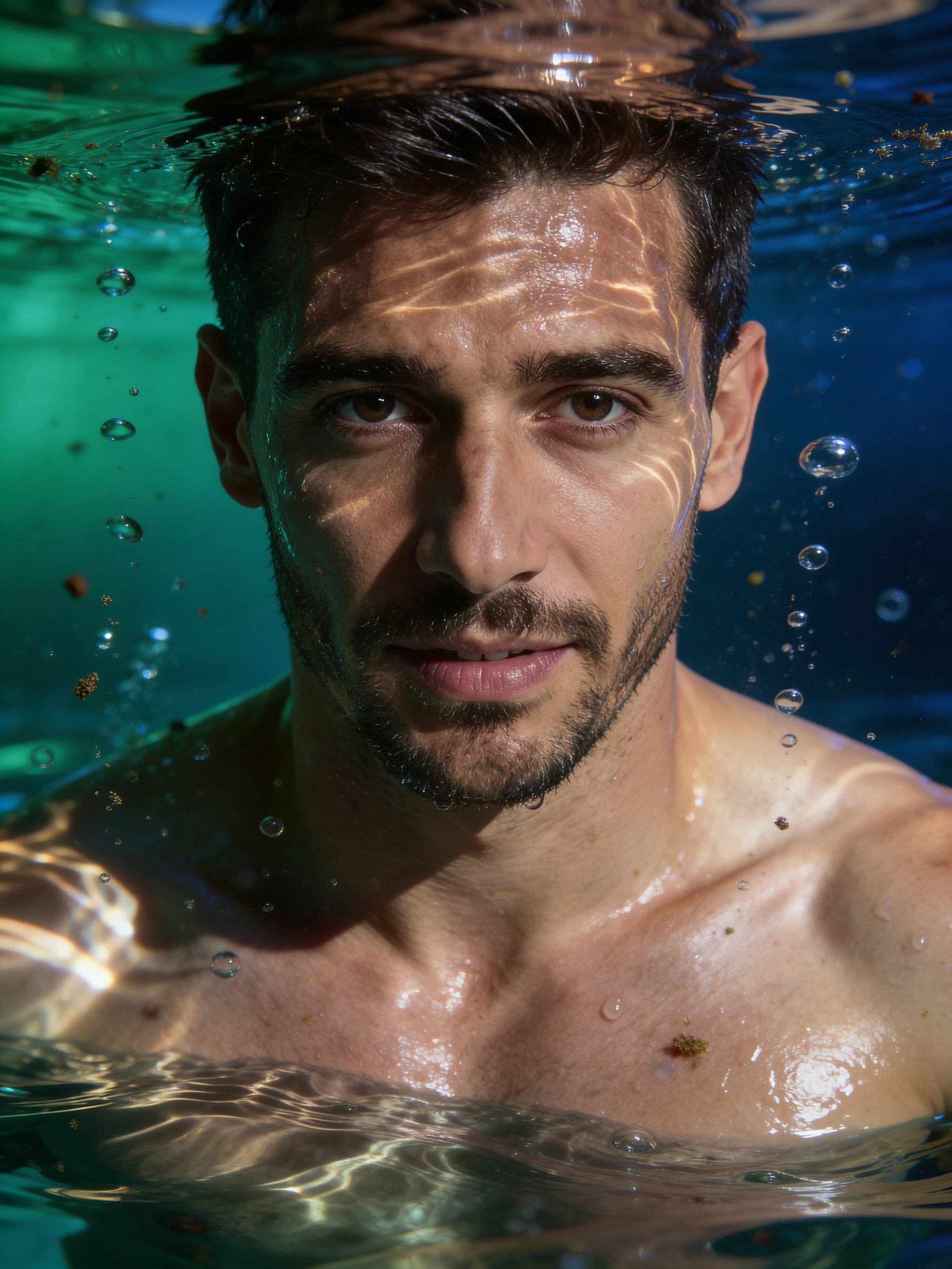
Complex Realism Prompt (Underwater Cinematic Test)
What this test checks
For highly detailed, physically complex scenes, Seedream 5.0 Lite tends to preserve realism, lighting behavior, and material detail more reliably.
Winner:
Seedream 5.0 LiteWhy this winner
Seedream 5.0 Lite looks slightly more realistic in color and depth, but both models fail this test due to a visible underwater line artifact.

<- drag to compare ->
Compare input vs
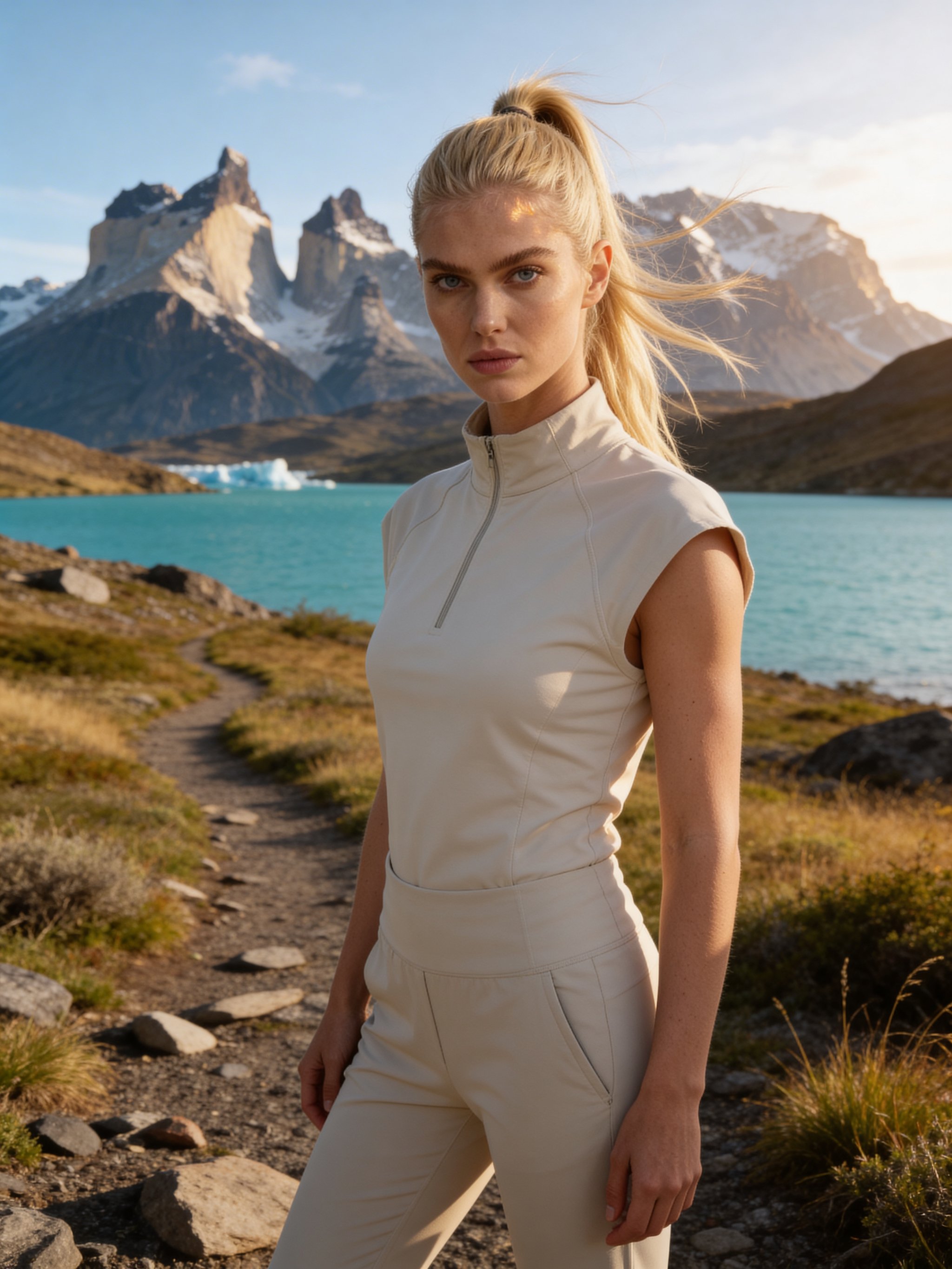
Landmark Accuracy (Torres del Paine Test)
What this test checks
When prompts depend on real, recognizable places, this test shows Seedream 4.5 producing a sharper and more faithful landscape.
Winner:
Seedream 4.5Why this winner
Seedream 4.5 renders a sharper, more detailed, and more faithful Torres del Paine background. Seedream 5.0 Lite looks smoother and more synthetic.
<- drag to compare ->
Compare input vs
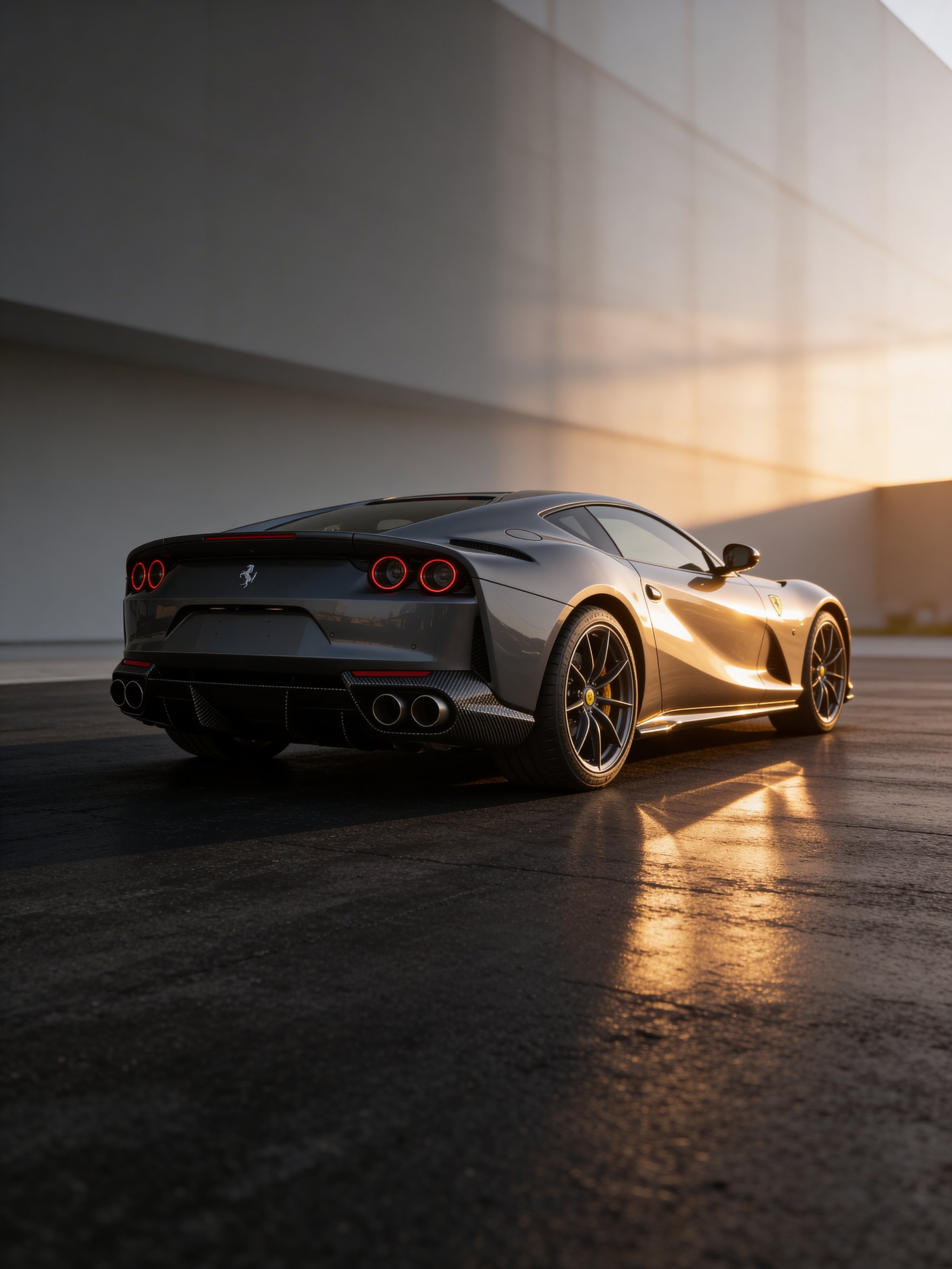
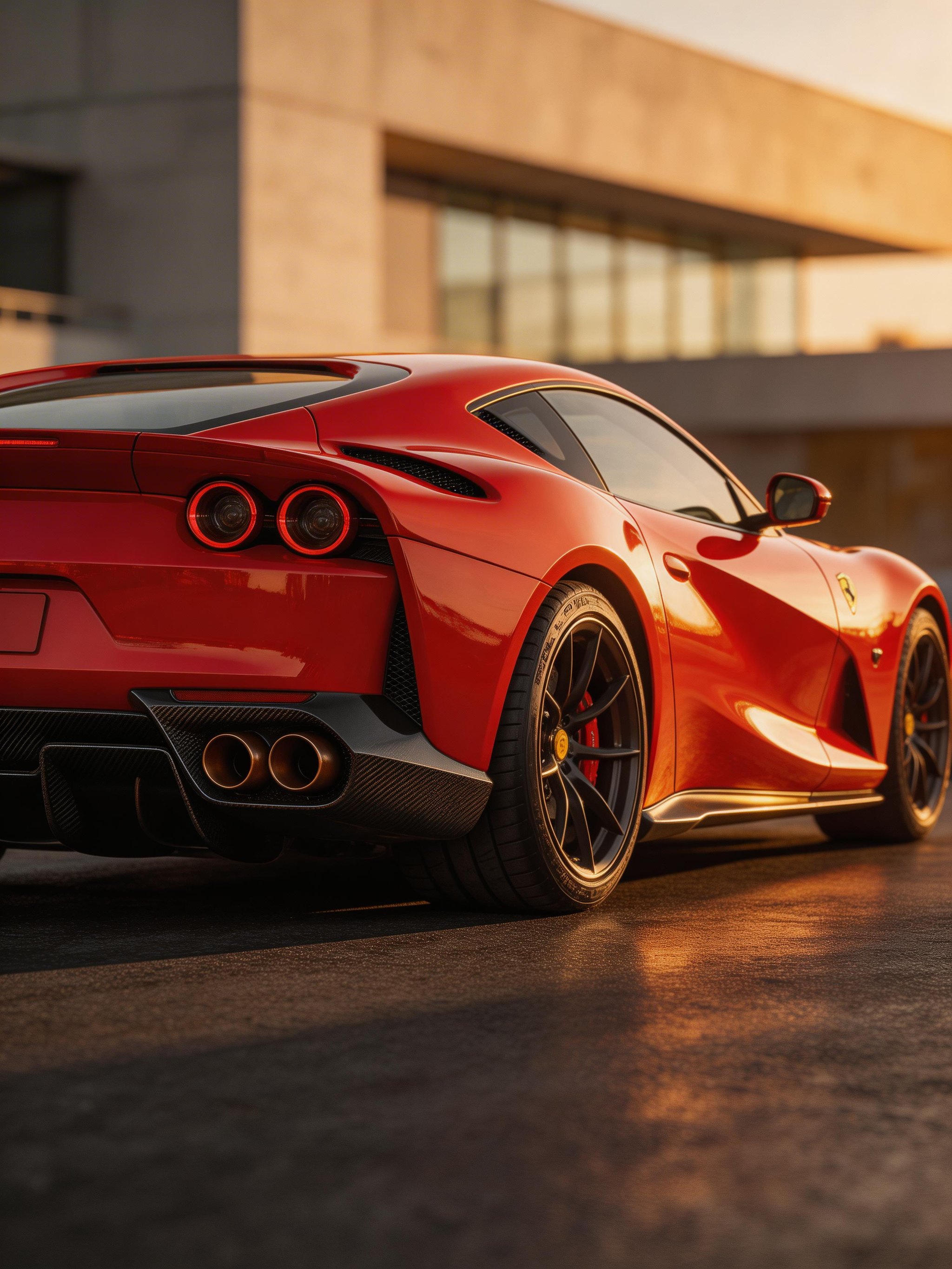
Named Object Fidelity (Ferrari 812 Test)
What this test checks
This test checks whether each model can reproduce a real Ferrari 812 Competizione, not just a generic supercar look.
Winner:
Seedream 4.5Why this winner
Neither model fully matches a true Ferrari 812 Competizione, but Seedream 4.5 has a narrow realism edge in this run and stays slightly closer to target details.
<- drag to compare ->
Text, layouts and graphics
Check exact wording, readability and how the page or image is organized.
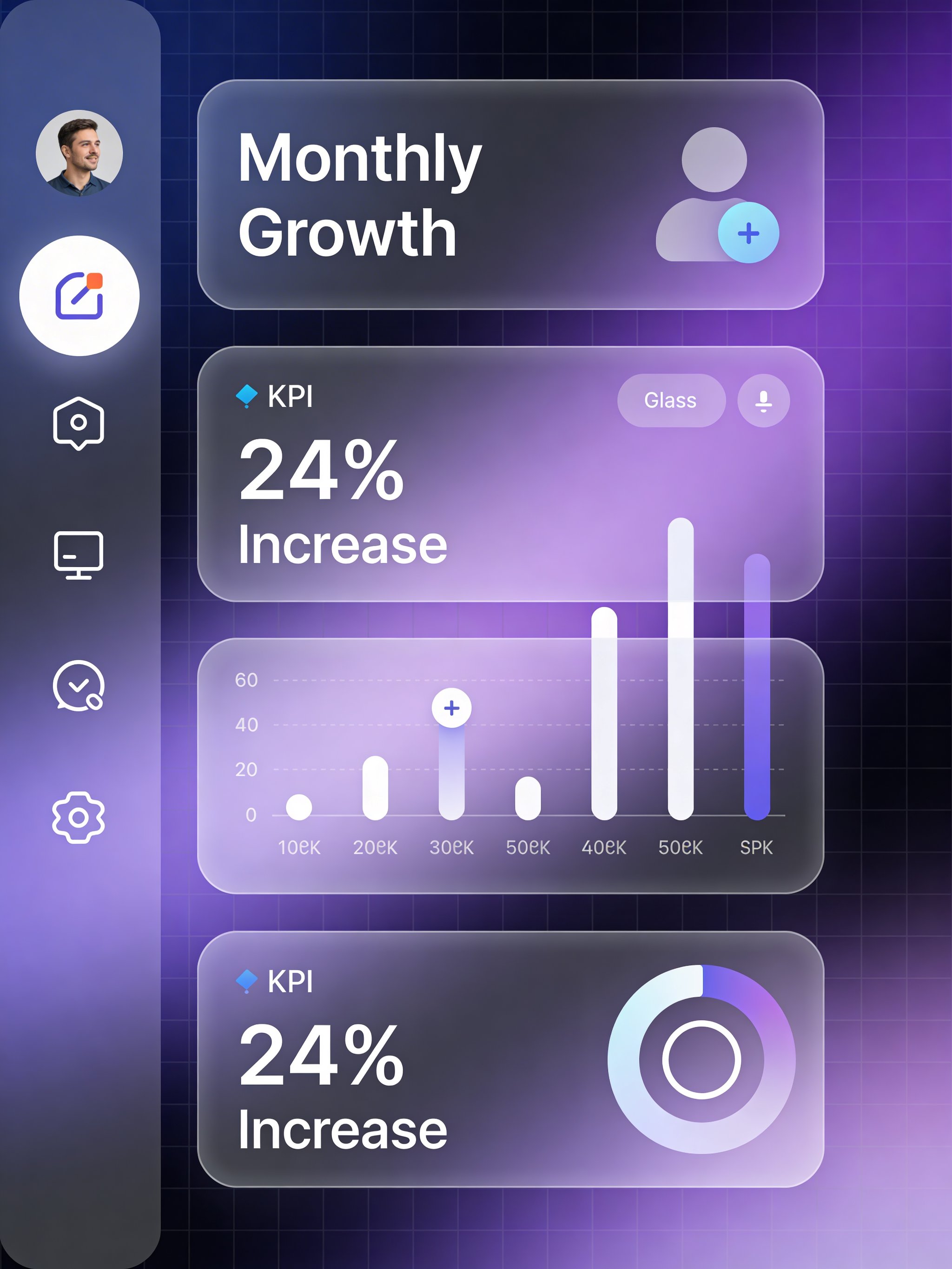
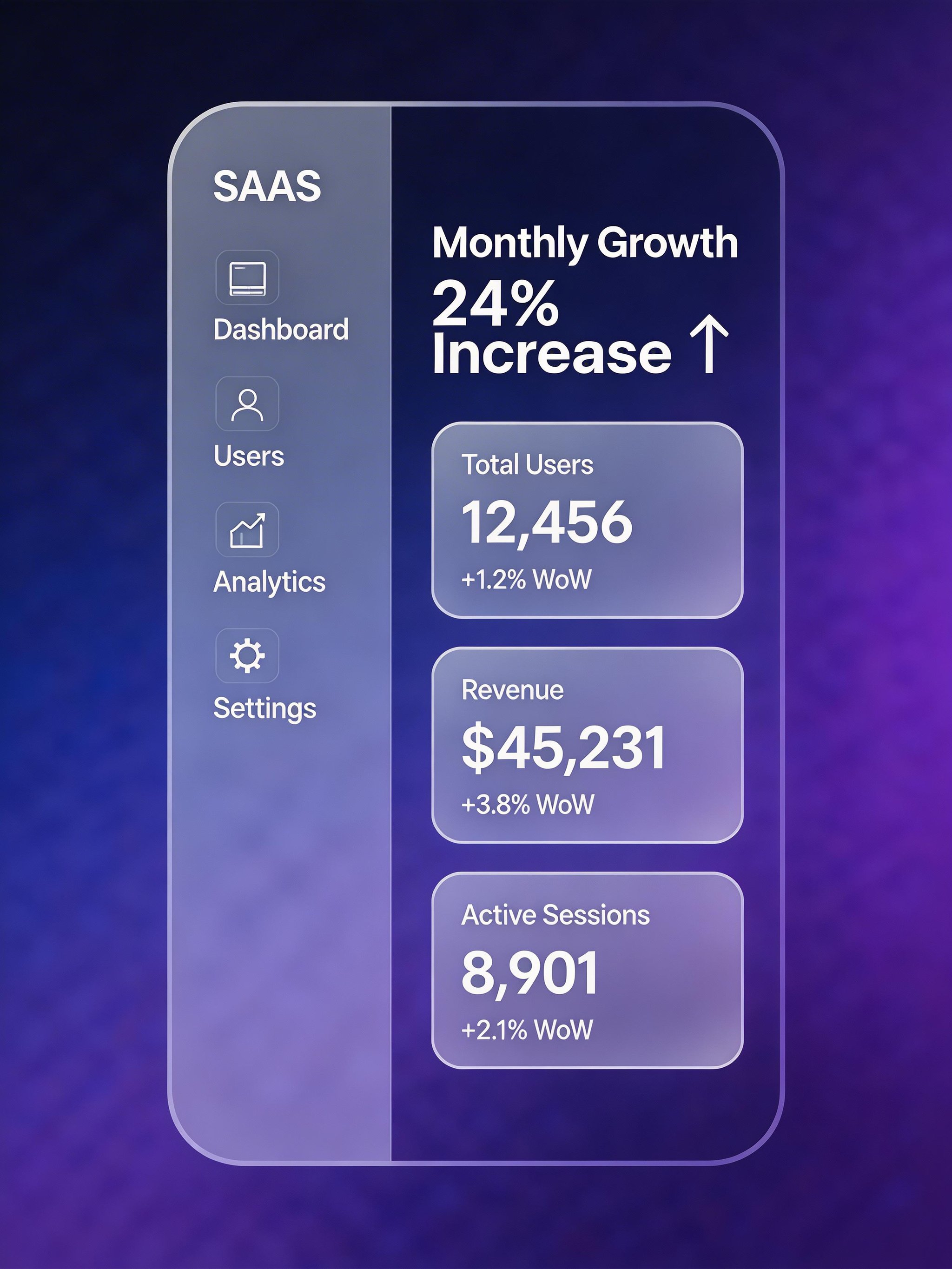
UI Mockup Generation
What this test checks
This mockup test favors Seedream 4.5, which produced a cleaner and more coherent layout.
Winner:
Seedream 4.5Why this winner
Seedream 4.5 delivered the cleaner UI. Seedream 5.0 Lite looked lower quality and added unnecessary sidebar labels.
<- drag to compare ->
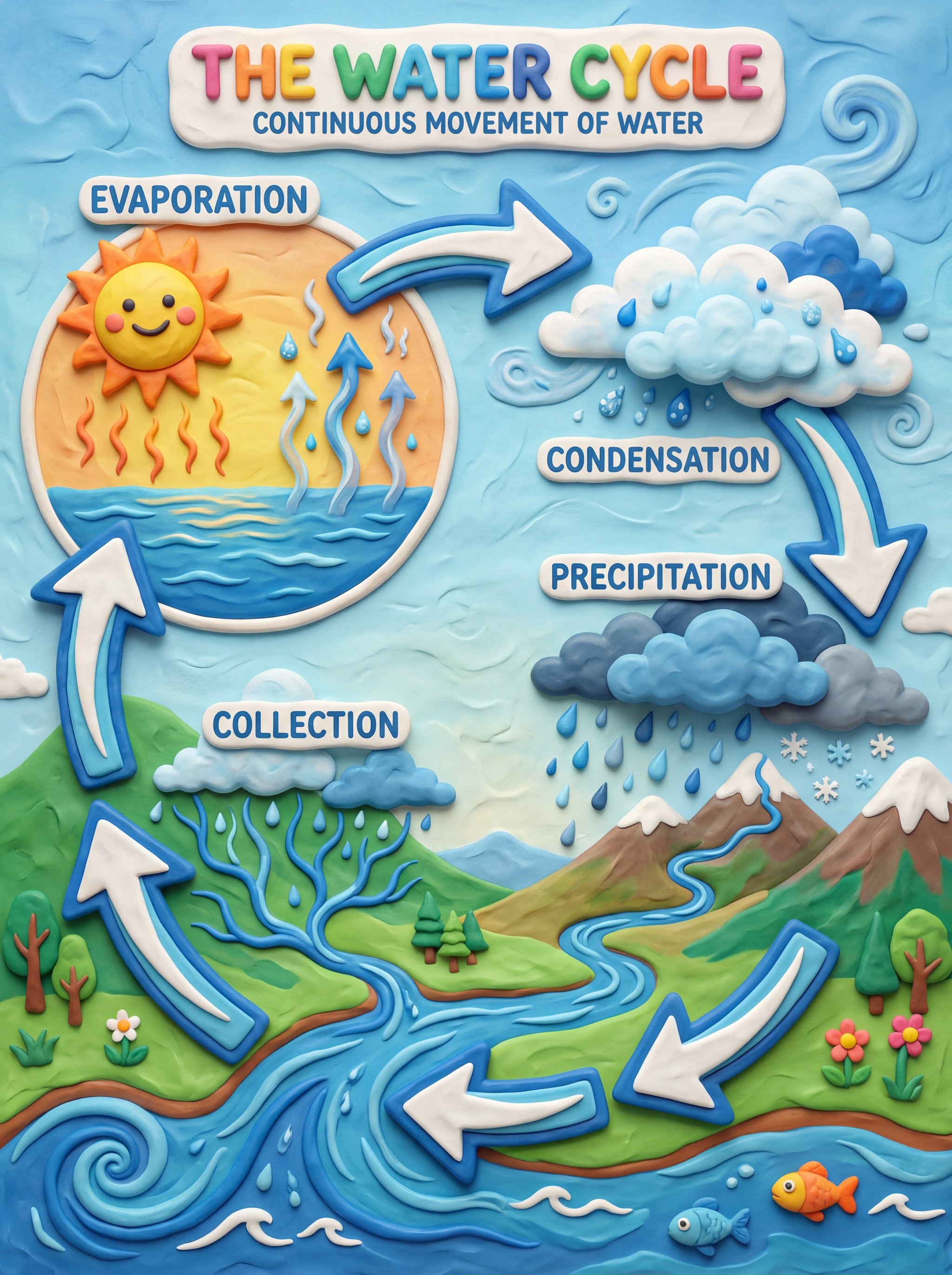
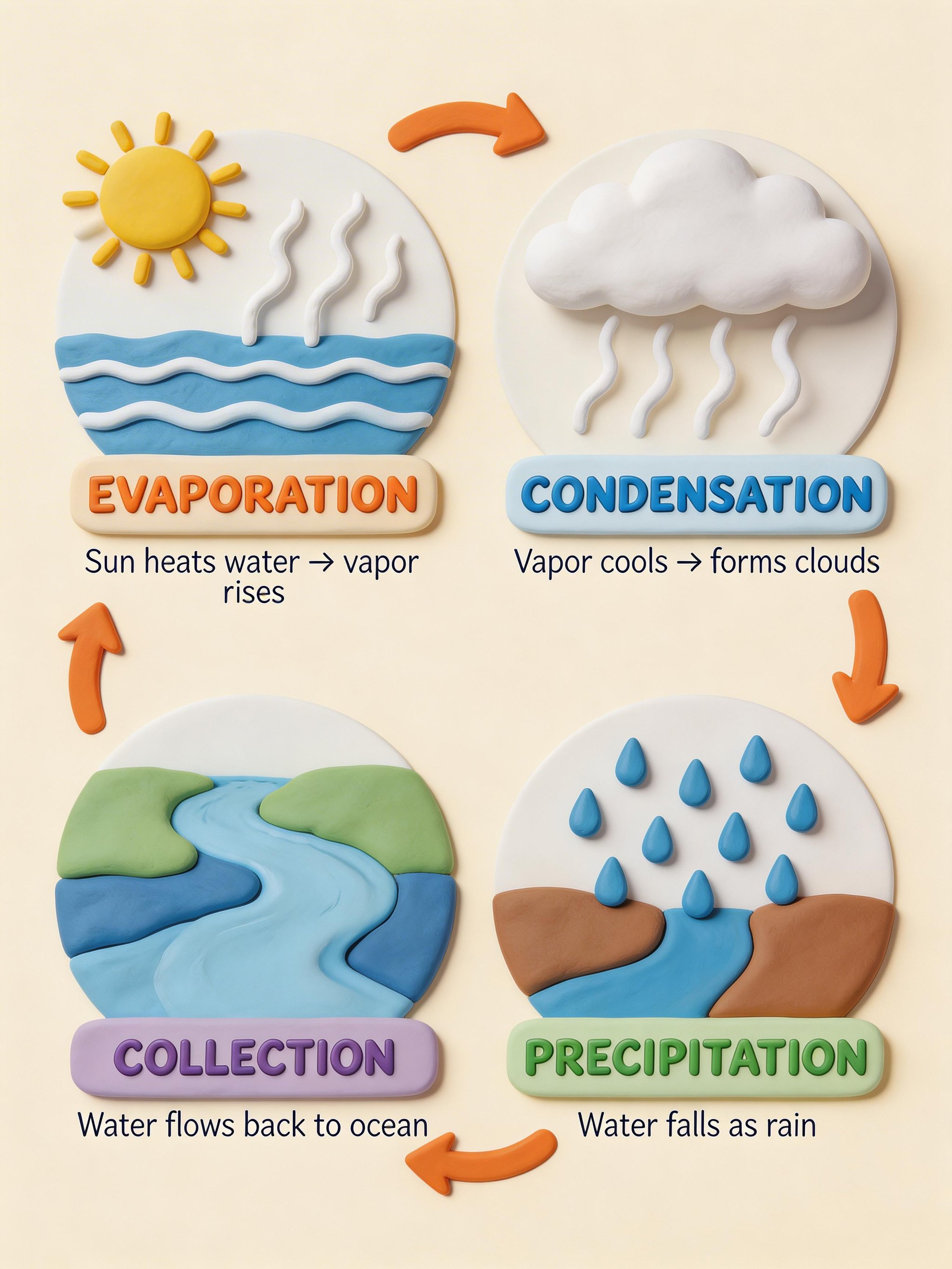
Complex Infographic Composition
What this test checks
For posters, infographics, and multi-element compositions, Seedream 5.0 Lite tends to nail detail with fewer mistakes.
Winner:
Seedream 5.0 LiteWhy this winner
Seedream 5.0 Lite is clearer and easier to parse. Seedream 4.5 overcrowds the composition with extra elements (including too many arrows).
<- drag to compare ->
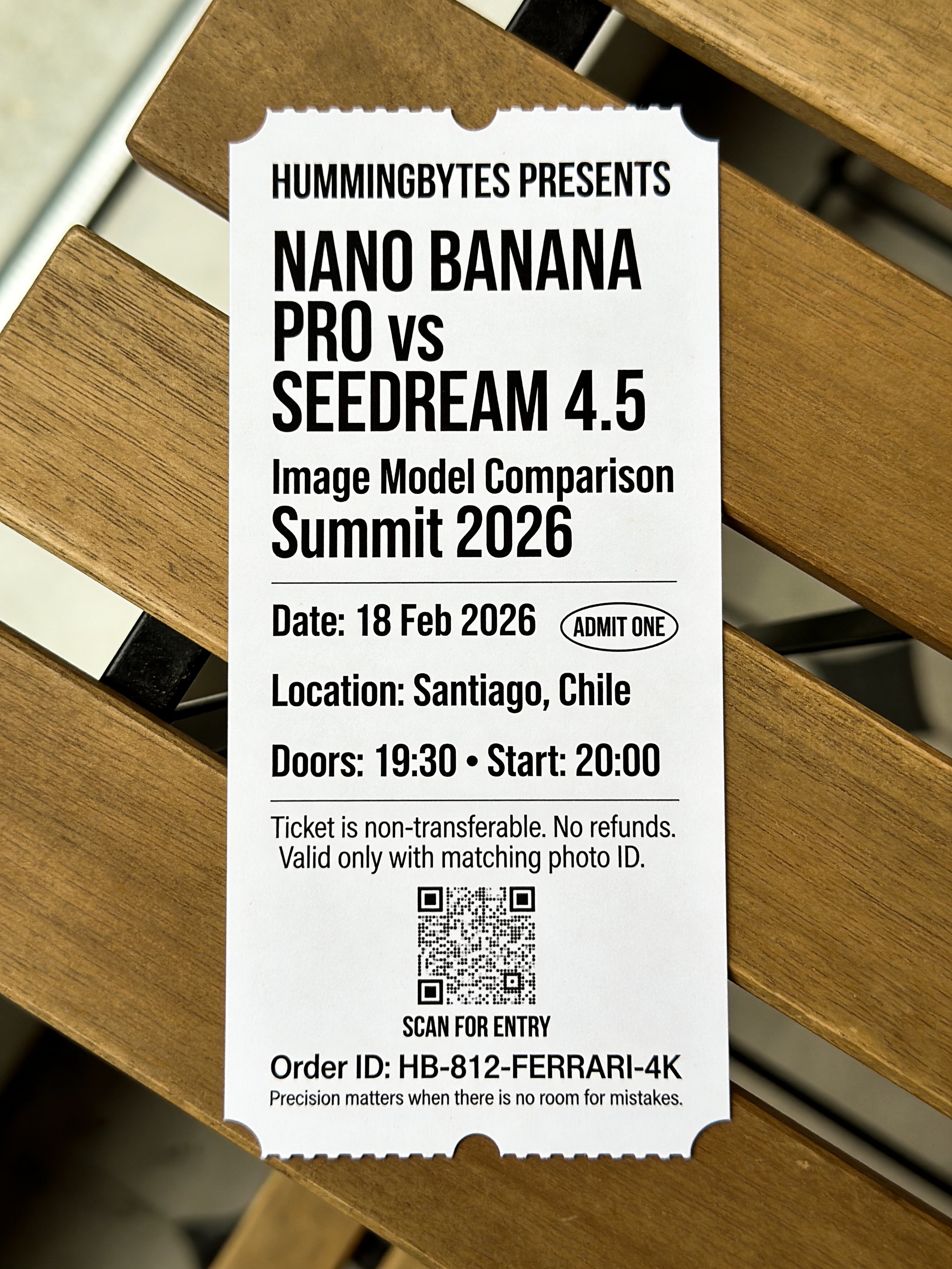
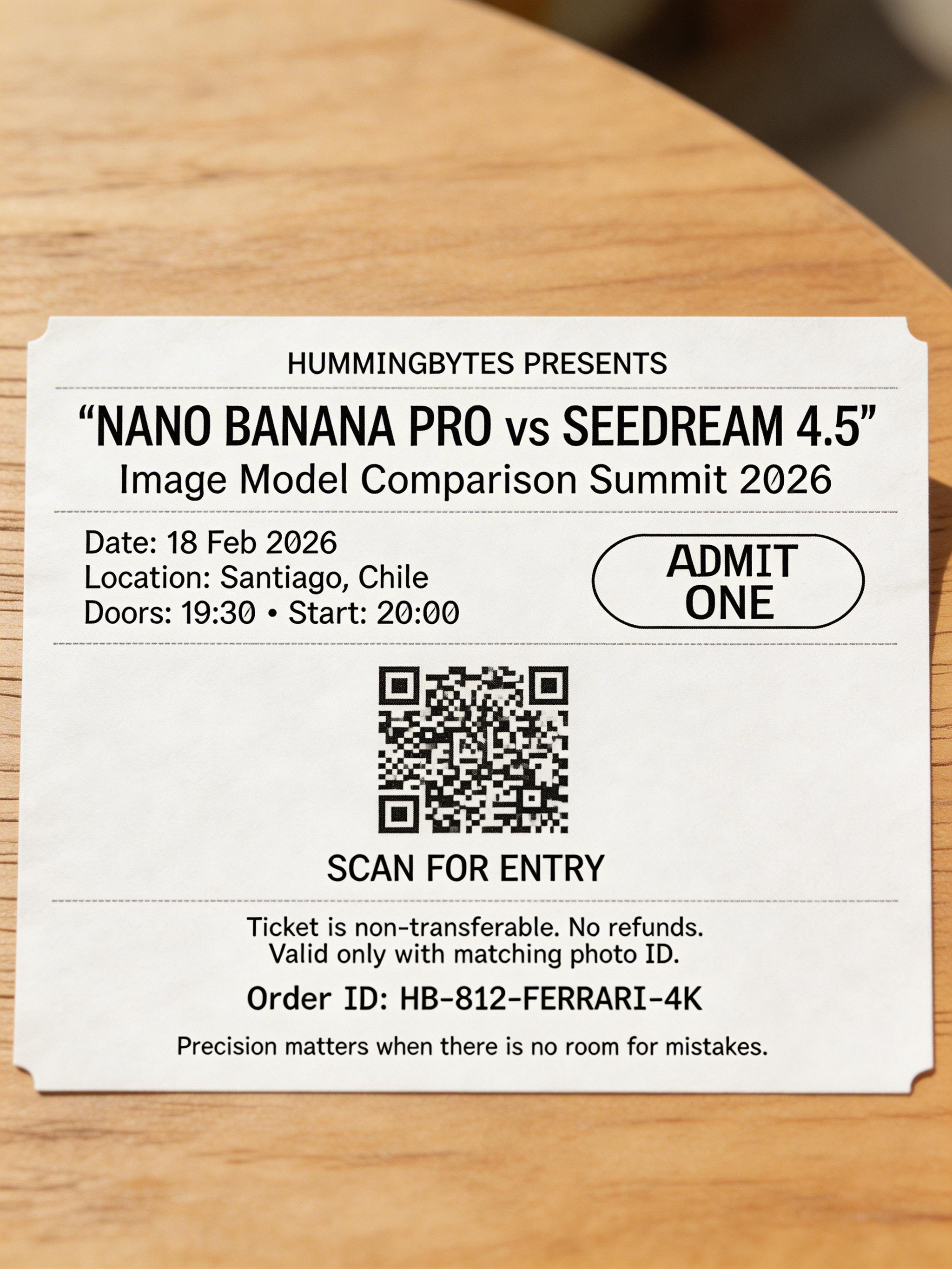
Text Rendering Test
What this test checks
When a prompt requires readable typography and clean text hierarchy, Seedream 4.5 often delivers stronger out-of-the-box clarity.
Winner:
Seedream 4.5Why this winner
Seedream 4.5 achieved much higher text accuracy and followed the ticket layout more closely.
<- drag to compare ->
Product photography and ads
Compare product presentation, campaign composition and visual hierarchy.
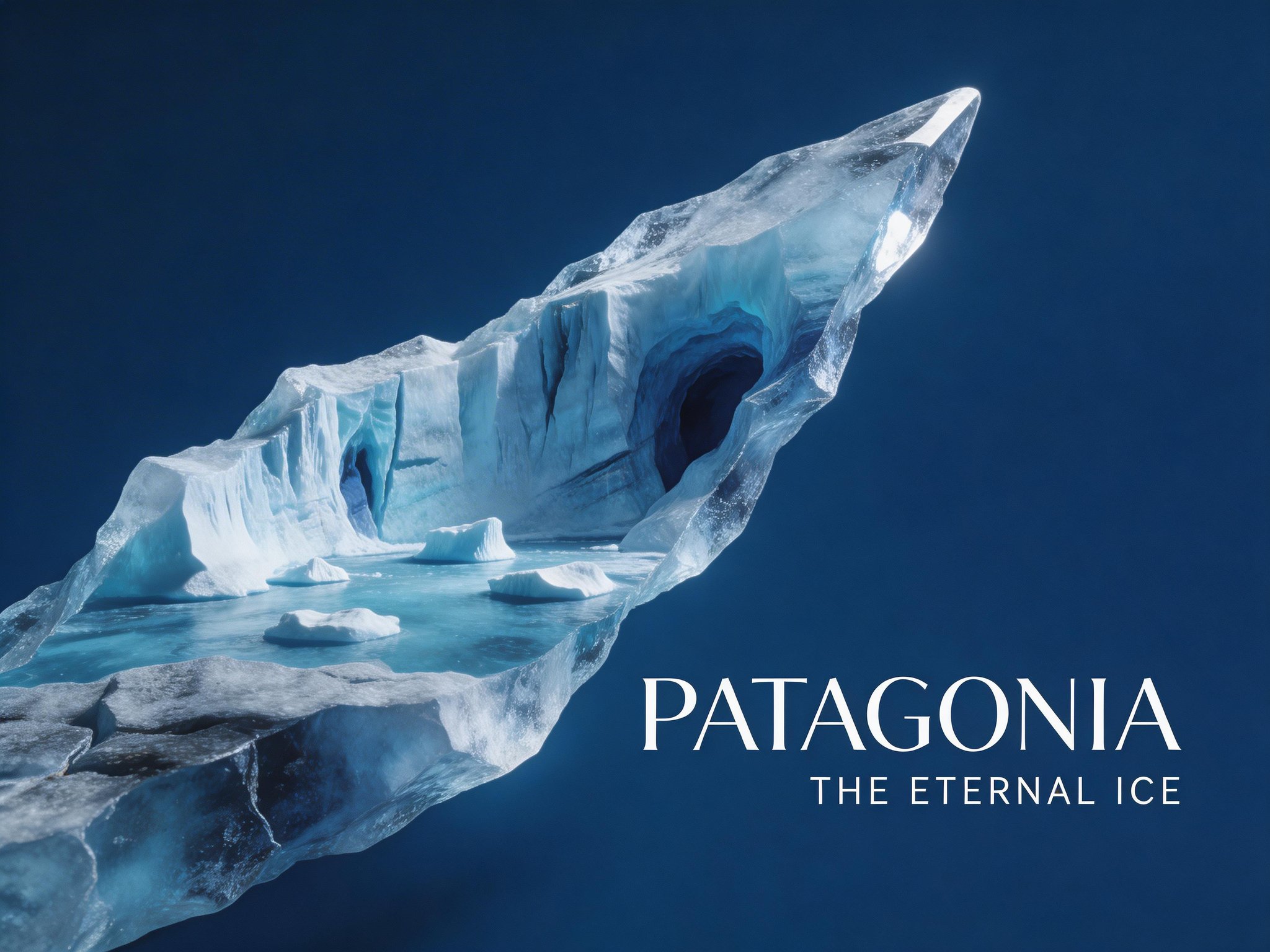
Poster Composition Test
What this test checks
This test focuses on visual composition, texture realism, and art direction in a cinematic poster-style scene.
Winner:
Seedream 4.5Why this winner
Seedream 4.5 has a cleaner poster layout, stronger negative space, and better alignment with the diagonal shard composition requested in the prompt.

<- drag to compare ->
Typography + Design Composition Test
What this test checks
This test evaluates typography quality, hierarchy, and composition discipline in a luxury poster layout.
Winner:
Seedream 5.0 LiteWhy this winner
Seedream 5.0 Lite renders more accurate typography and a cleaner editorial hierarchy, which makes the result feel more professional.
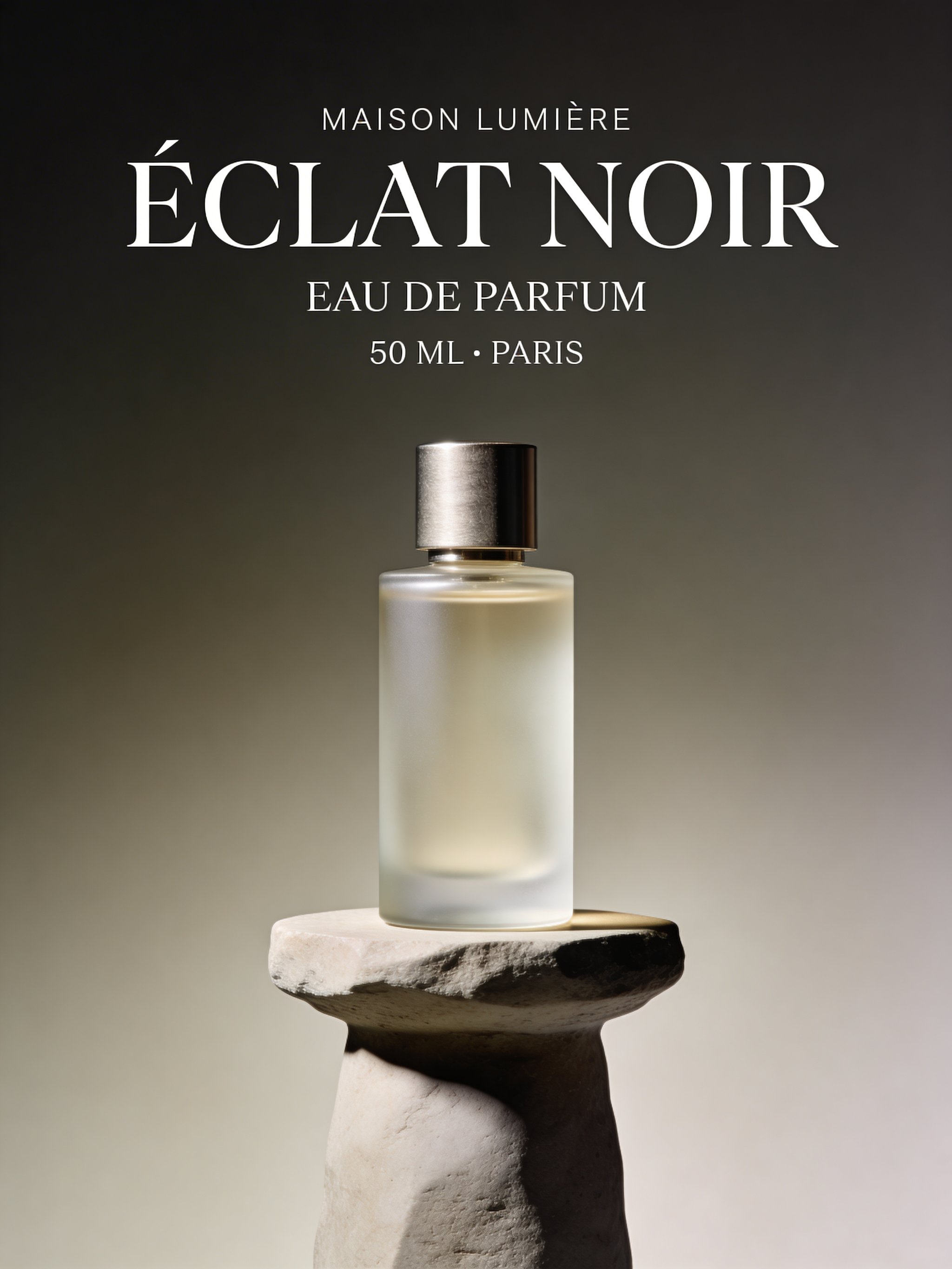
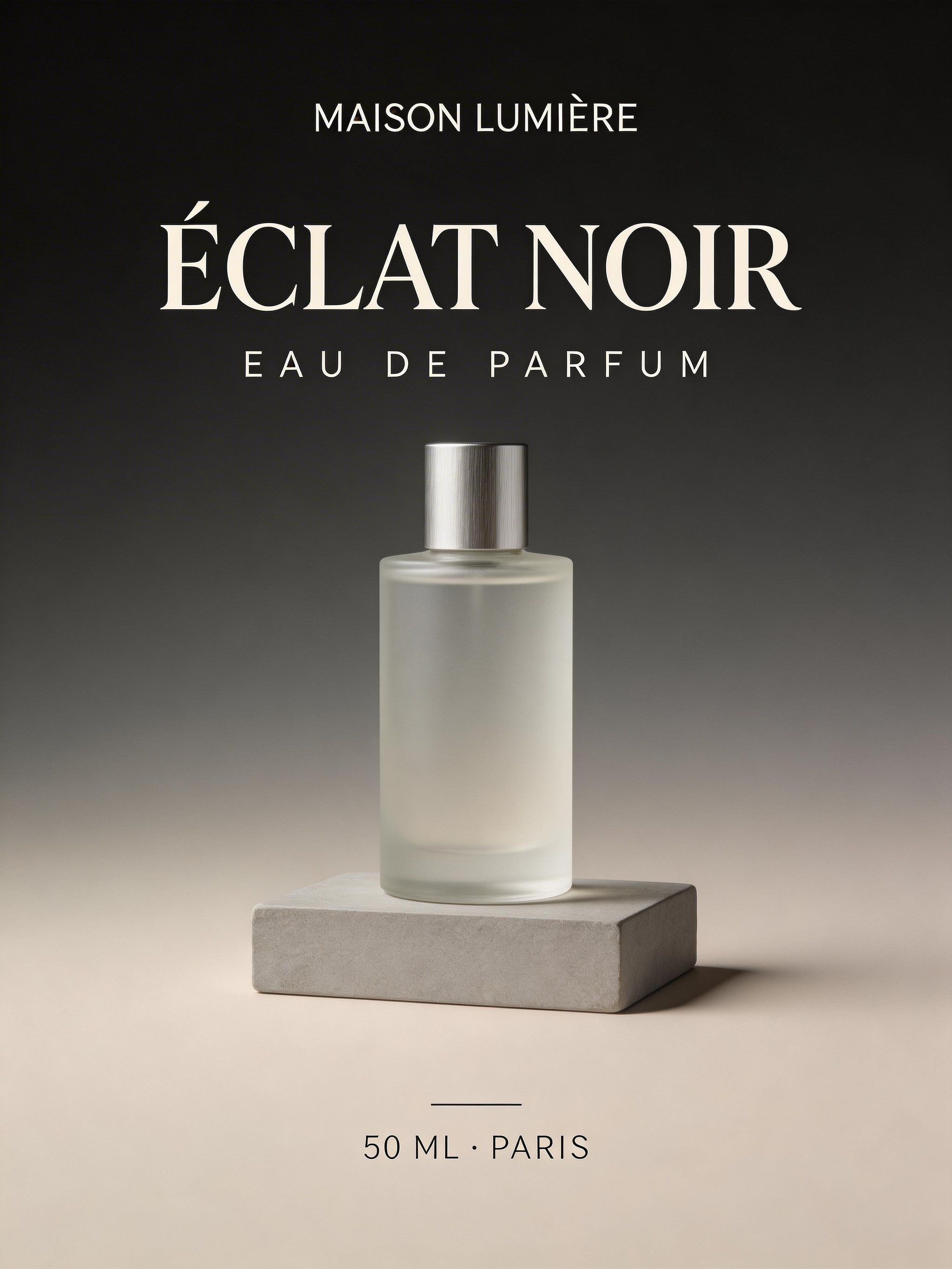
<- drag to compare ->
Spatial reasoning and factual accuracy
Check whether a convincing image also follows the scene logic and factual brief.
Spatial Logic & Physics (The Mirror Paradox)
What this test checks
Most models struggle with reflections and mirrored text constraints. We used the same prompt to test whether each model could reason about 3D mirror geometry rather than matching 2D patterns.
Winner:
Seedream 5.0 LiteWhy this winner
Seedream 5.0 Lite at least generated the requested text content, but it still failed the core spatial setup: the person/paper positioning relative to the mirror was incorrect and the mirror logic was not fully solved.
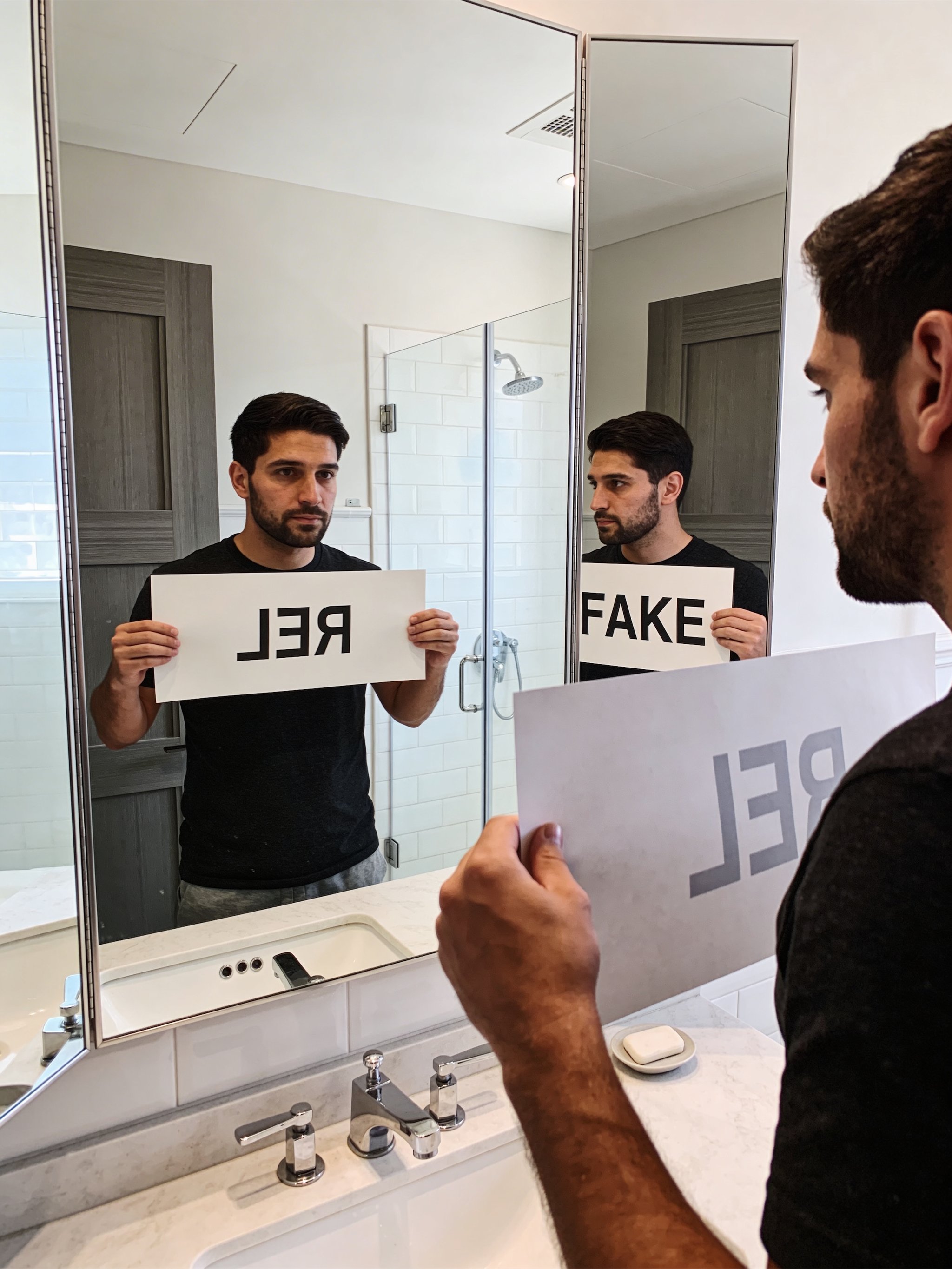
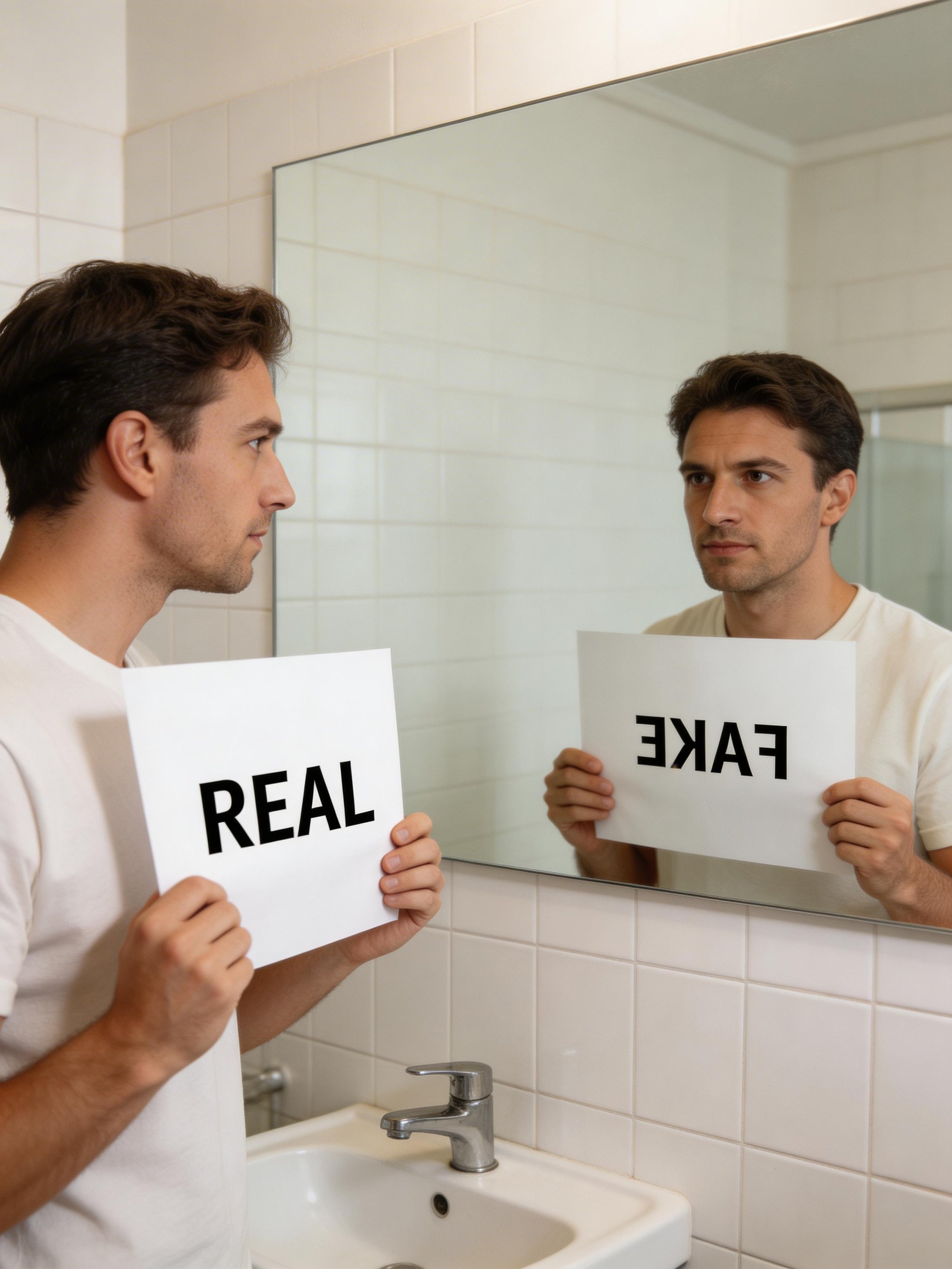
<- drag to compare ->
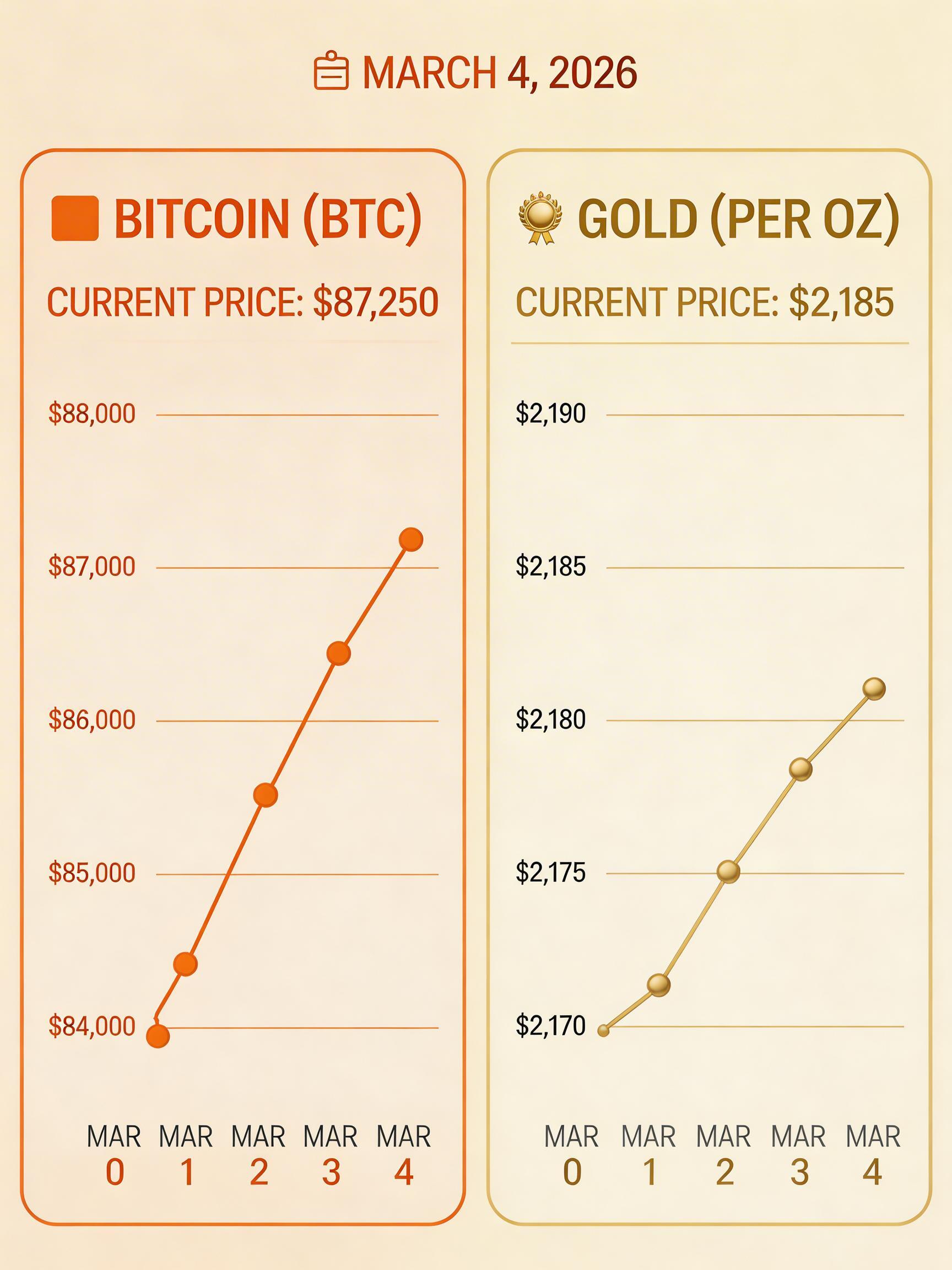
Real-Time Knowledge (The "Live Market" Test)
What this test checks
Standard models often rely on frozen training data. We asked both models to render a live market snapshot to test whether they could retrieve current facts or would hallucinate outdated numbers.
Winner:
Seedream 4.5Why this winner
Both models failed to pull accurate live data and hallucinated values. Seedream 4.5 wins only on visual composition in this run, which looked more futuristic and editorially polished than Seedream 5.0 Lite.

<- drag to compare ->
Image editing
These tests focus on preservation accuracy, structural stability, and whether each model edits only what was requested.
Subject and product preservation
See what stays intact when the background, clothing or lighting changes.
Identity-Preserving Background Change
What this test checks
Both models receive the same portrait and must replace only the background while keeping the subject's face, expression, clothing, and pose completely unchanged.
Winner:
Seedream 5.0 LiteWhy this winner
Seedream 5.0 Lite preserves skin detail and face resemblance more accurately while integrating the new background cleanly.


<- drag to compare ->
Compare input vs
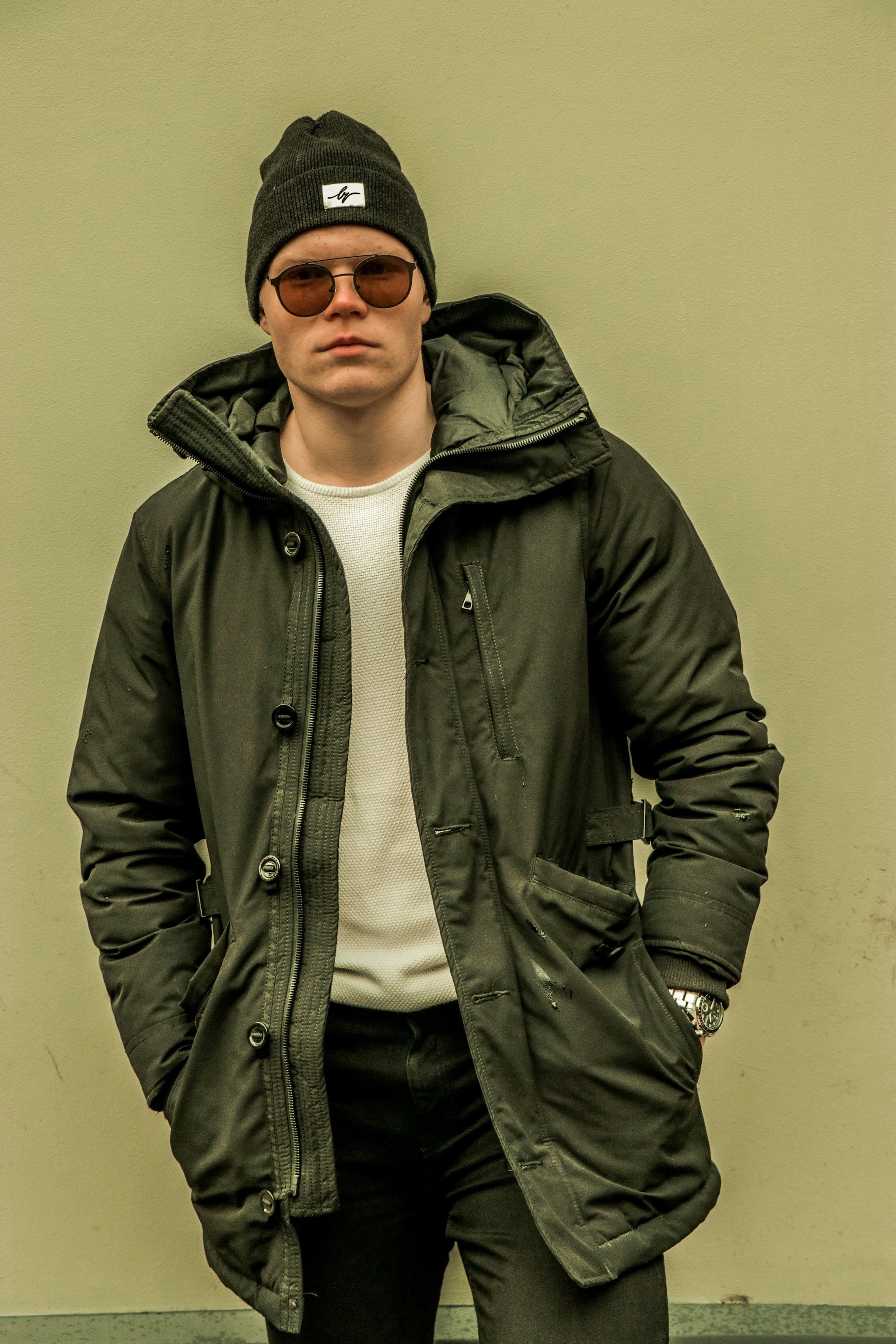
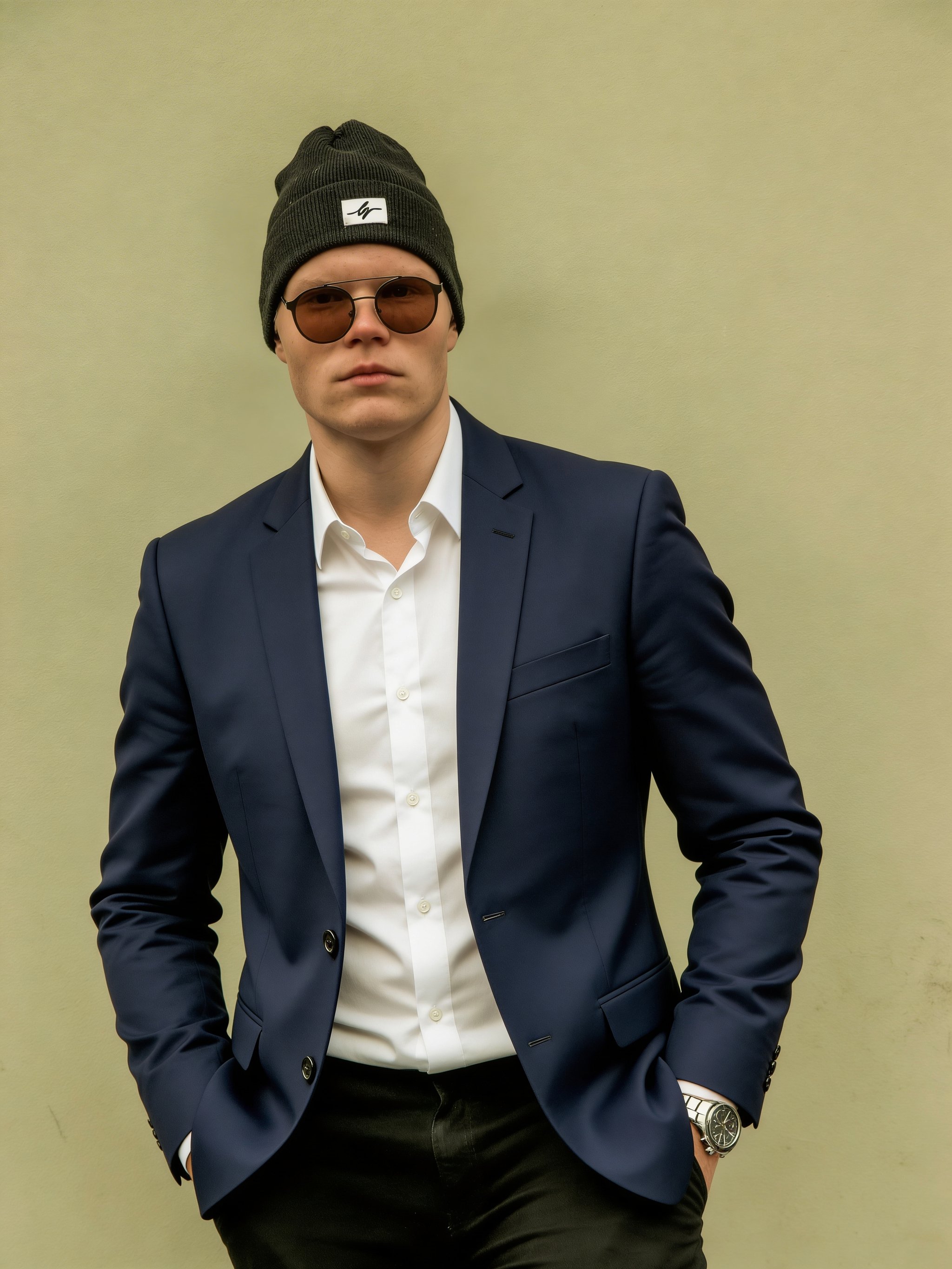
Clothing Replacement (Garment Swap)
What this test checks
Both models receive a street portrait and must replace only the outer jacket with a different garment while preserving everything else.
Winner:
Seedream 5.0 LiteWhy this winner
Seedream 5.0 Lite preserves non-target clothing and body structure more reliably, while Seedream 4.5 alters areas that should remain unchanged.
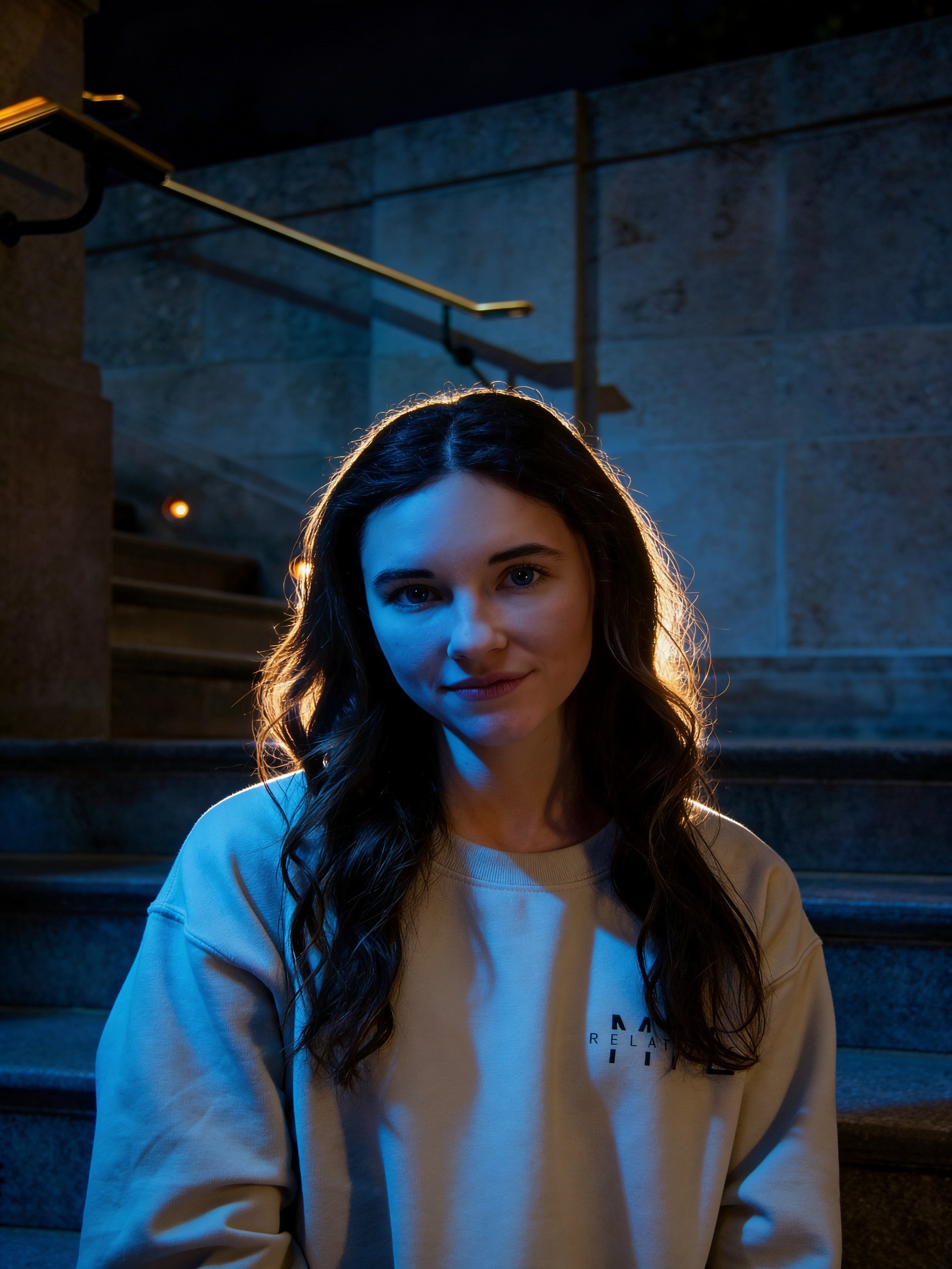
Lighting Transformation (Identity Under Extreme Light Shift)
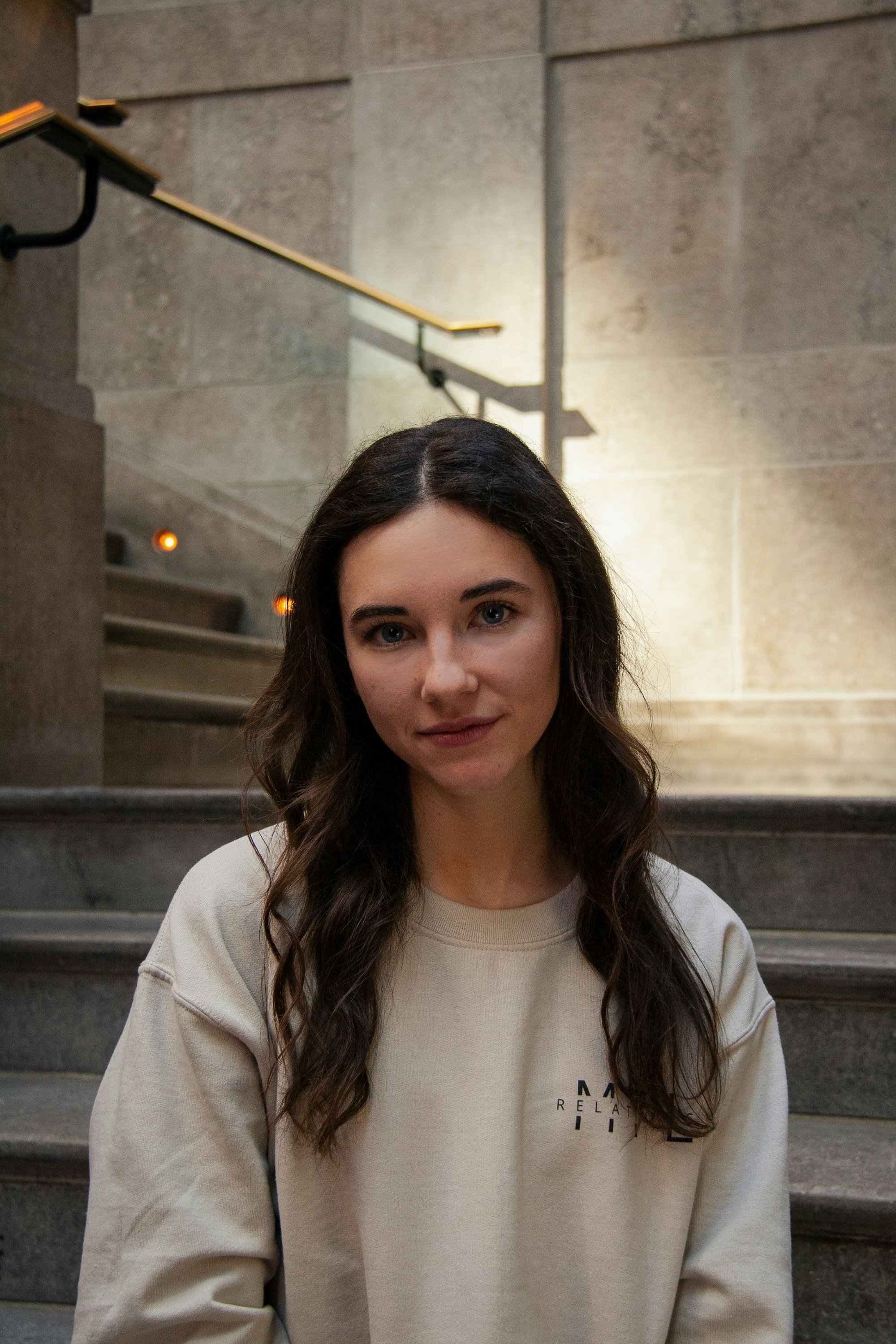
What this test checks
Both models receive the same portrait and must apply a dramatic cinematic night relight while preserving identity, expression, pose, clothing, and scene structure.
Winner:
Seedream 5.0 LiteWhy this winner
Seedream 5.0 Lite delivers a more realistic and convincing relight, while Seedream 4.5 looks noticeably more synthetic.
Object removal and scene cleanup
Check the erased area and any unintended changes around it.
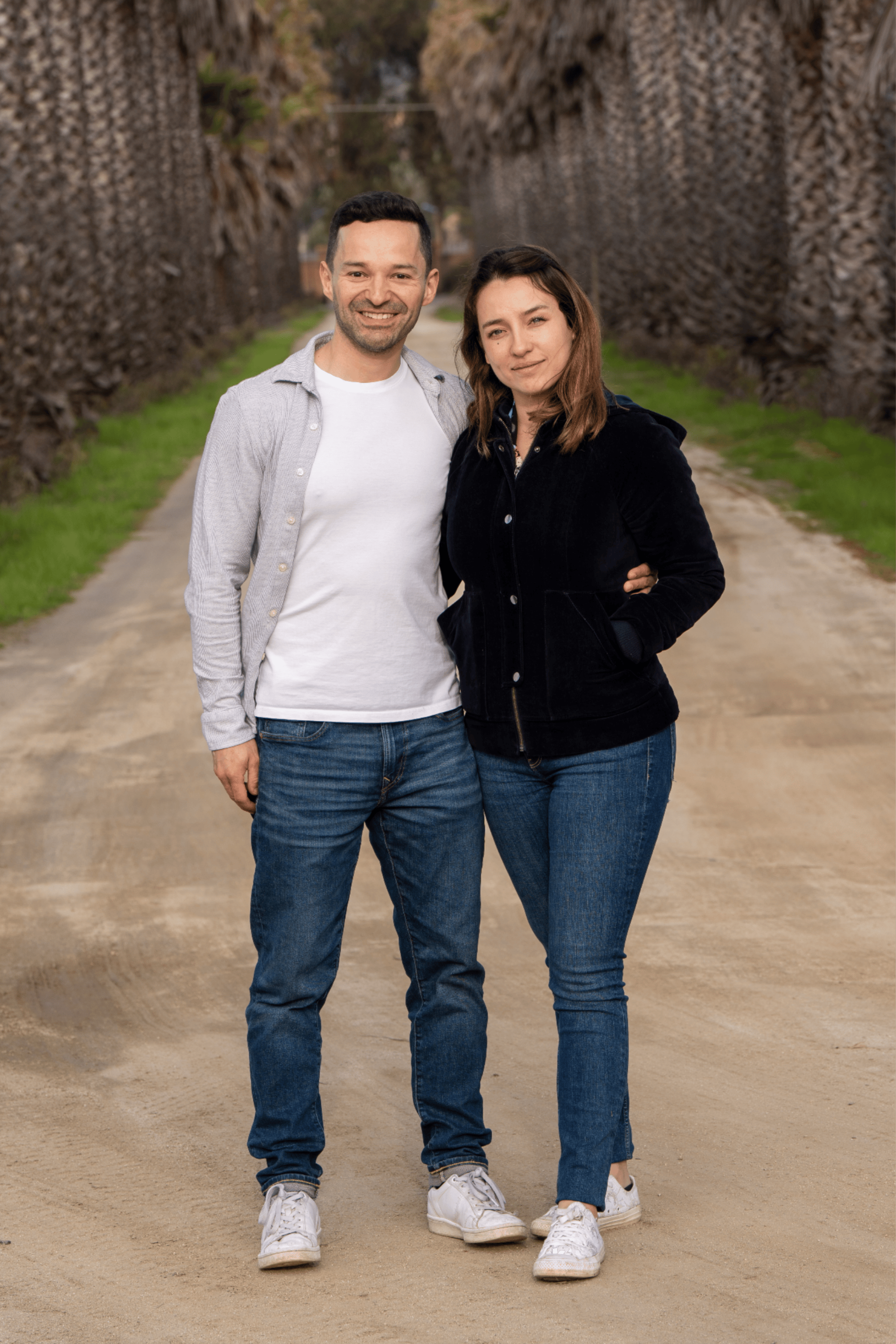
Person Removal (Object Erasure)
What this test checks
Both models receive an image of a couple and must cleanly remove one person while preserving everything else about the scene.
Winner:
Seedream 5.0 LiteWhy this winner
Seedream 5.0 Lite preserves the unmodified parts far better, keeping the subject in the same scale and position while removing the target person cleanly.

<- drag to compare ->
Compare input vs
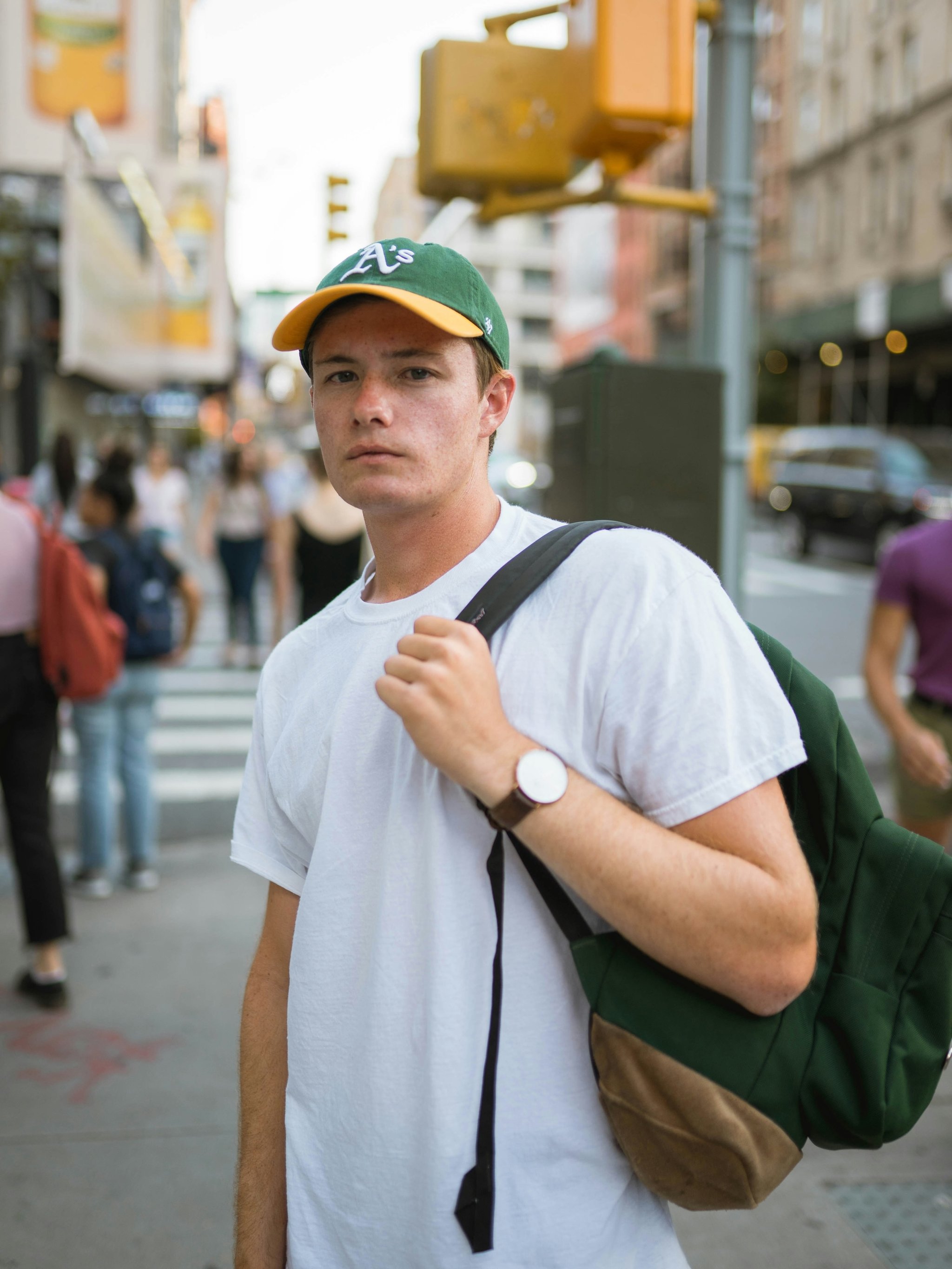
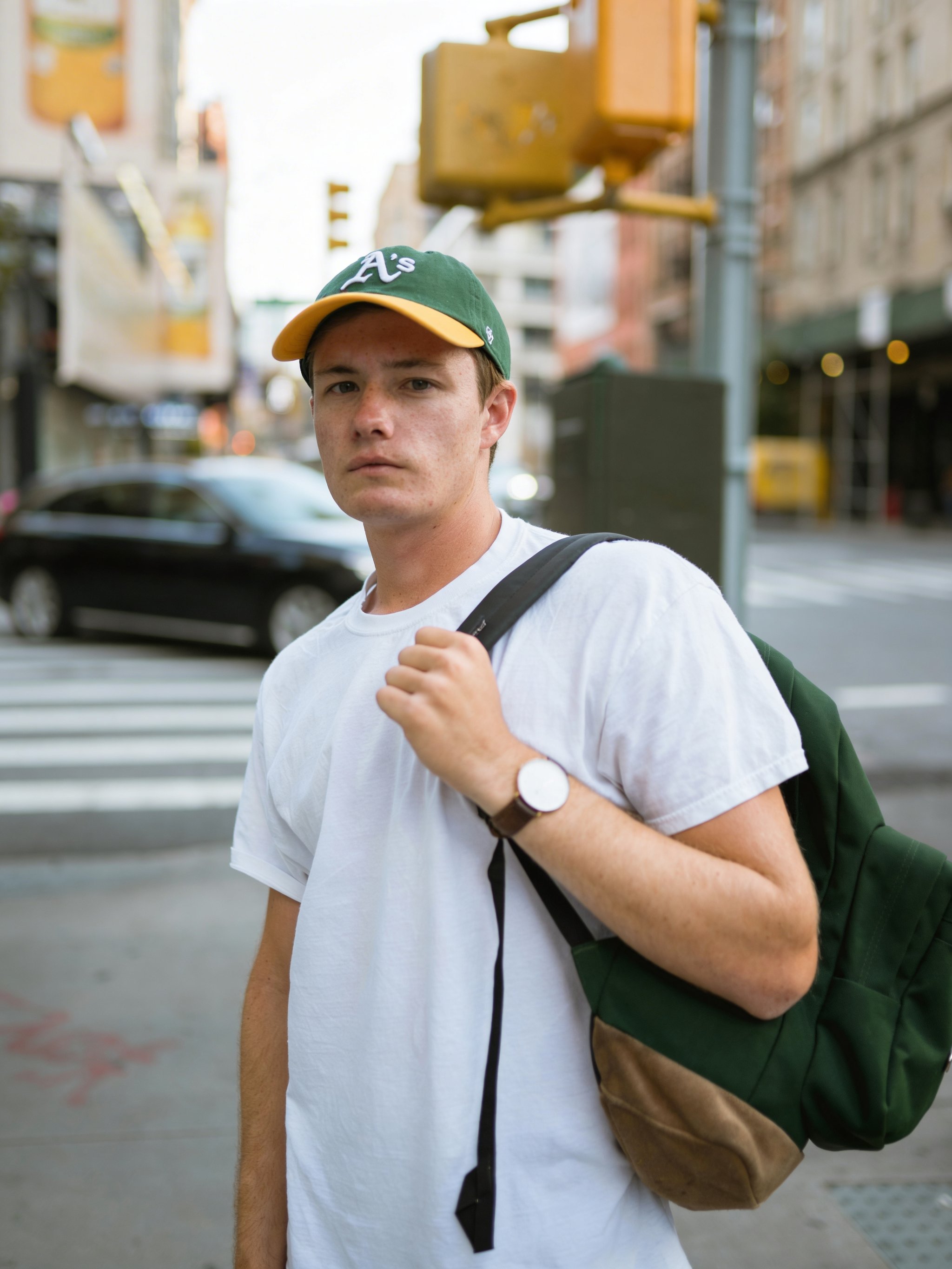
Object Removal (Background Crowd Cleanup)
What this test checks
Both models receive the same street portrait and must remove background people while preserving the subject and reconstructing the environment naturally.
Winner:
Seedream 5.0 LiteWhy this winner
Seedream 5.0 Lite follows the prompt more closely by removing only the intended crowd and preserving anatomy/skin detail. Seedream 4.5 removes too much context (including cars).
Text replacement
Compare the new wording and the parts of the original image that should stay unchanged.
Text Replacement on Physical Sign
What this test checks
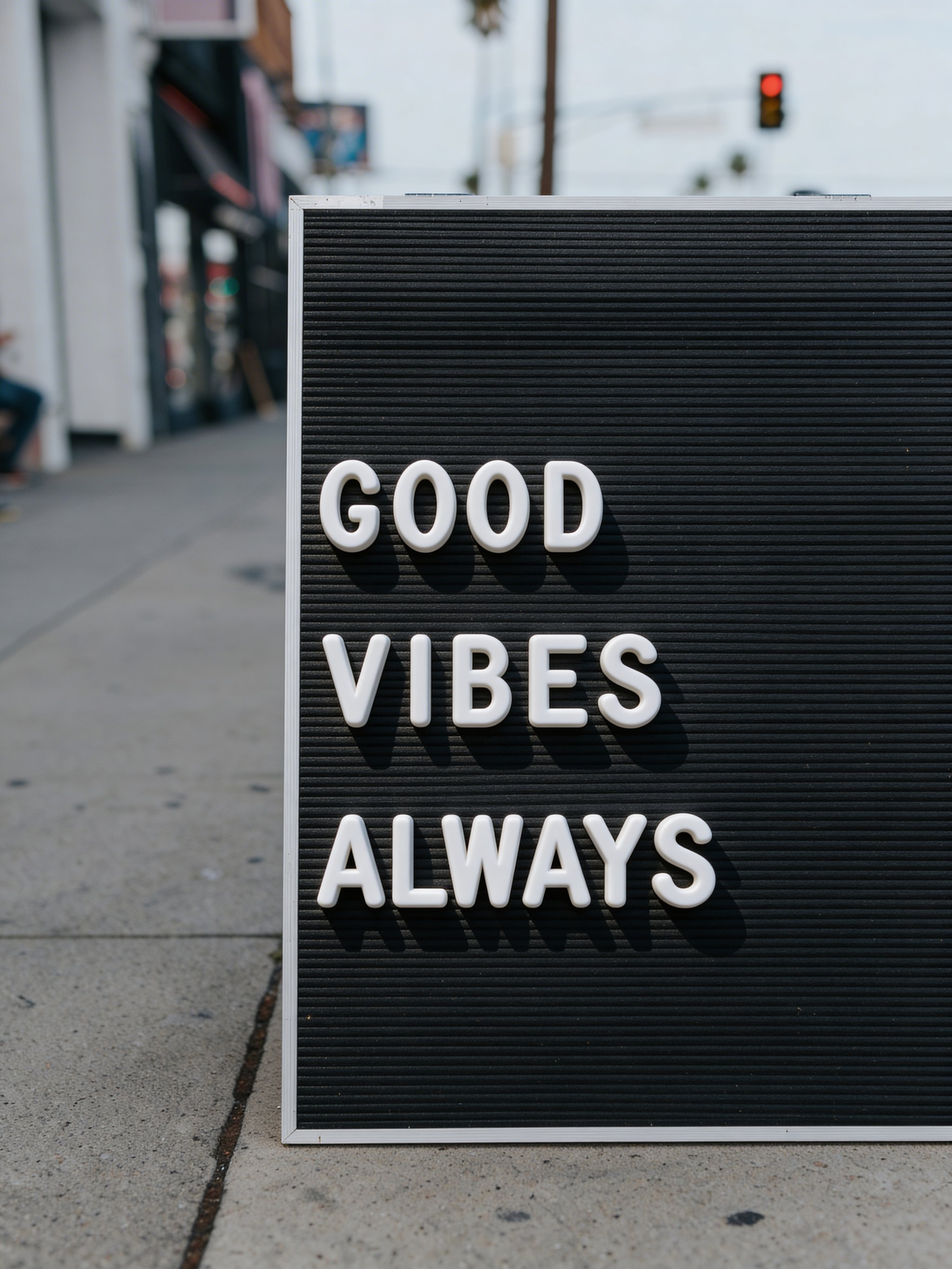
Both models receive a photo of a letter board sign and must replace one word while preserving the sign's physical appearance and surroundings.
Winner:
Seedream 5.0 LiteWhy this winner
Seedream 5.0 Lite better preserves the original text style, while Seedream 4.5 introduces artificial 3D lettering.

Full comparison details
Follow the linked categories to inspect the evidence.
Cost per generation
Seedream 4.5
Approximately the same
Seedream 5.0 Lite
Approximately the same
Generation speed
Seedream 4.5
Approximately the same
Seedream 5.0 Lite
Approximately the same
Maximum configured output
Seedream 4.5
Up to 4K
Seedream 5.0 Lite
Up to 3K
Seedream 4.5
Strong face resemblance
Seedream 5.0 Lite
Slightly better skin detail + resemblance
Seedream 4.5
More stable in real-world scene structure
Seedream 5.0 Lite
Strong detail, but still inconsistent in difficult scenes
Seedream 4.5
Sharper, more faithful location rendering
Seedream 5.0 Lite
Can look smoother and more synthetic in backgrounds
Specific named object fidelity
Seedream 4.5
Neither model is perfect; slight realism edge in near-miss outputs
Seedream 5.0 Lite
Neither model is perfect; generally close but can miss exact specs
Seedream 4.5
Cleaner interface structure and hierarchy
Seedream 5.0 Lite
More prone to unnecessary labels and layout drift
Seedream 4.5
Higher character-level accuracy and stricter layout adherence
Seedream 5.0 Lite
Readable in parts, but more likely to drift or omit details
Seedream 4.5
More crowded composition
Seedream 5.0 Lite
Cleaner and easier to parse
Seedream 4.5
Cleaner negative space and stronger composition
Seedream 5.0 Lite
Less polished poster structure
Seedream 4.5
Good
Seedream 5.0 Lite
Sharper typography and cleaner editorial hierarchy
Spatial logic (mirror constraints)
Seedream 4.5
Fails setup
Seedream 5.0 Lite
Slight edge (better text, still fails geometry)
Seedream 4.5
Hallucinates
Seedream 5.0 Lite
Hallucinates
Seedream 4.5
Can over-edit preserved regions
Seedream 5.0 Lite
Wins all six tests with stronger preservation
How to use these results
- Start with the test closest to your brief. Compare the requested text, composition and reference assignments before judging the overall finish.
- For edits, inspect the original alongside both results. Check the face or product, camera position and areas that should stay unchanged.
- Reuse the exact prompt and shown settings as a starting point. Check current pricing and available settings before generating; verify any factual text yourself.
Which model should you choose?
Seedream 5.0 Lite
Choose it for mixed creative work and edits that must preserve the source. It won all six editing tests, with gains in portrait detail and infographic readability.
Seedream 4.5
Choose it for landmark fidelity, UI mockups and strict text layouts. It also supports the larger 4K output ceiling in the tested configuration, versus 3K for Seedream 5.0 Lite.
Need several versions of the same creative? Explore batch image generation