16 matched tests · September 2026
GPT Image 2 vs GPT Image 2.5
GPT Image 2.5 performed better in our tests of infographic layout, logo design, portrait editing and product lighting. GPT Image 2 followed object-count instructions more closely. Sunburst produced the clearest animal infographic, with a conservation label that needs correction.
Flare and Sunburst finished in about 25 and 36 seconds on average, compared with 128 seconds for GPT Image 2. See the timing results
16 original challenges · High quality · Matched prompts, framing and references
Existing benchmark outputs. Read the prompt and verdict in the tests below.
How long did generation take?
We measured the wait from task creation to completion in HummingBytes, using 19 completed High-quality generations per model.
- GPT Image 2
128.4 seconds
Average time to completion
Median: 121.9 seconds
- GPT Image 2.5 Flare
25.1 seconds
Average time to completion
Median: 22.8 seconds
- GPT Image 2.5 Sunburst
36.3 seconds
Average time to completion
Median: 35.0 seconds
Flare reduced the average wait by 80.5%; Sunburst by 71.7%.
We compared generations from September 9, 2026, during the period when all three models were in use. This 57-generation sample includes images beyond the 16 visual challenges. We excluded failed and unfinished generations.
We used Azure for GPT Image 2 and OpenAI for Flare and Sunburst. The measurements include provider response time and app processing. Your wait will vary with the request and service conditions.
How we tested
We compared GPT Image 2, Flare and Sunburst across the same 16 challenges as our Nano Banana 2 comparison, for 48 images in total.
Read the method and limitations
We generated the images in HummingBytes on September 8–9, 2026. For each challenge, we used the same English prompt, aspect ratio and reference files with all three models. We kept the reference order unchanged and used High quality with Auto background.
We show one result per model for each challenge. We kept the original images without retouching or cropping.
Square outputs are 1024 × 1024, portrait outputs are 1152 × 1536, and 4:3 outputs are 1536 × 1152, all using the 1K preset. The website hero uses the 2K preset at 2560 × 1440 because 16:9 is unavailable at 1K. Each challenge has matching dimensions across all three workflows.
We assessed composition, visible text, instruction following and reference preservation. These category-level judgments draw on one image per model per challenge, so they indicate strengths to test with your own prompts. We ran overlapping requests. The speed section reports recorded waiting times in HummingBytes, including provider overhead.
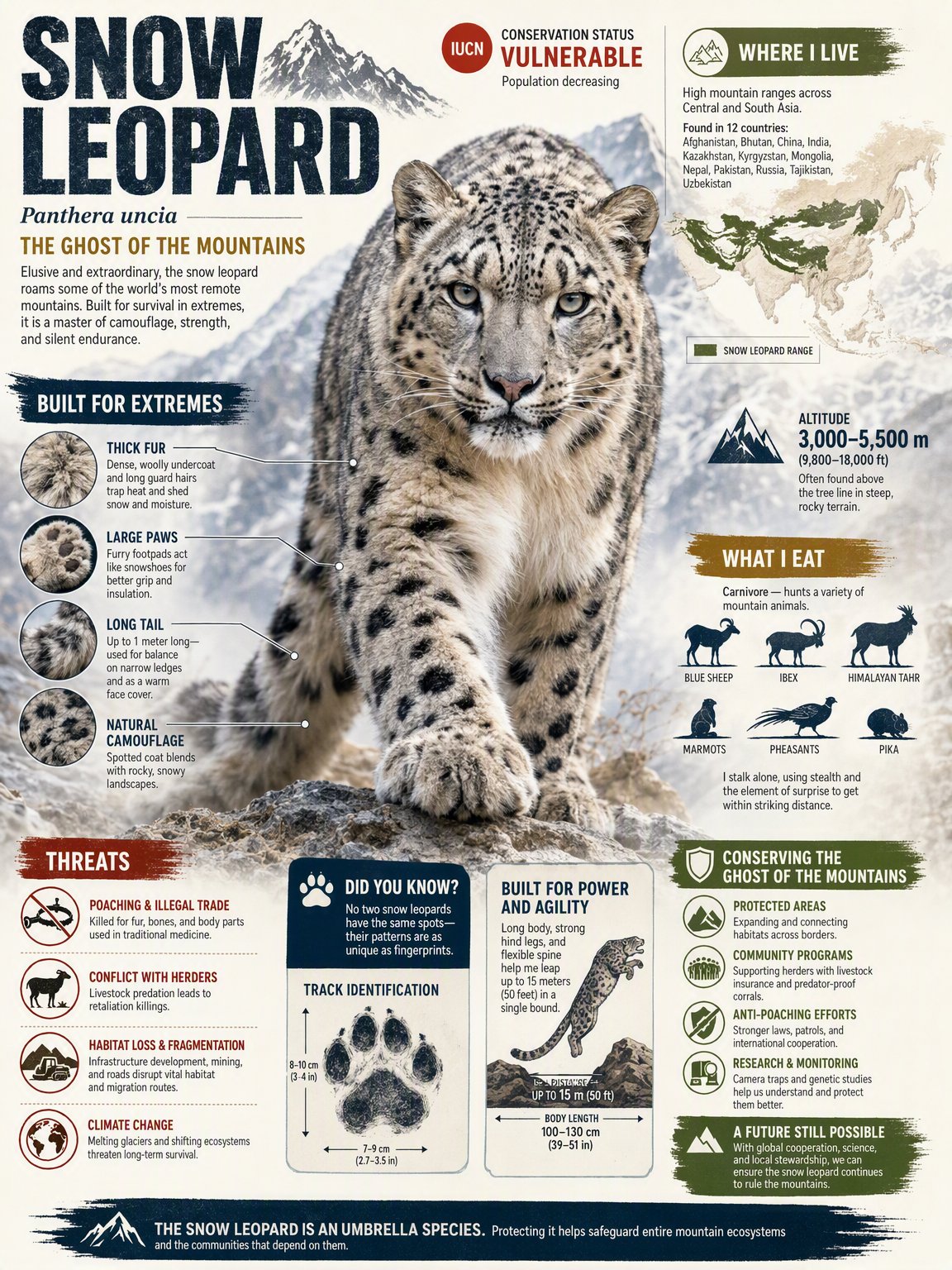
We checked the snow leopard’s IUCN category against Snow Leopard Trust: Vulnerable. We have not checked the remaining animal facts or verified that any model searched the web. Source: Snow Leopard Trust
Compare the original outputs
Switch between Flare and Sunburst for each test. Drag the slider or open the full images to inspect text, composition, reference details and edits.
Product photography and ads
Compare product presentation, campaign composition and visual hierarchy.
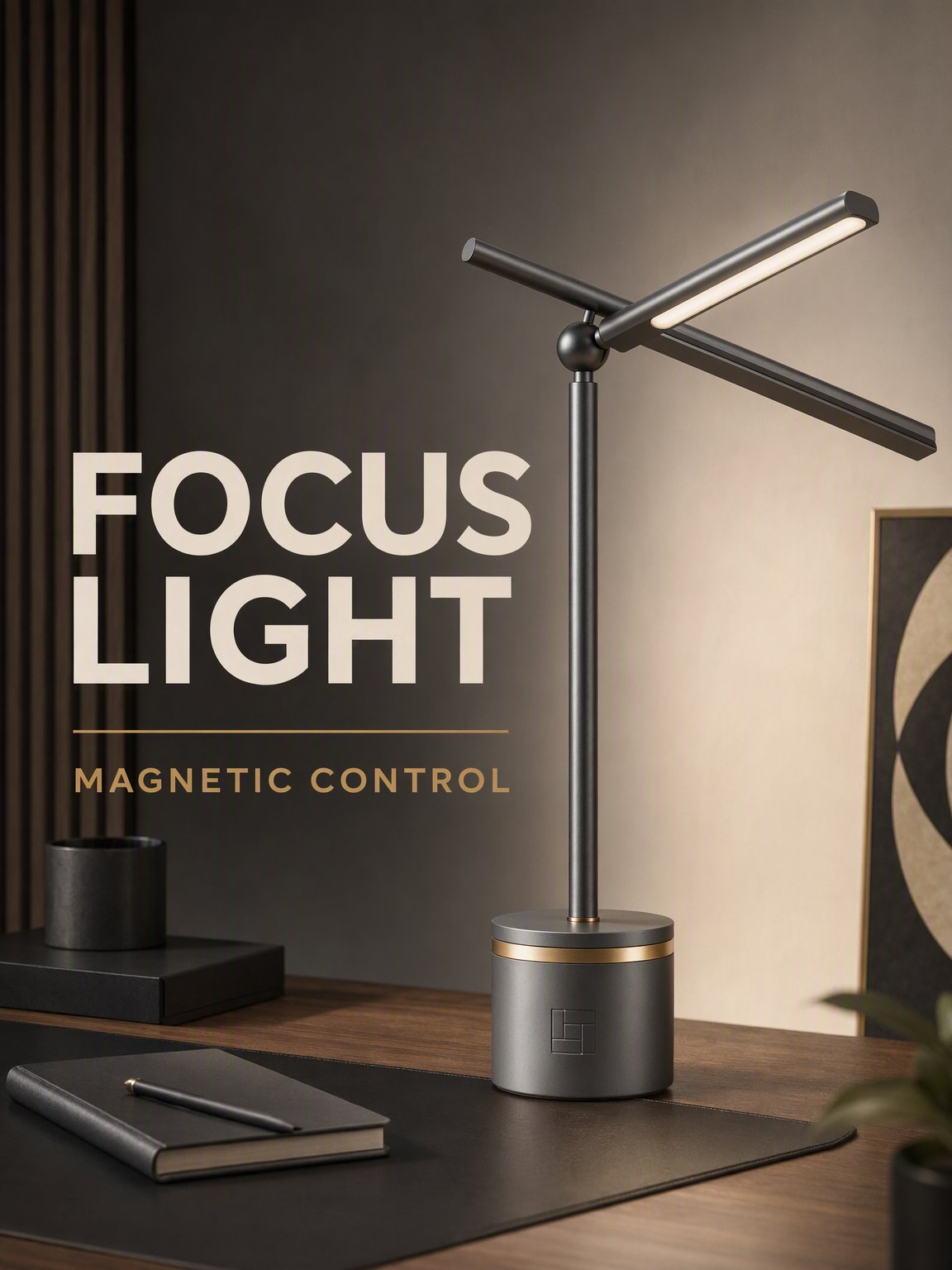
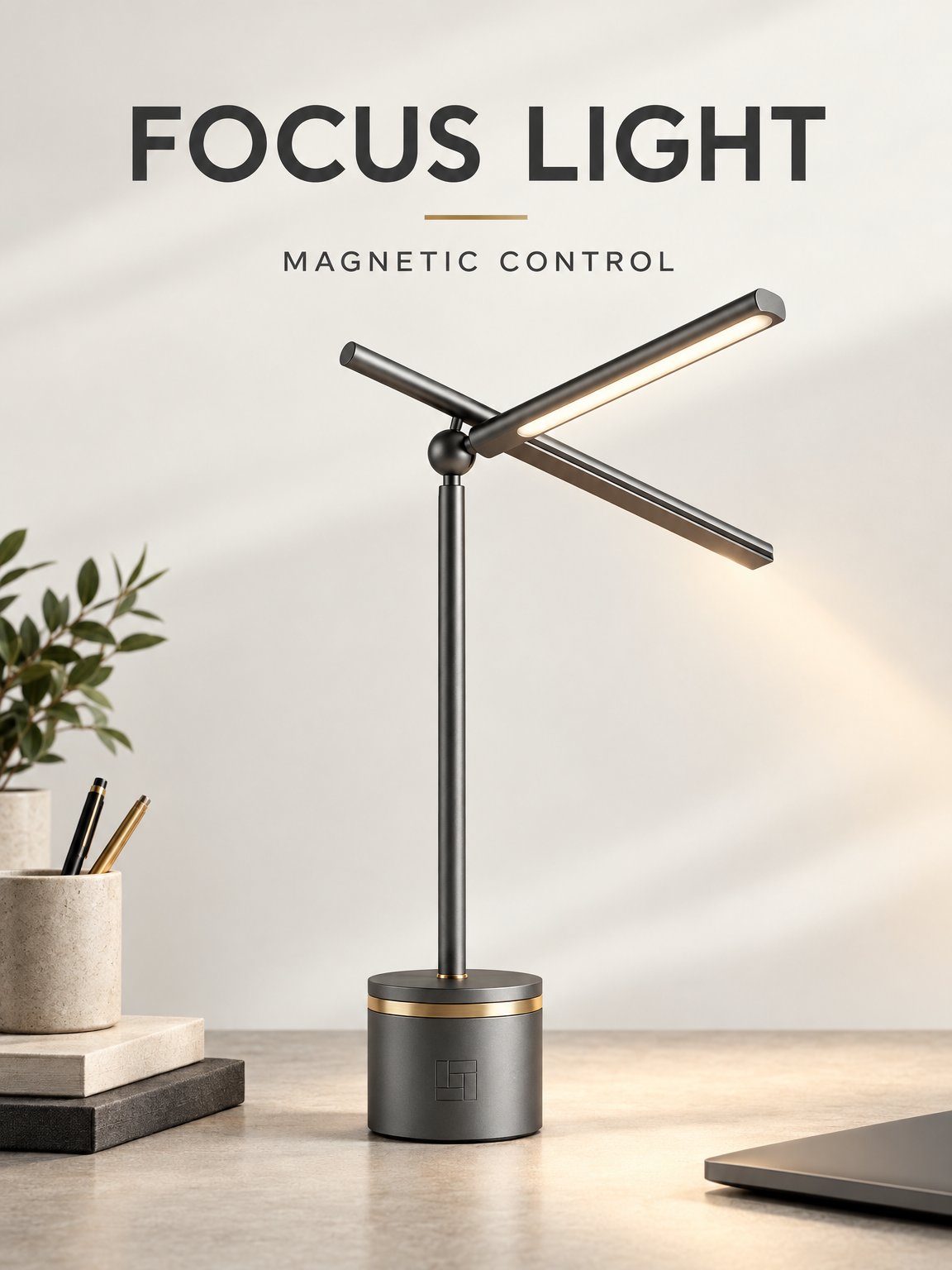
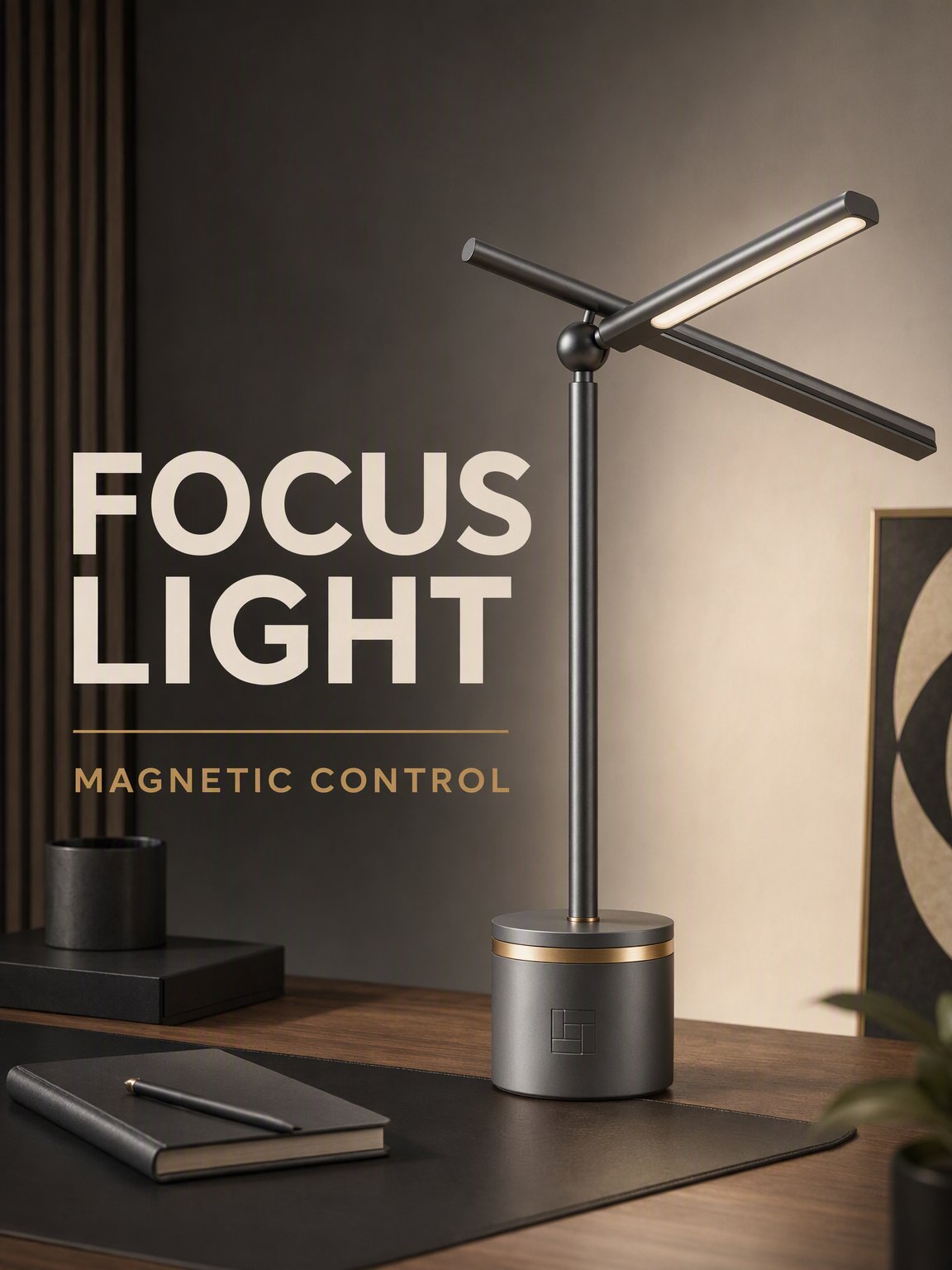
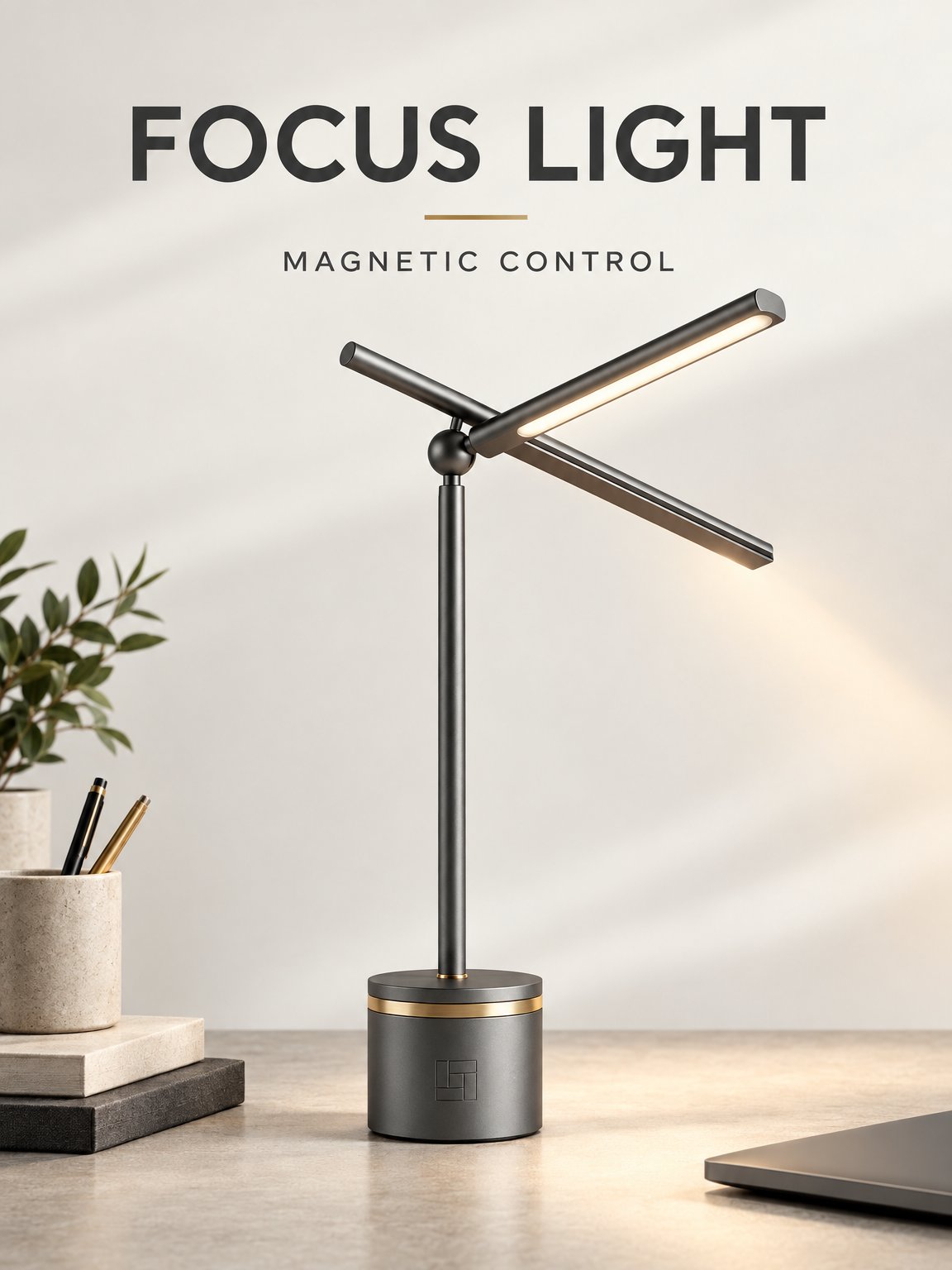
Readable product ad
What this test checks
Preserve the lamp while building a finished portrait ad with exactly two text elements: FOCUS LIGHT and MAGNETIC CONTROL.
Verdict
Different art directionsWhat we observed
Both render the two requested phrases correctly and keep the lamp recognizable. GPT Image 2 uses large stacked type in a darker desk scene. Flare keeps the headline on one line above the lamp in a lighter composition.
Tradeoff
Choose Flare for a lighter scene or GPT Image 2 for more prominent typography. Both spell the requested text correctly.
Drag to compare
Reference images
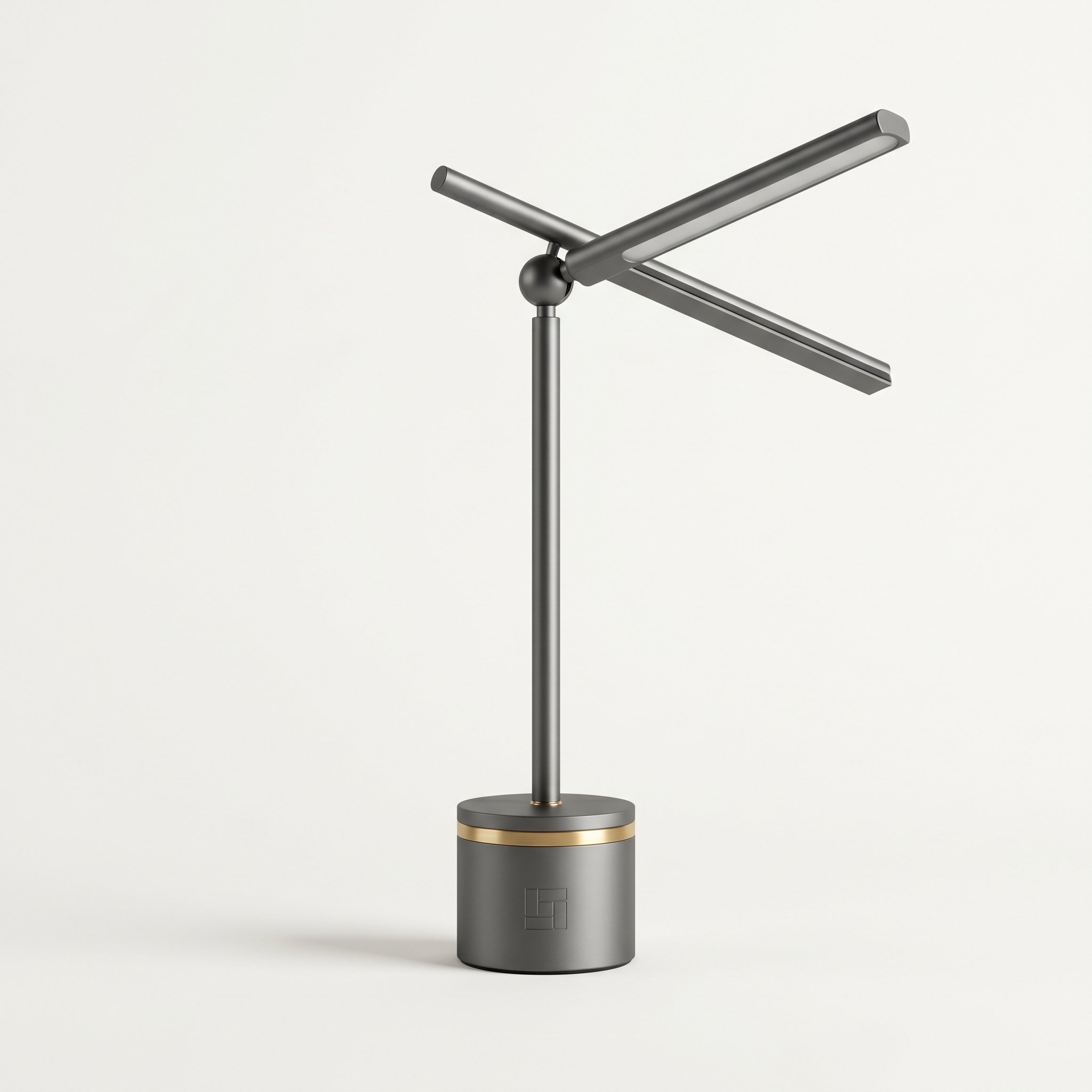
Square product packshot
What this test checks
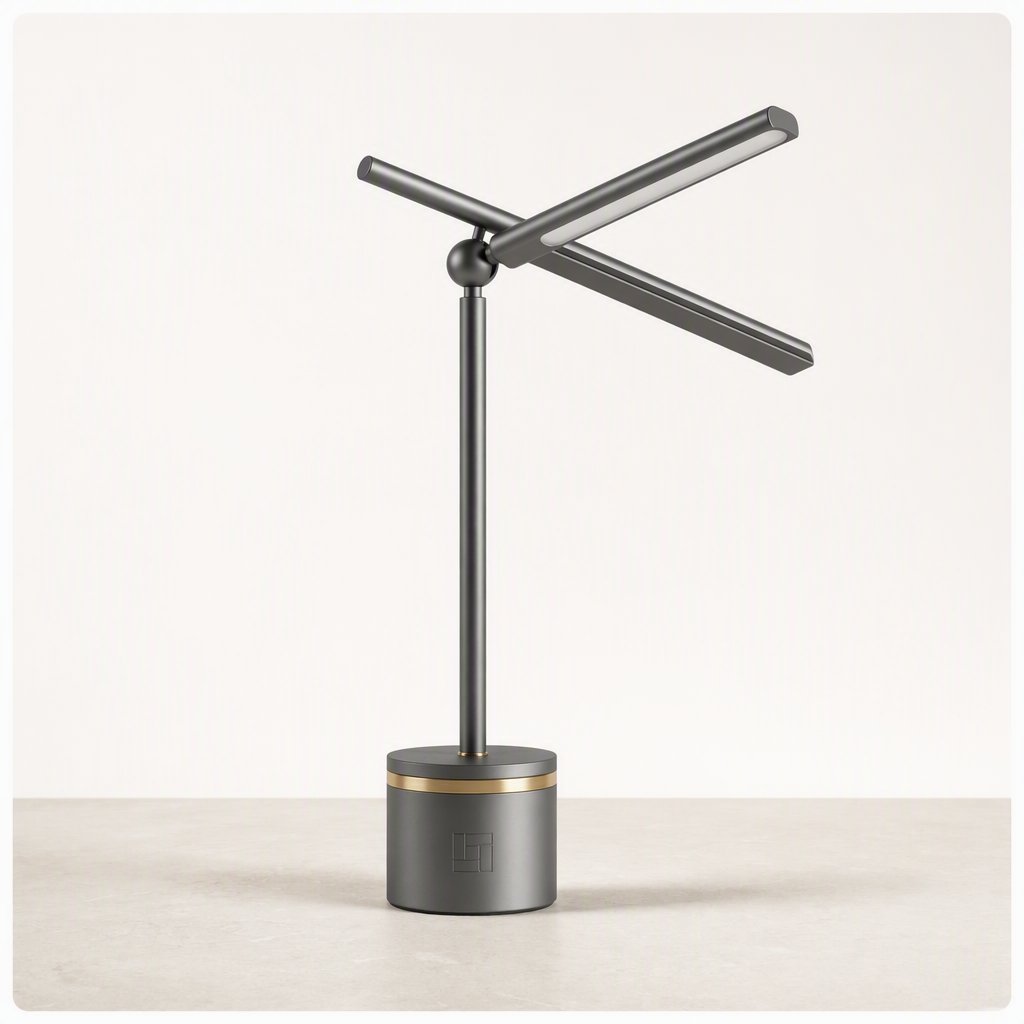
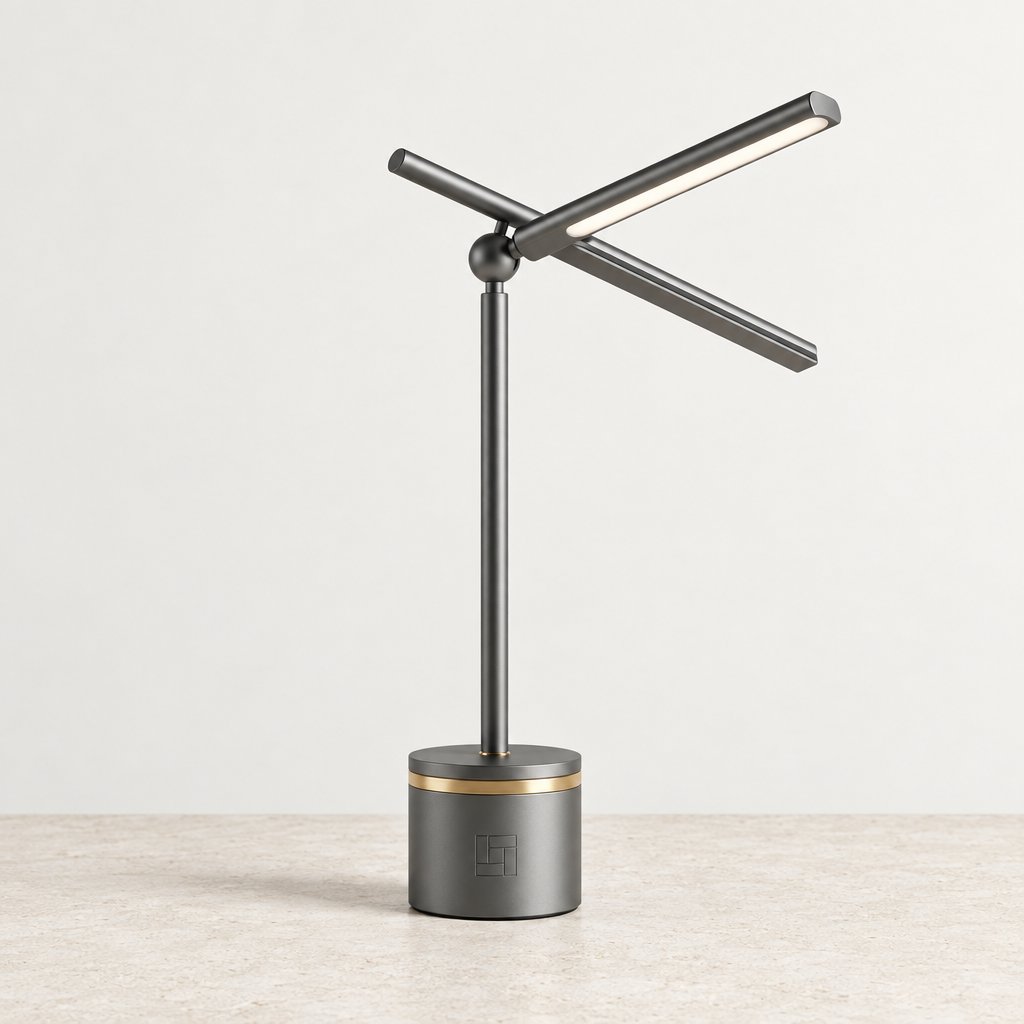
Center the reference lamp on a pale limestone desk with a soft contact shadow, clean margins and no competing props.
Verdict
GPT Image 2.5 FlareWhat we observed
Flare delivers an edge-to-edge product photo with a clear limestone surface and visible contact shadow. GPT Image 2 adds a rounded white frame inside the image, although the prompt asks for a product photograph.
Tradeoff
Flare turns the lamp on. GPT Image 2 keeps it unlit like the reference, but its baked-in frame limits how the asset can be reused.
Drag to compare
Reference images
Website hero with copy space
What this test checks
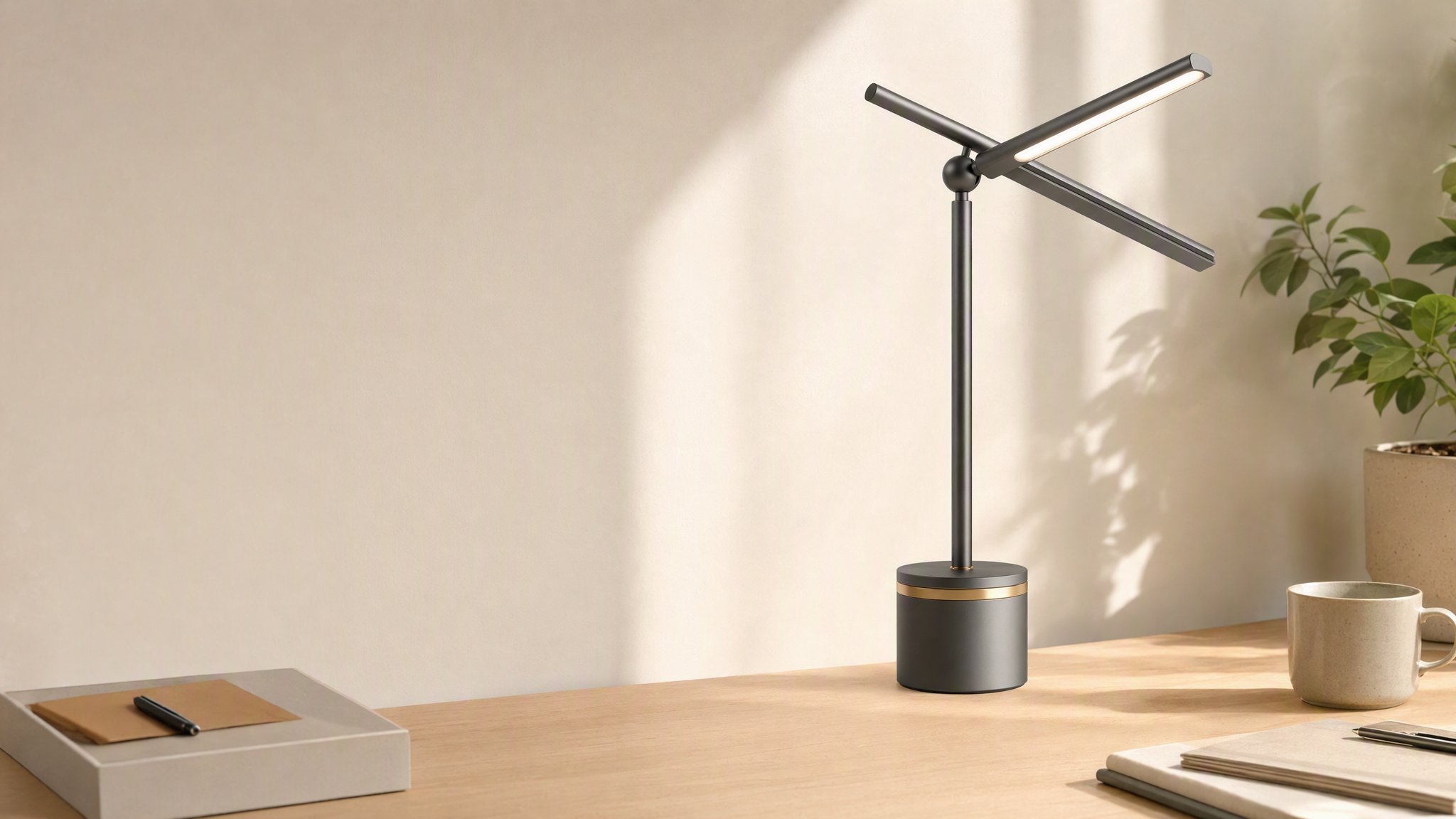
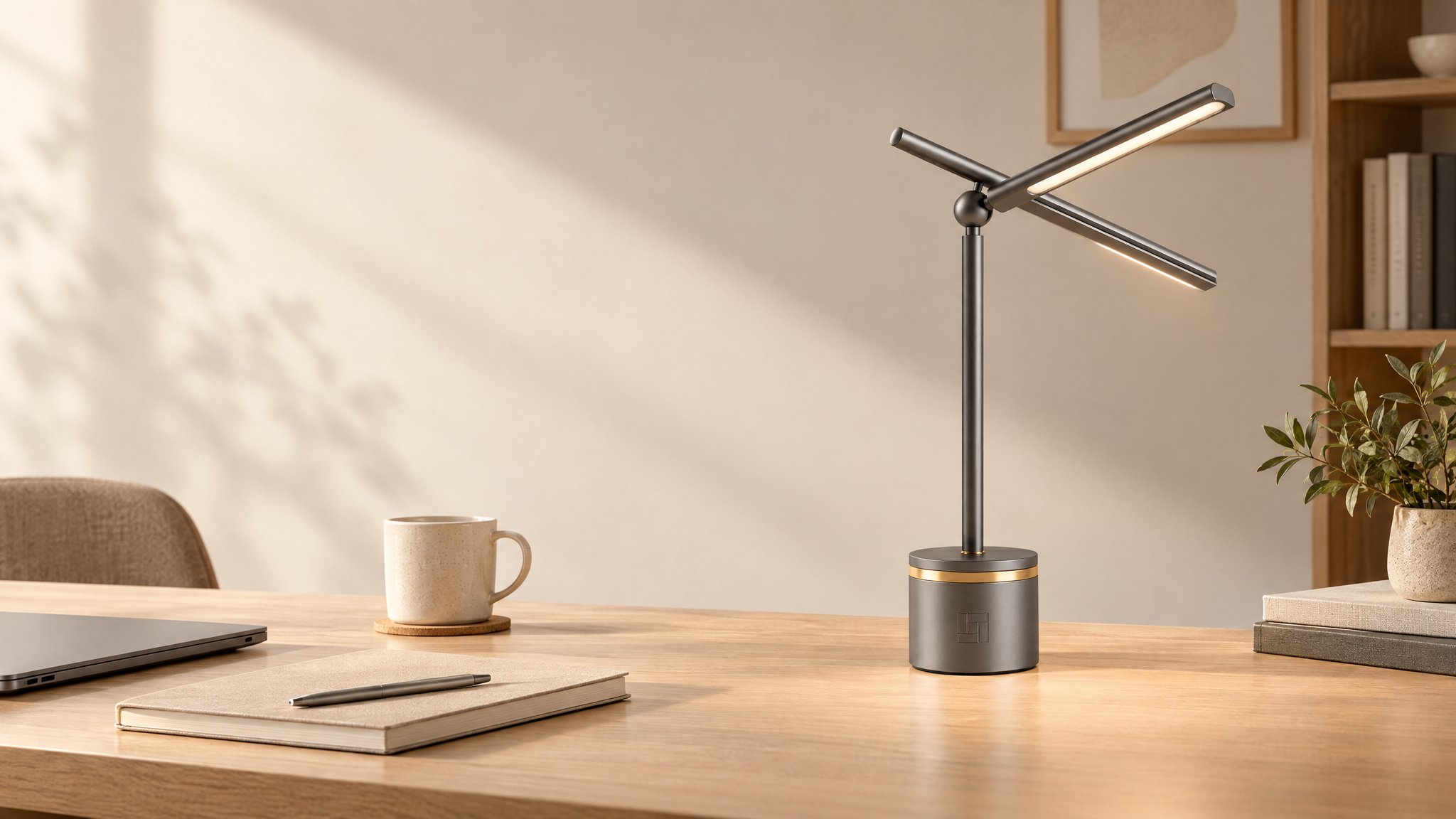
Place the lamp on the right third of a 16:9 desk scene, leaving clean space on the left for page copy.
Verdict
GPT Image 2 for copy spaceWhat we observed
Both place the lamp toward the right. GPT Image 2 keeps the left wall and desk clearer; Flare adds a laptop, mug and stacked notebooks beneath the copy area.
Tradeoff
Flare gives the desk more context. GPT Image 2 leaves more room for a headline and supporting text.
Drag to compare
Reference images
Spatial reasoning and factual accuracy
Check whether a convincing image also follows the scene logic and factual brief.
Spatial logic and mirror reflection
What this test checks
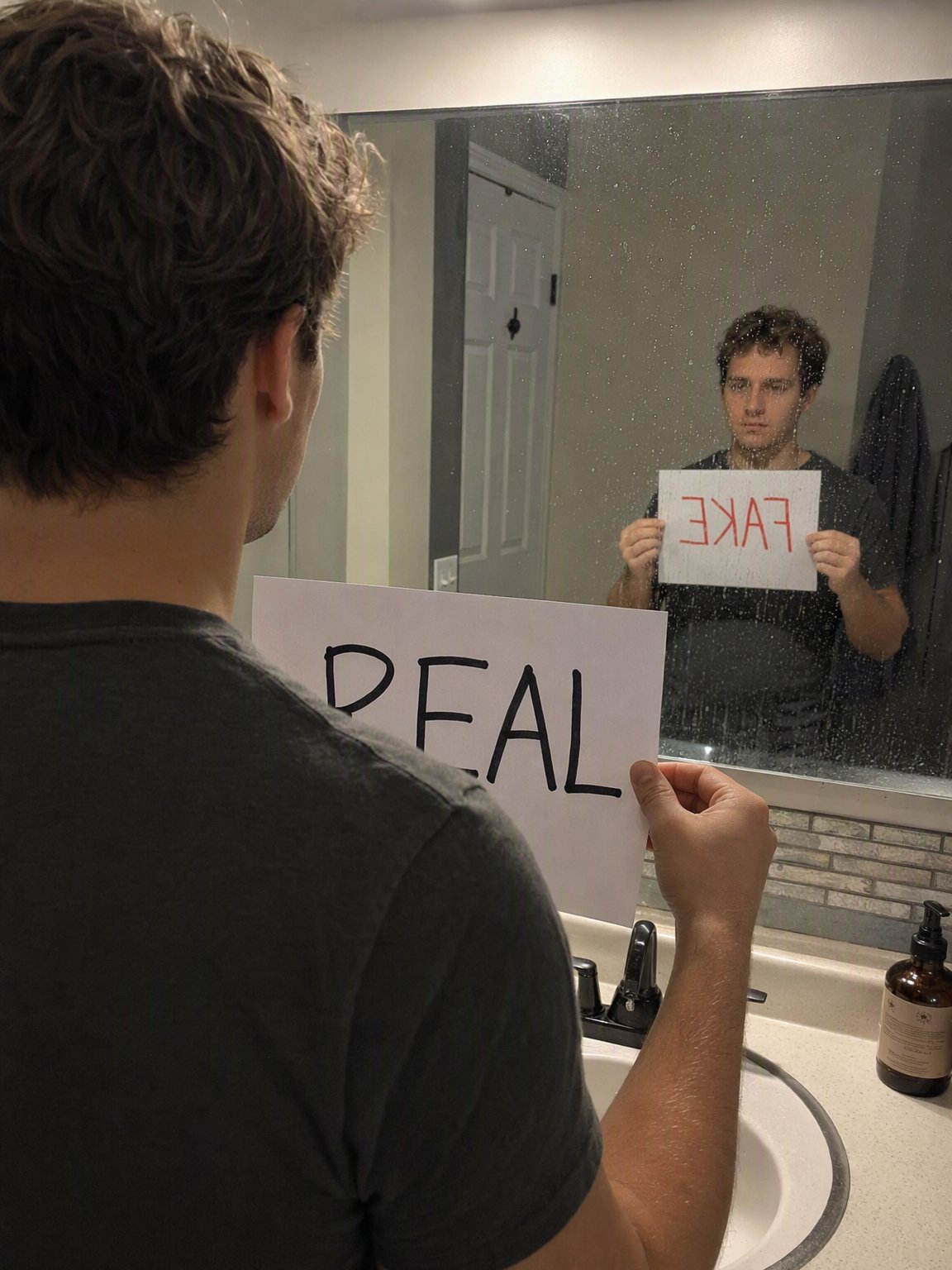
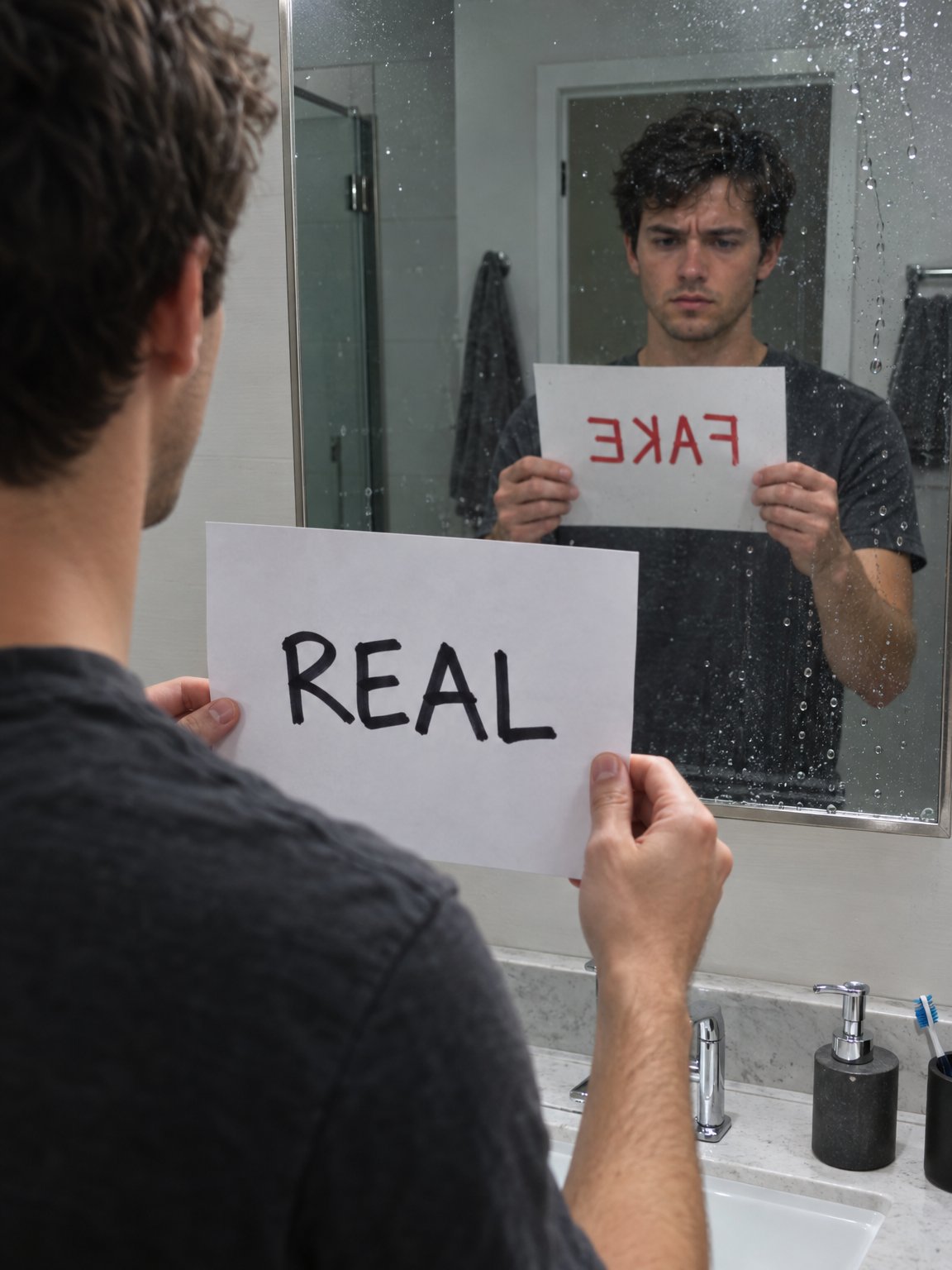
Show black REAL directly and red FAKE only in the mirror, with the reflected lettering reversed.
Verdict
Both follow the mirror instructionWhat we observed
Both show REAL on the camera-facing side and reversed red FAKE in the mirror. Flare makes the reflected sheet larger and easier to inspect.
Tradeoff
This checks the visible lettering and occlusion rule; it does not establish that every reflected angle is physically exact.
Drag to compare
Text, layouts and graphics
Check exact wording, readability and how the page or image is organized.
Restaurant menu layout
What this test checks
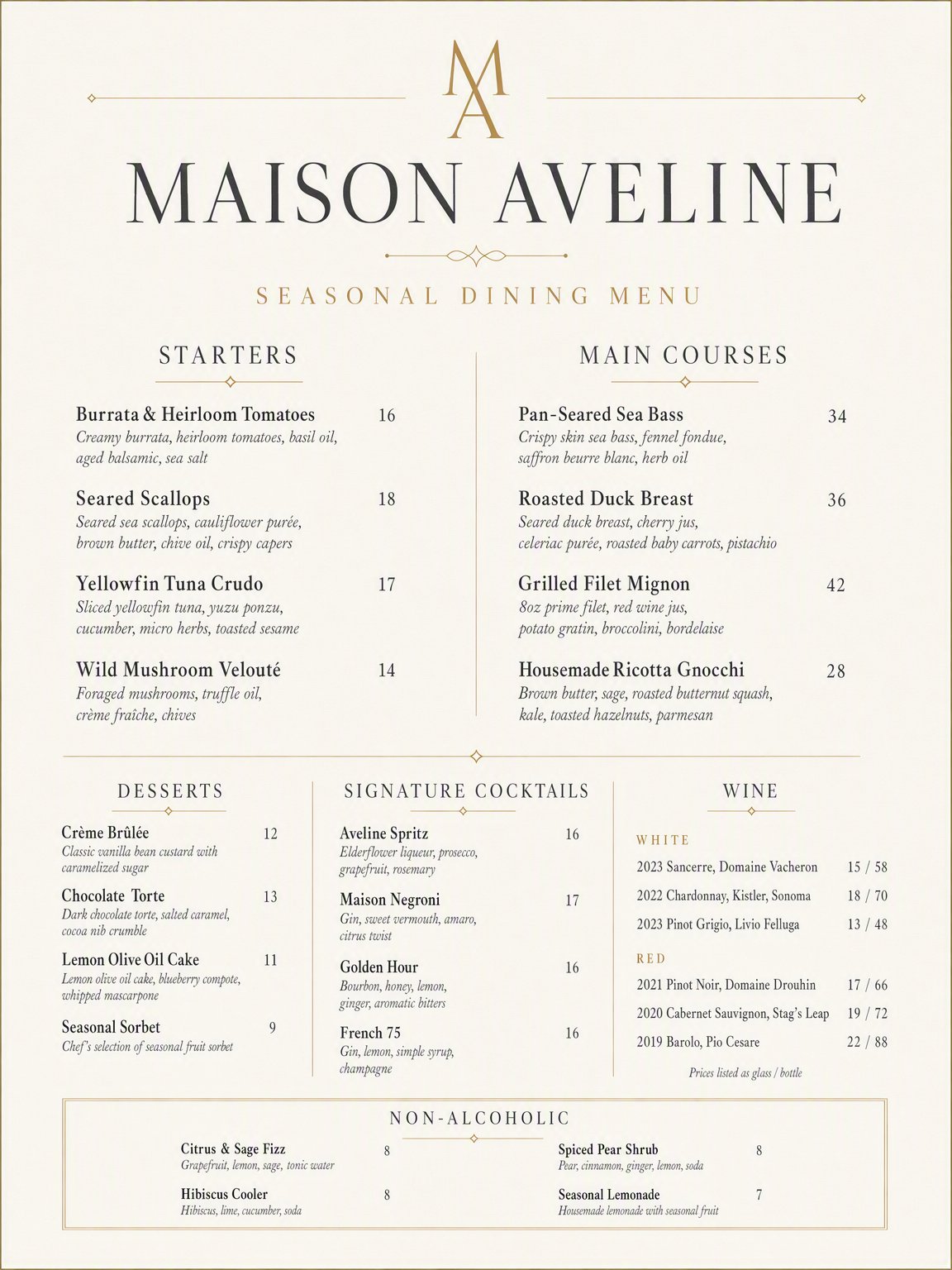
Fit the eight required headings, menu items, descriptions and prices into a readable portrait page.
Verdict
Flare for a more even layoutWhat we observed
Flare uses two consistent columns. GPT Image 2 compresses desserts, cocktails and wine into three smaller columns near the bottom. Both include the requested headings.
Tradeoff
Flare adds a short footer slogan. Review generated menu descriptions and prices before treating either as finished copy.
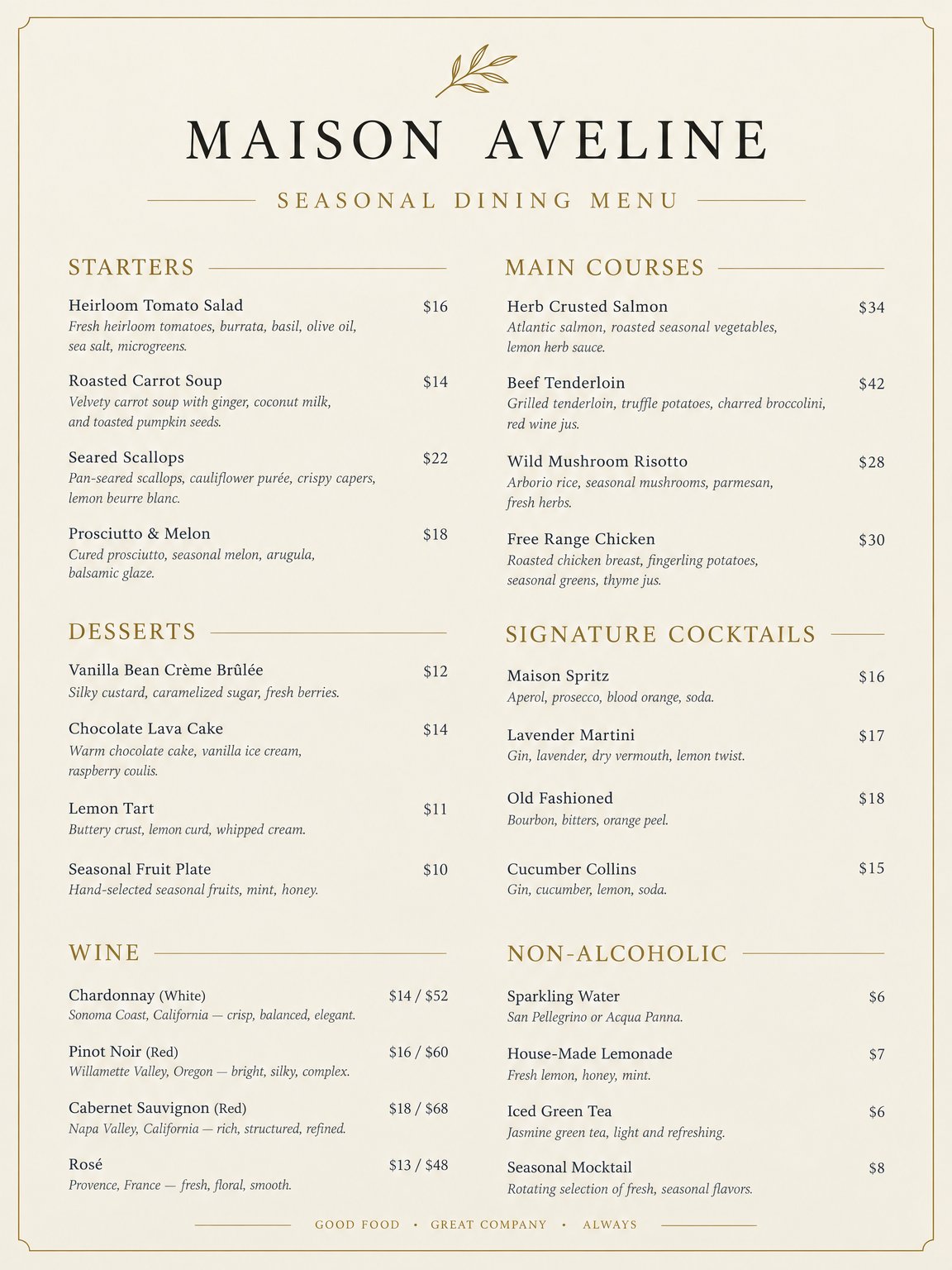
Drag to compare
Exact ticket wording
What this test checks
Render a printed ticket with prescribed titles, event details, order ID, disclaimer and very small footer text.
Verdict
Both keep the main ticket text readableWhat we observed
Both render the requested event title, date, location and order ID. Flare fits the whole ticket into the scene and puts ADMIT ONE on two lines; GPT Image 2 uses one line.
Tradeoff
Small disclaimer text needs inspection at full size. Both draw a QR-like pattern where the prompt asks for a placeholder; we did not test it as a working code.
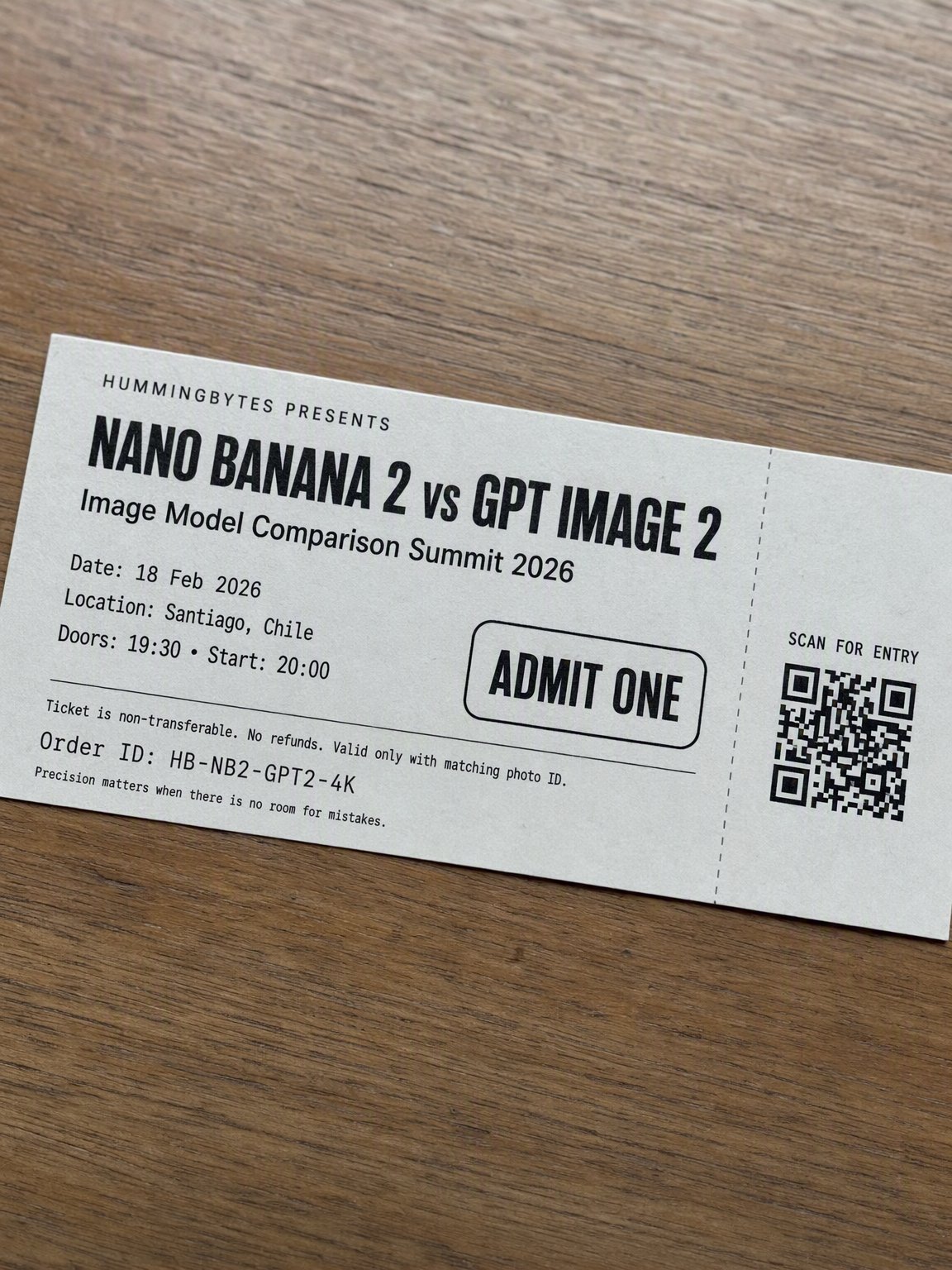
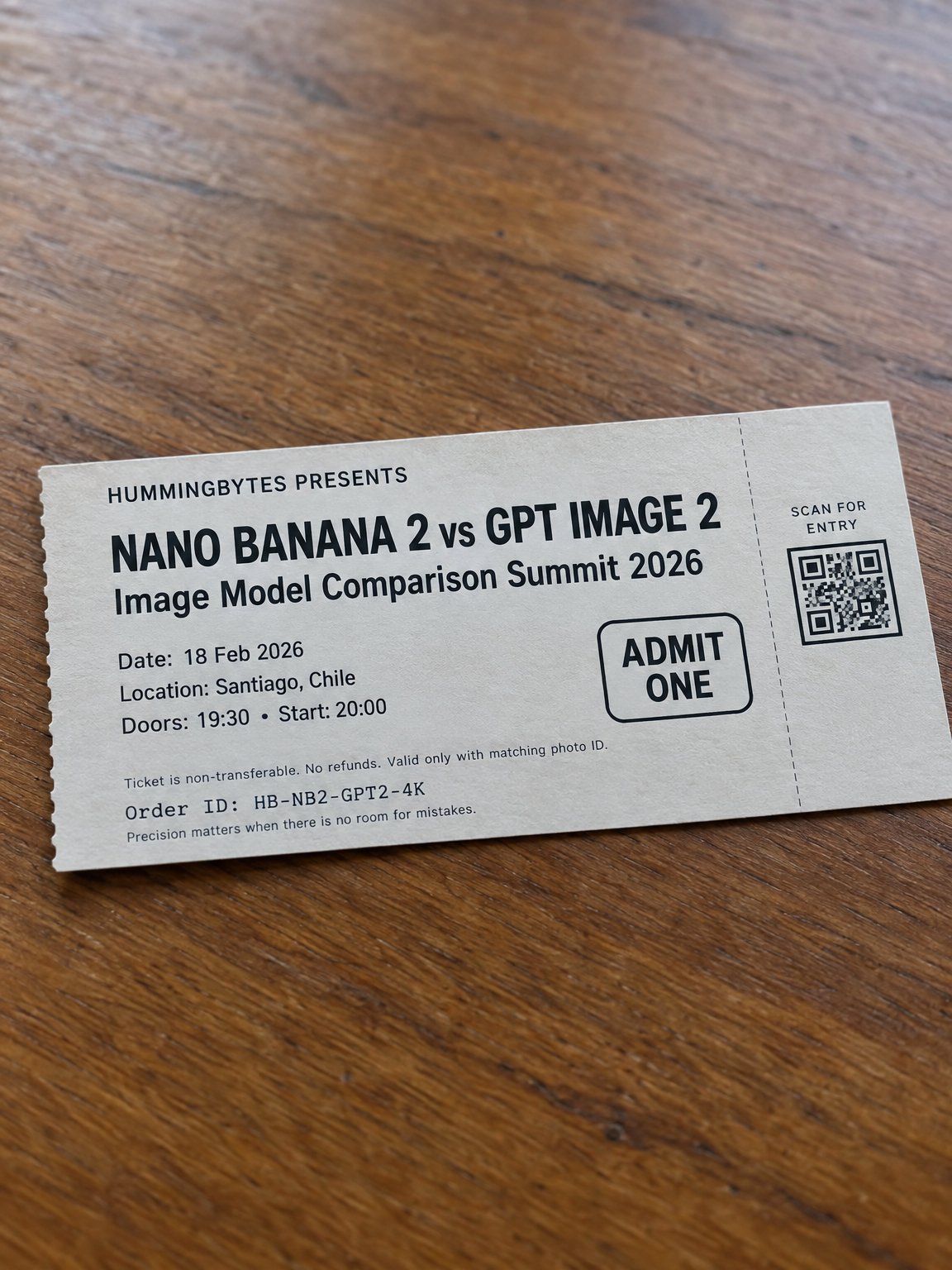
Drag to compare
Typography and poster composition
What this test checks
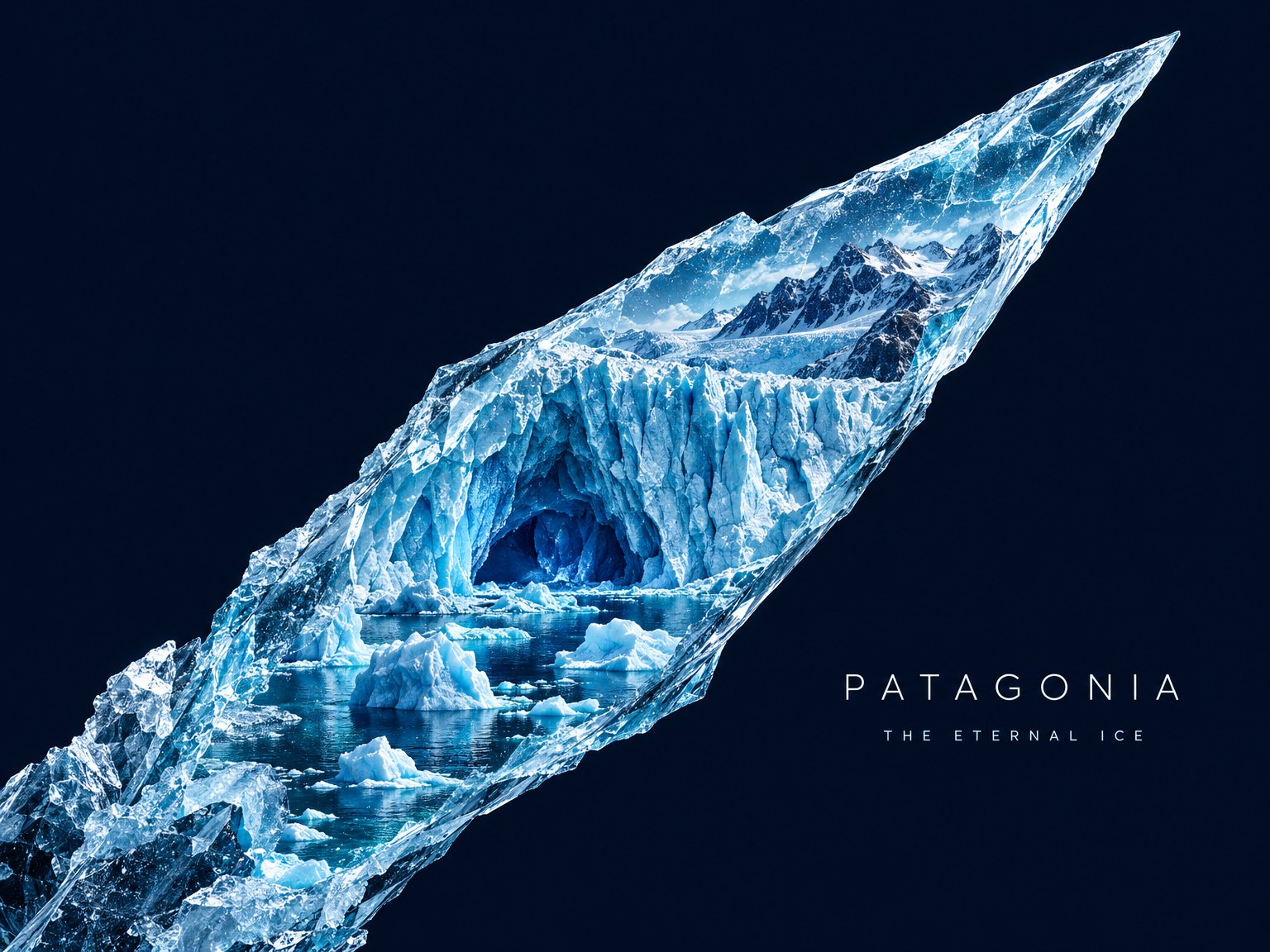
Build a rising ice shard containing a miniature glacial landscape, with PATAGONIA and THE ETERNAL ICE in the negative space.
Verdict
Flare for brighter detailWhat we observed
Both contain the landscape inside a diagonal shard and include the two requested text elements. Flare has brighter glacier detail and more visible lettering.
Tradeoff
With GPT Image 2, you get a narrower shard and more empty space around the lettering.
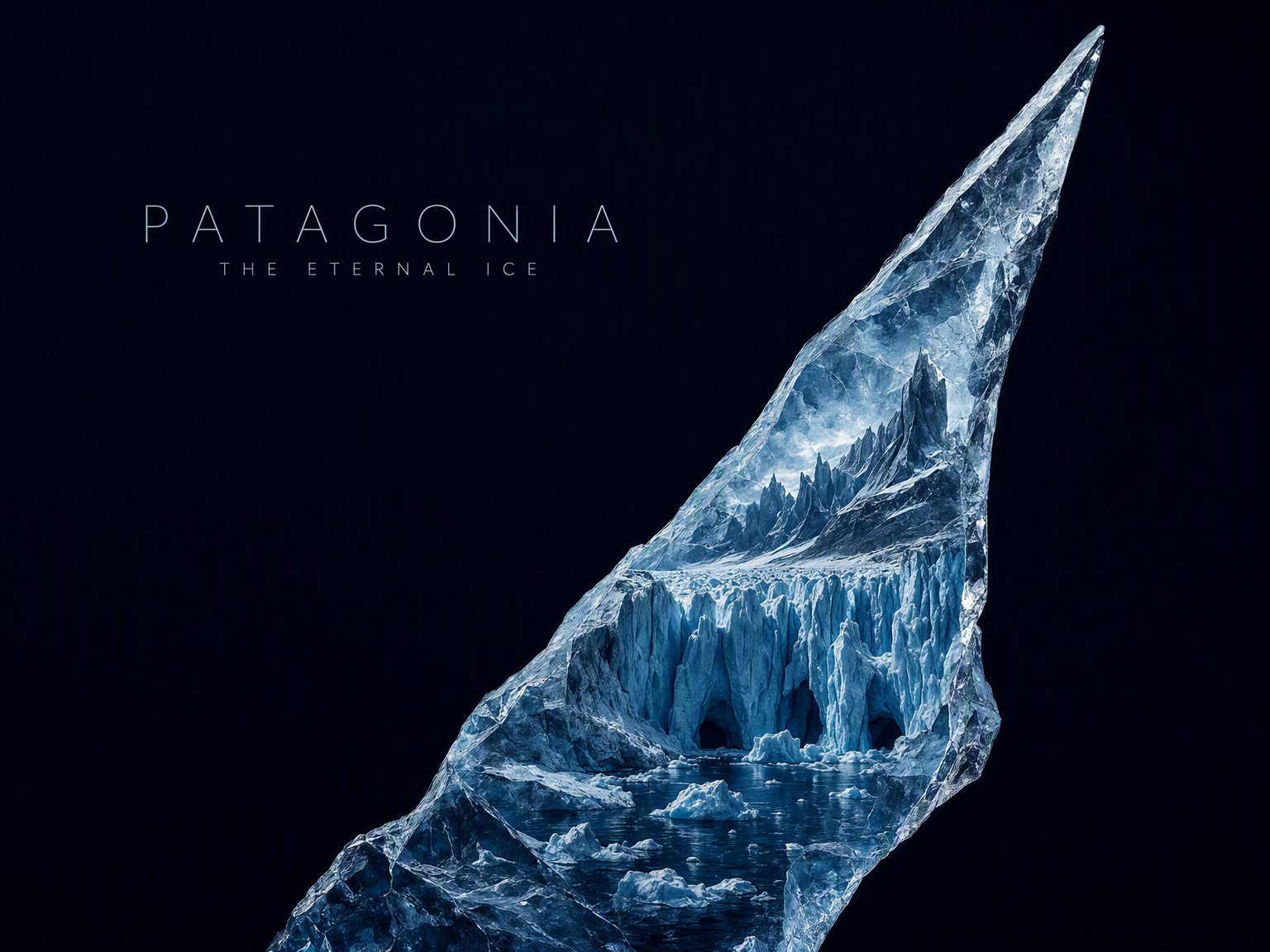
Drag to compare
Recipe infographic
What this test checks
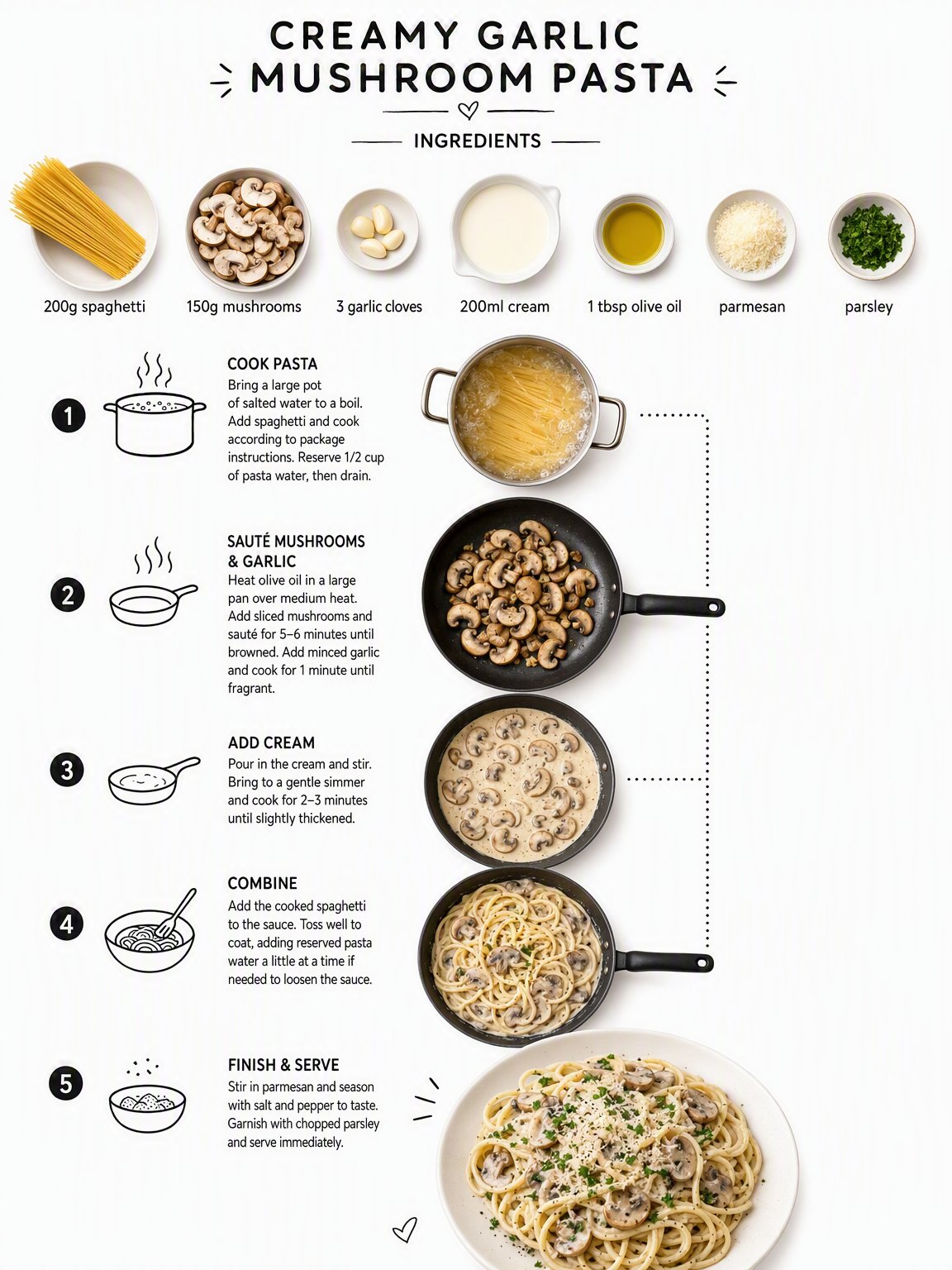
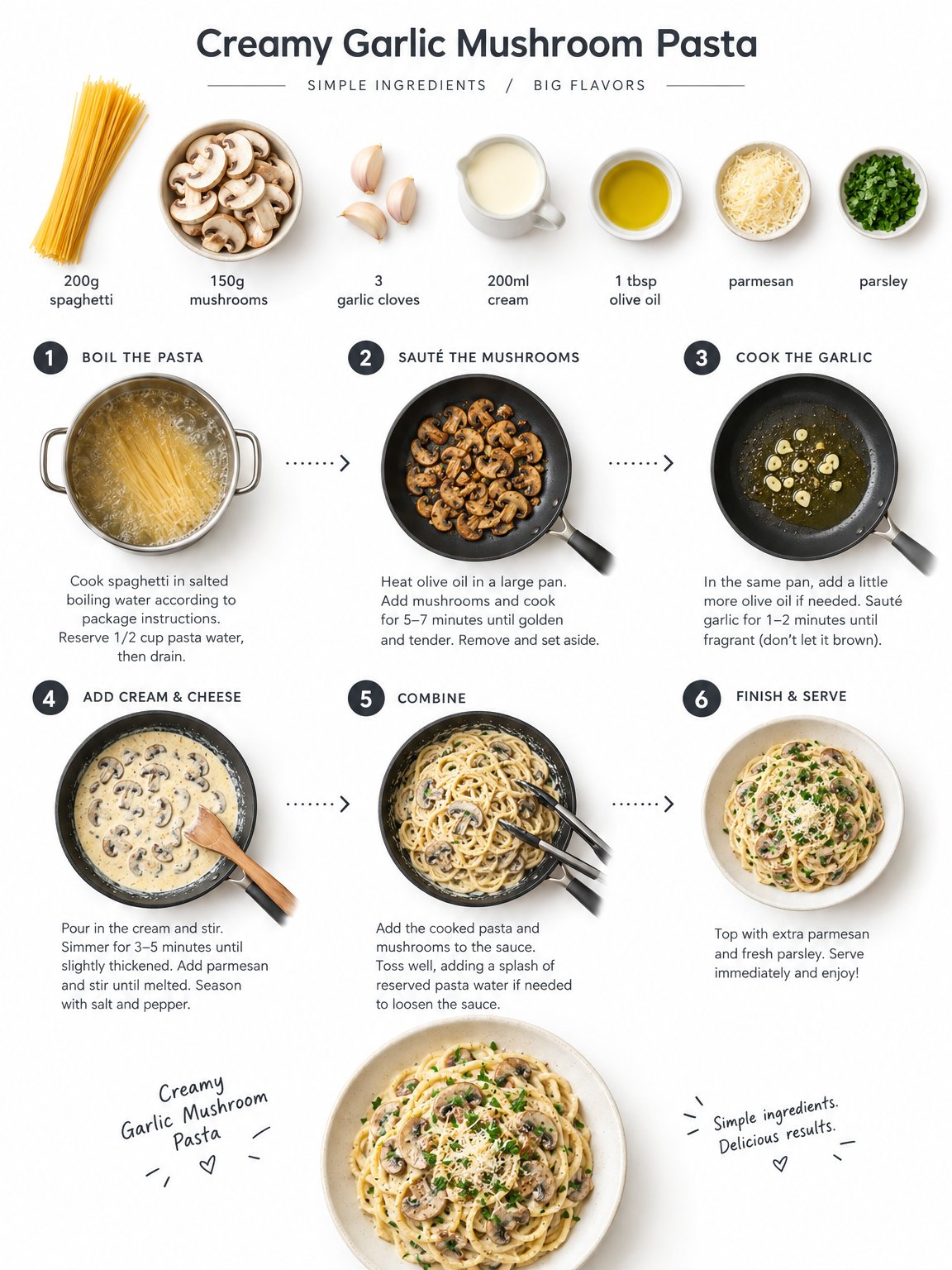
Label the seven ingredients, connect the cooking steps with dotted lines and icons, and show plated pasta at the bottom.
Verdict
GPT Image 2.5 FlareWhat we observed
Flare produces the better recipe infographic. Consistent panel sizes make the cooking sequence easy to follow. In GPT Image 2’s result, gaps and uneven spacing break up the page.
Tradeoff
Flare illustrates the steps with photographs. GPT Image 2 includes the drawn cooking icons requested in the prompt.
Drag to compare
Endangered-animal infographic
What this test checks
Combine an animal photograph, diagrams and dense factual callouts. The prompt also asks for online research.
Verdict
Fact-checking still requiredWhat we observed
Both choose a snow leopard and label its IUCN category Vulnerable. GPT Image 2 uses denser callouts; Flare makes the central animal larger and separates the facts into fewer panels.
Tradeoff
Both use a species in the Vulnerable category, although the prompt asks for an Endangered animal.
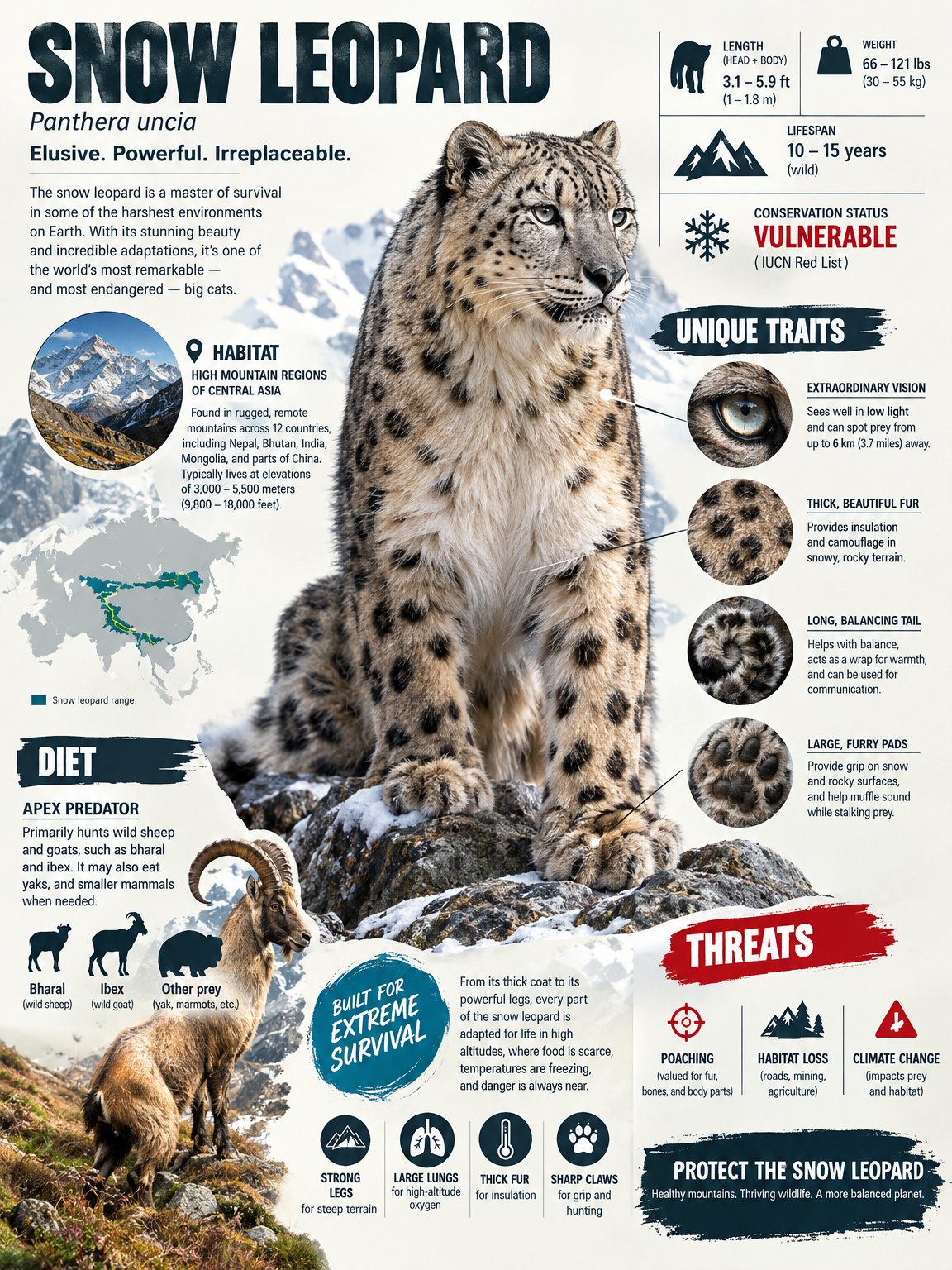
Drag to compare
References and spatial reasoning
Follow identities, object assignments and physical constraints across a scene.
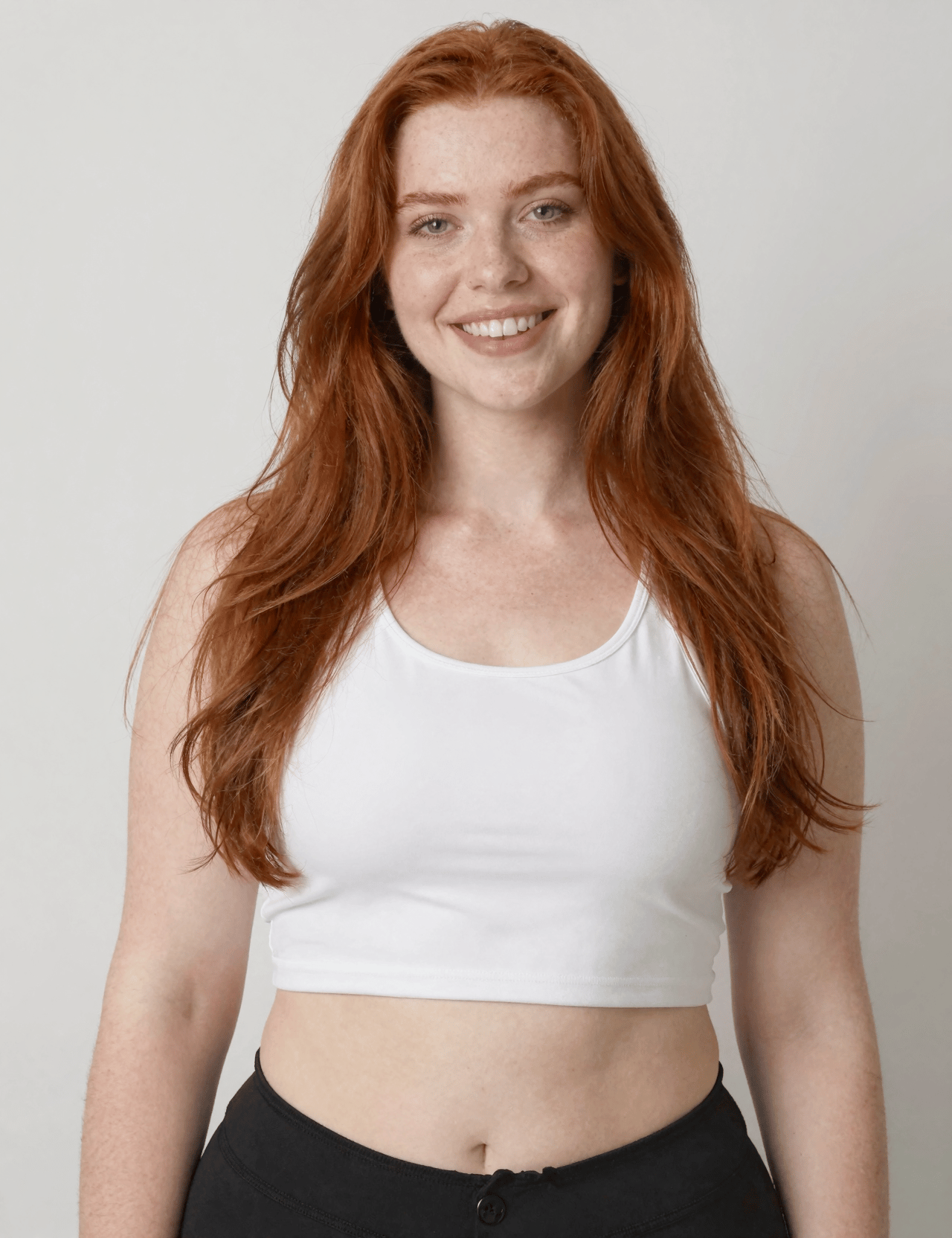
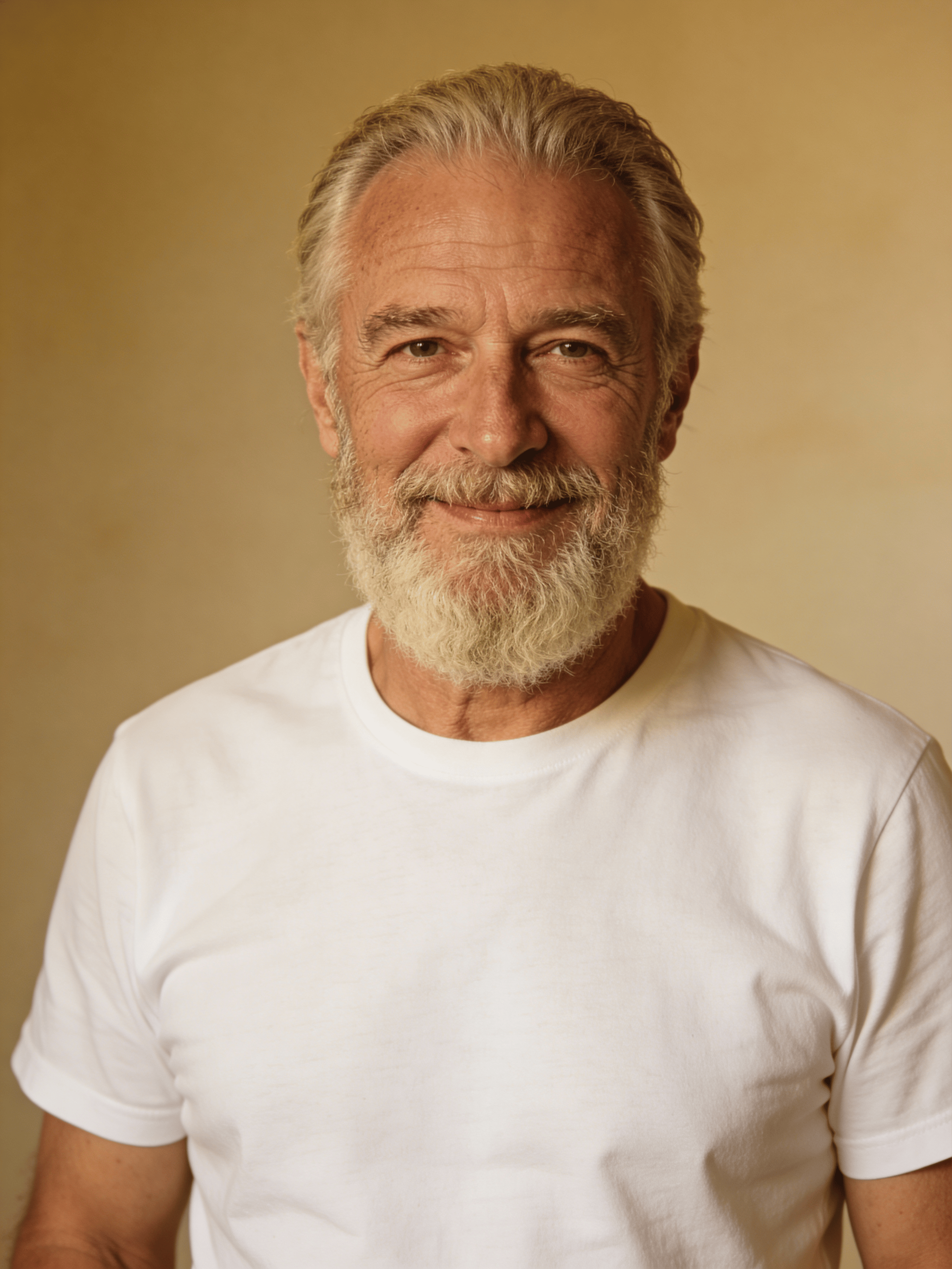
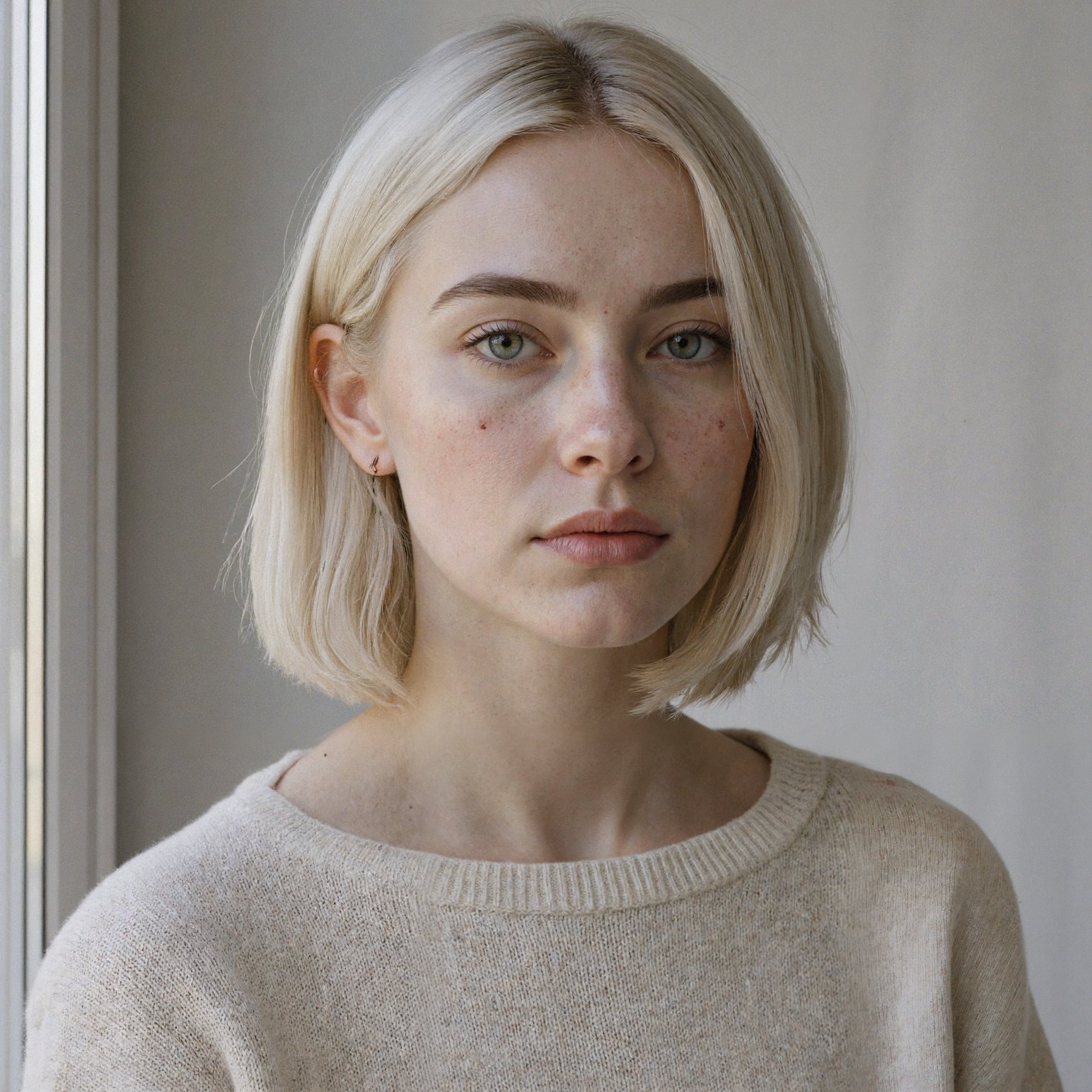
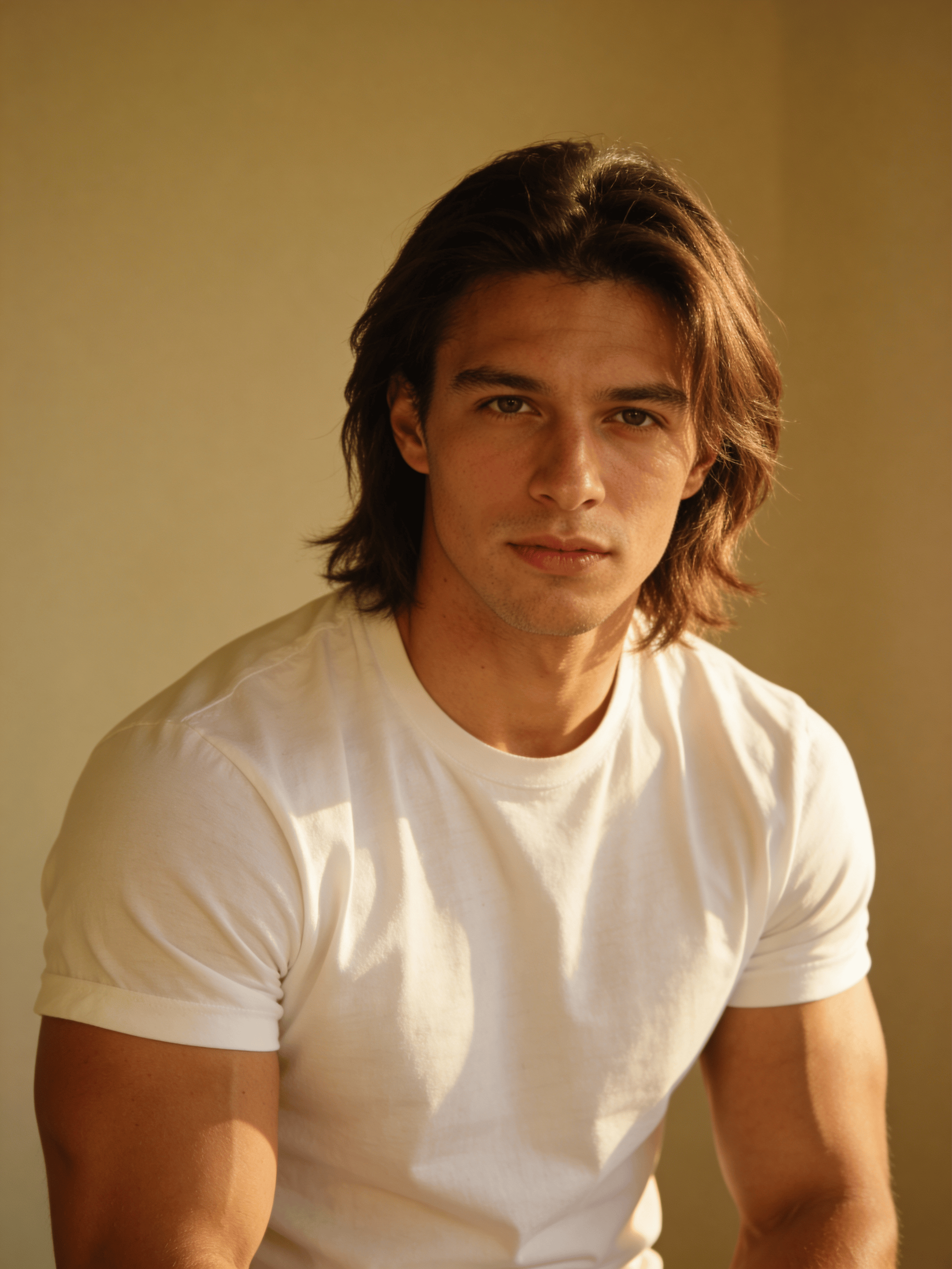
Four-reference character composition
What this test checks
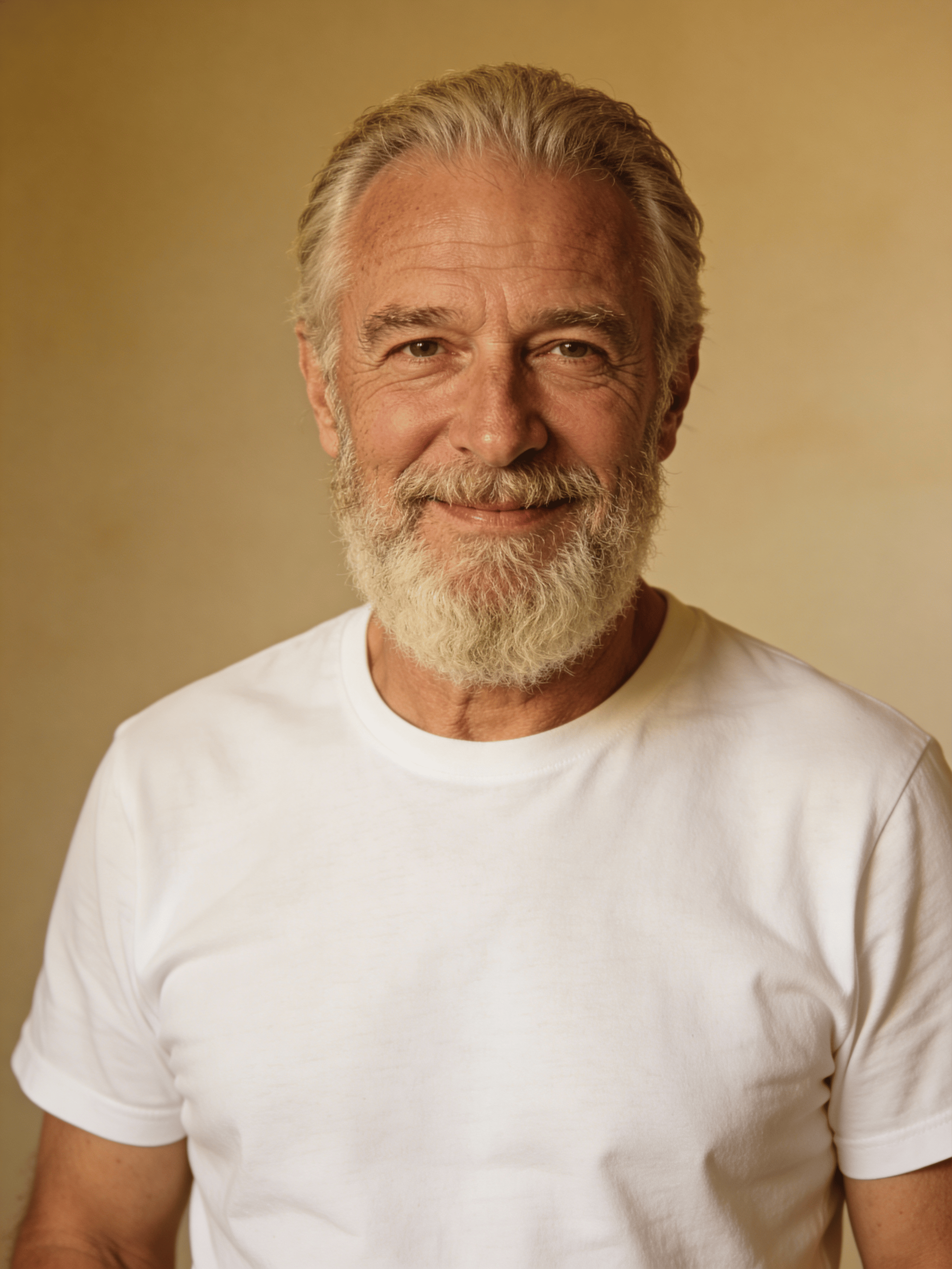
Combine four supplied portraits and assign one newspaper, coffee cup, yellow umbrella and camera to the specified people.
Verdict
GPT Image 2 for the object countWhat we observed
Both include four people and the assigned objects. Flare adds a second coffee cup on the table, breaking the instruction that each object appear exactly once.
Tradeoff
Flare gives the group a more direct portrait pose. Use the references to inspect individual facial details as well as the object assignments.
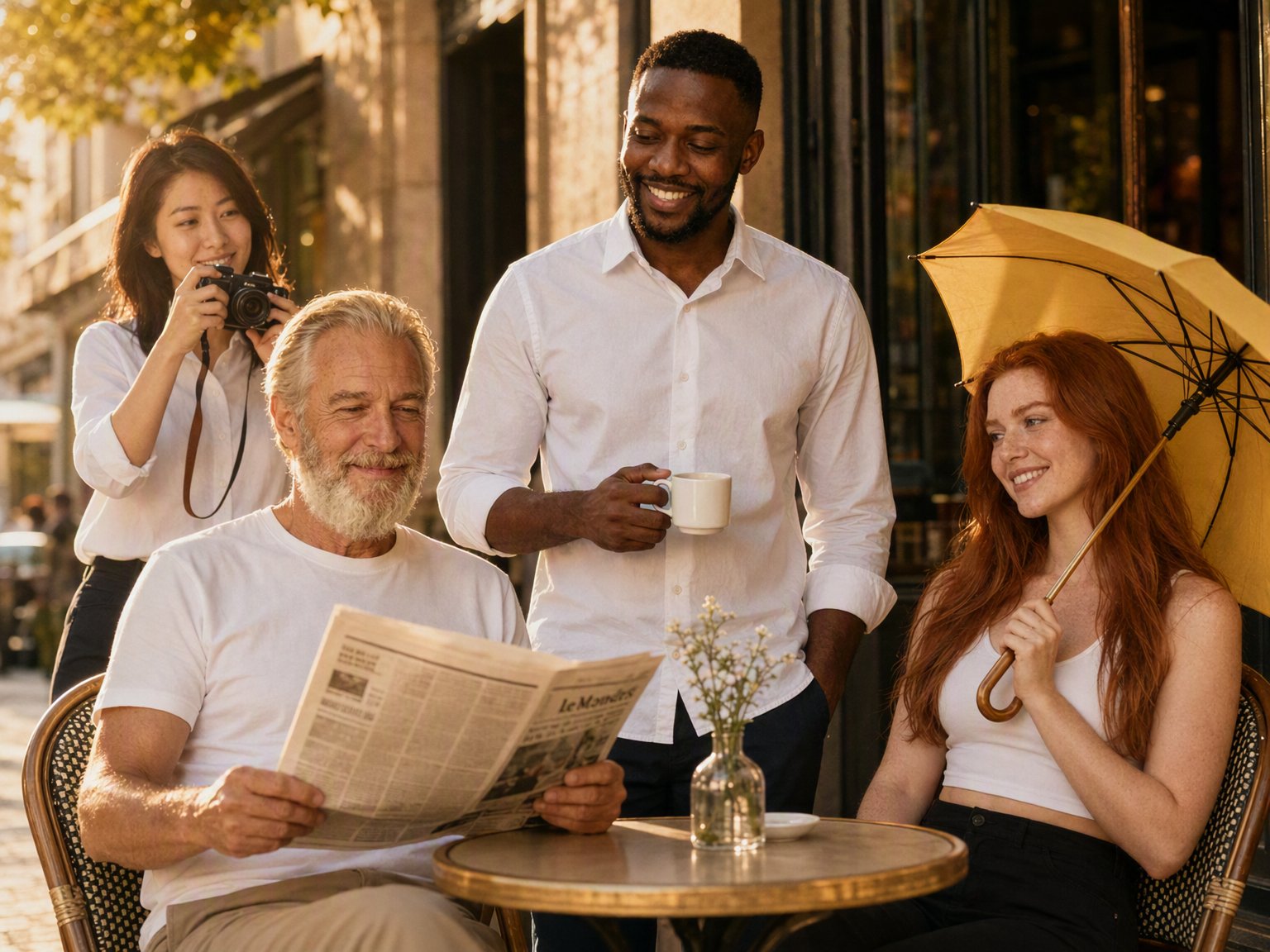

Drag to compare
Reference images
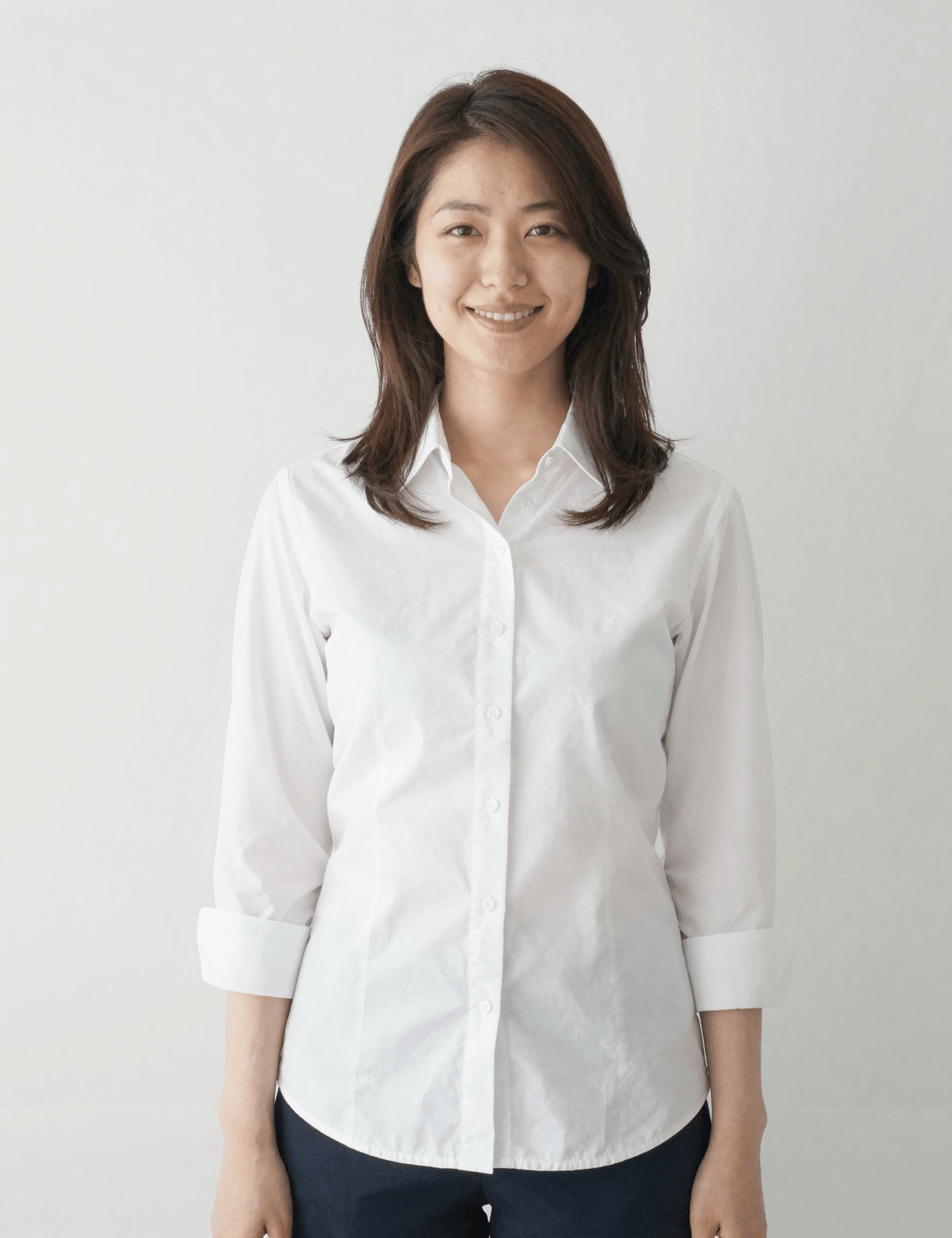
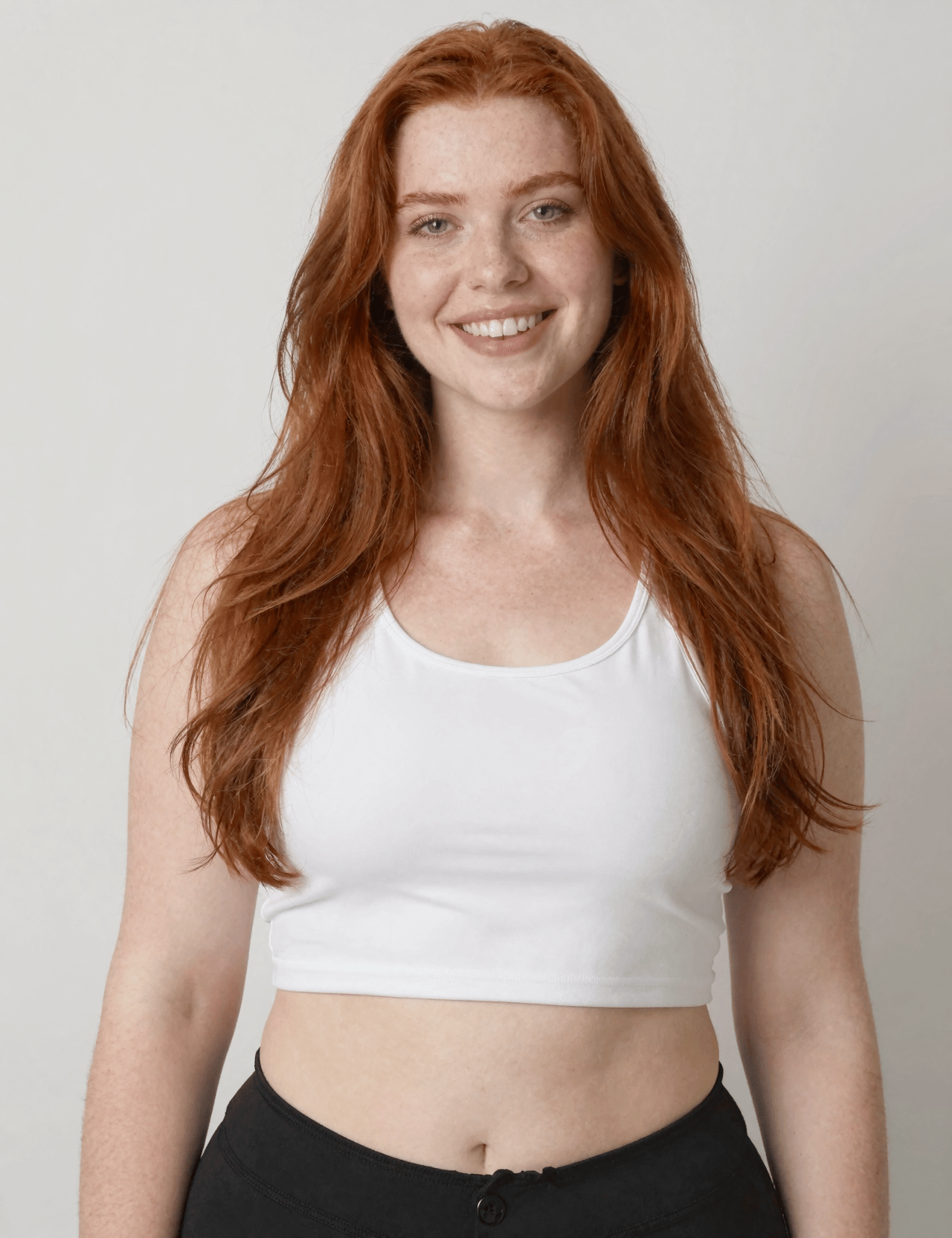

Six-person object mapping
What this test checks
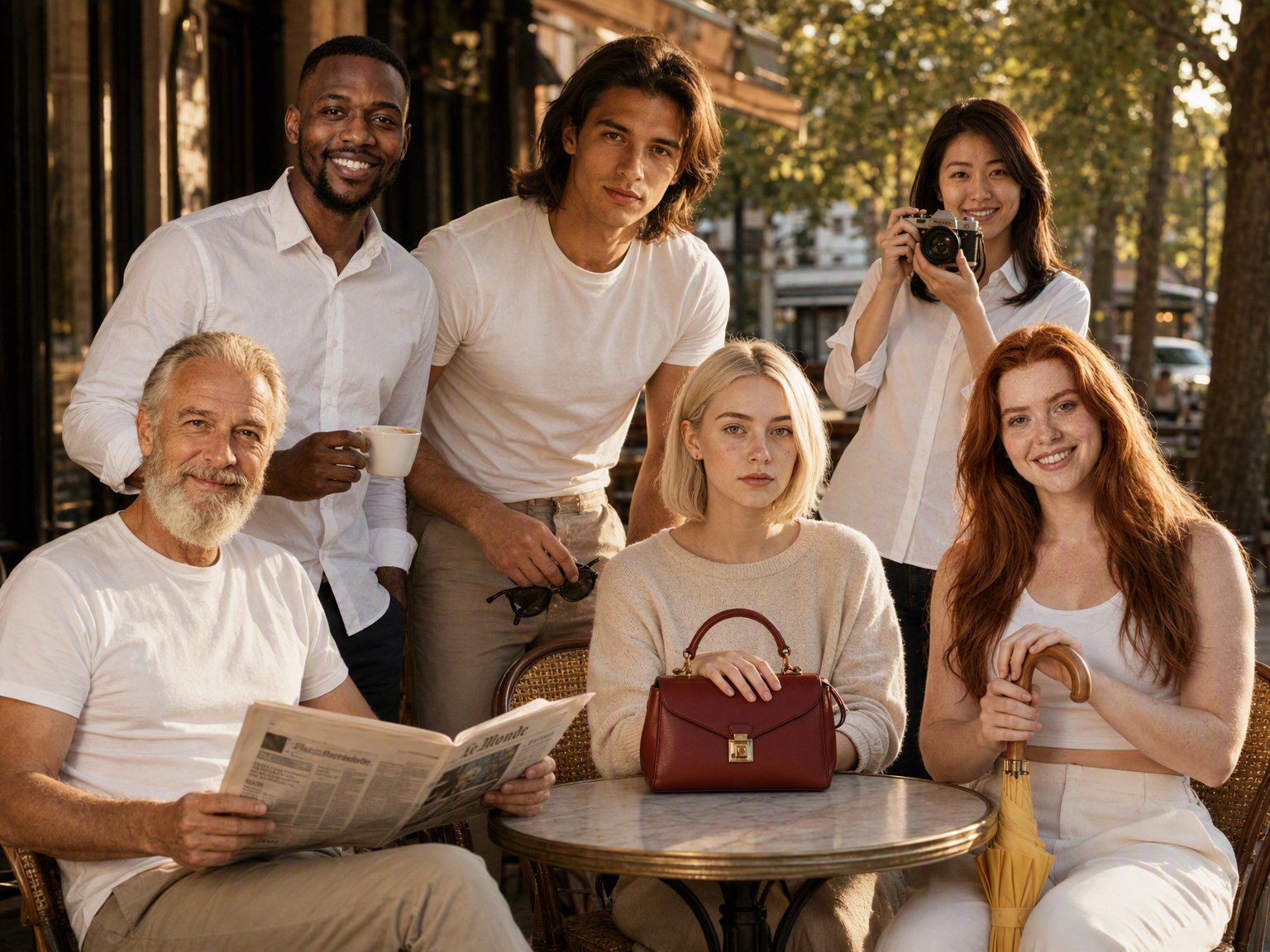
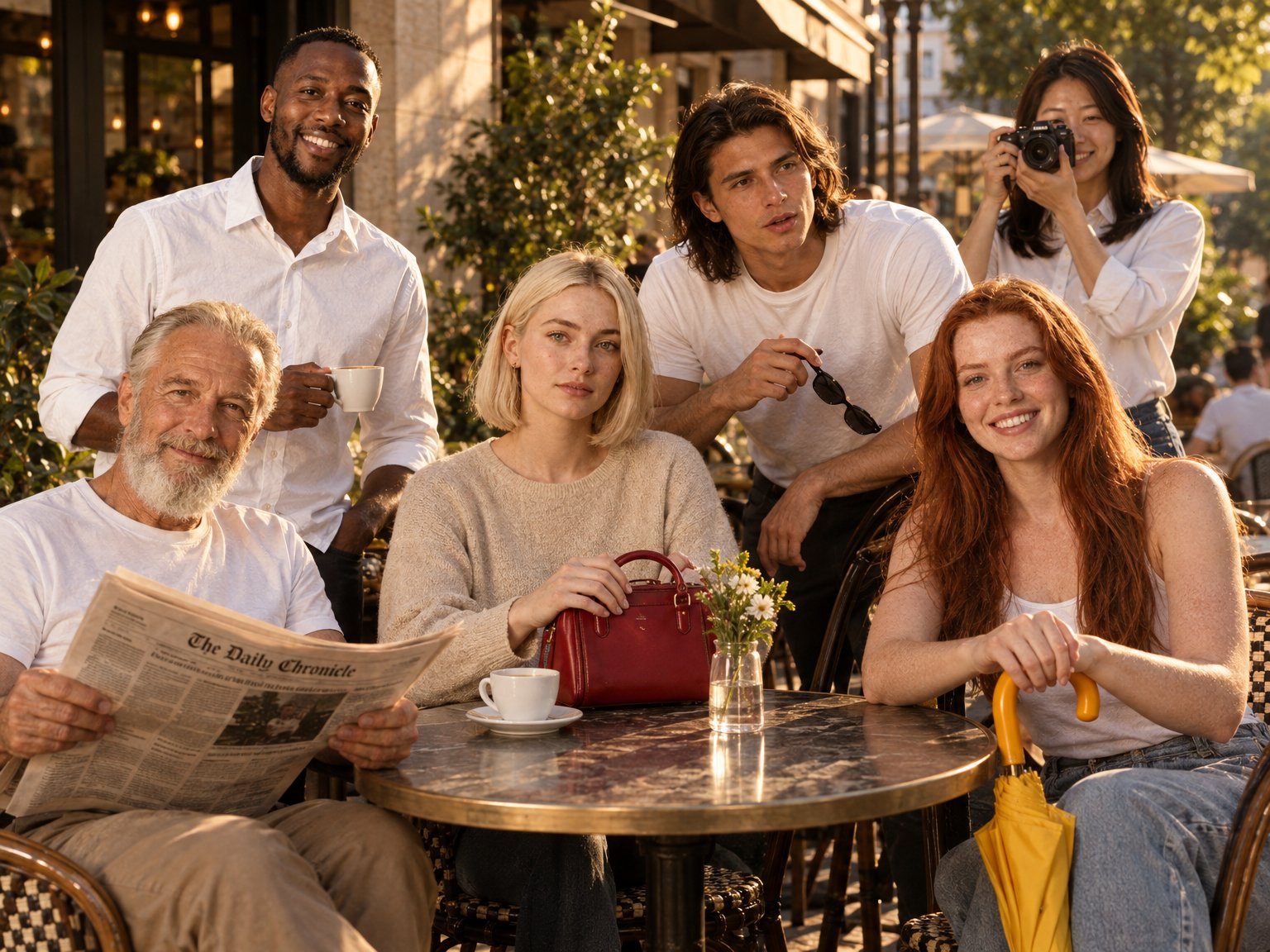
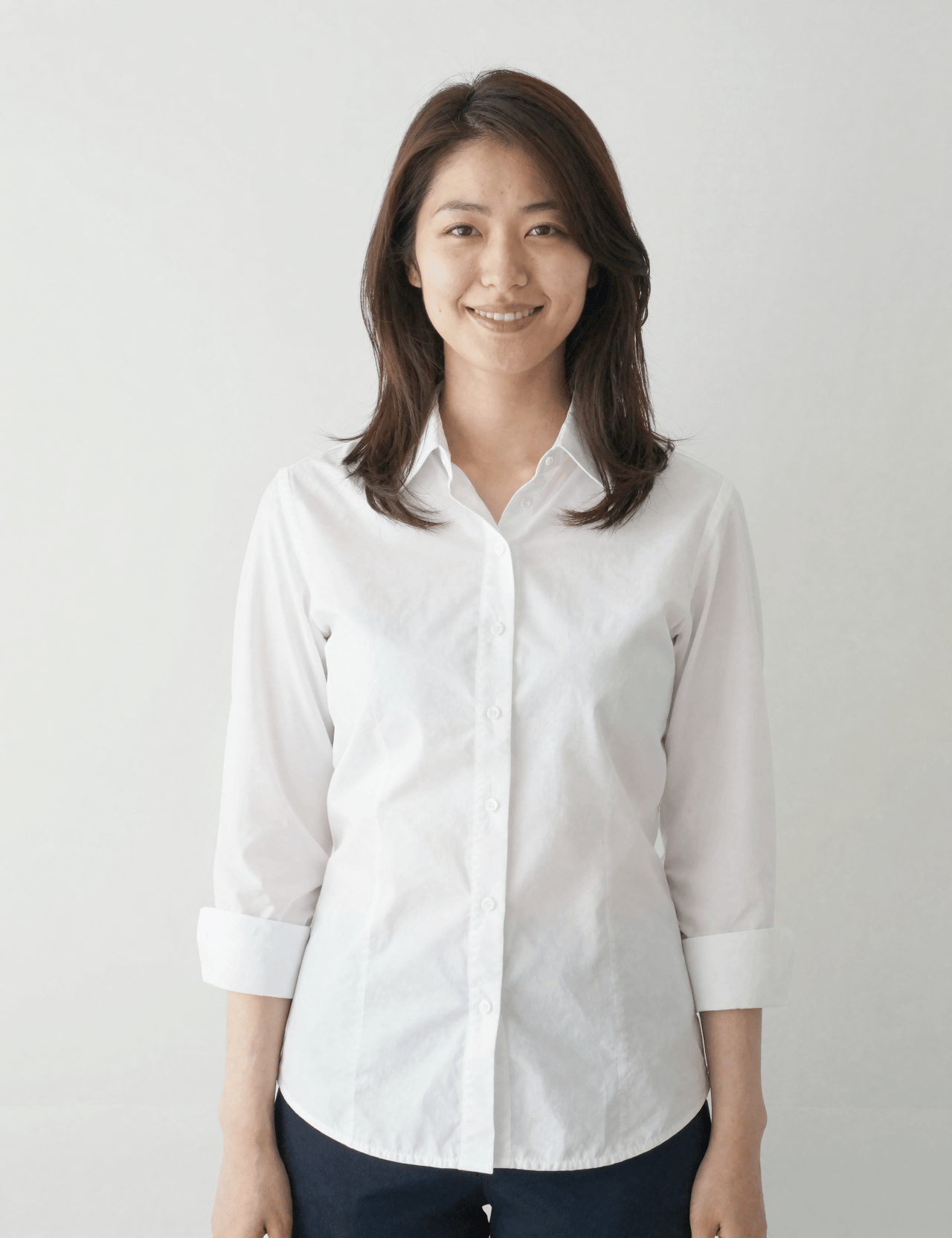
Place six reference subjects around a café table with the specified newspaper, cup, closed umbrella, camera, sunglasses and red handbag.
Verdict
GPT Image 2 for following object-count instructionsWhat we observed
Flare adds a second coffee cup on the table. GPT Image 2 follows the requested count with one cup, held by the standing man. Both include all six people and their assigned objects.
Tradeoff
Flare makes the sunglasses more prominent. Inspect faces and hands separately from whether the object inventory is correct.
Drag to compare
Reference images

Creative styles
Compare how each model follows the requested artistic treatment.
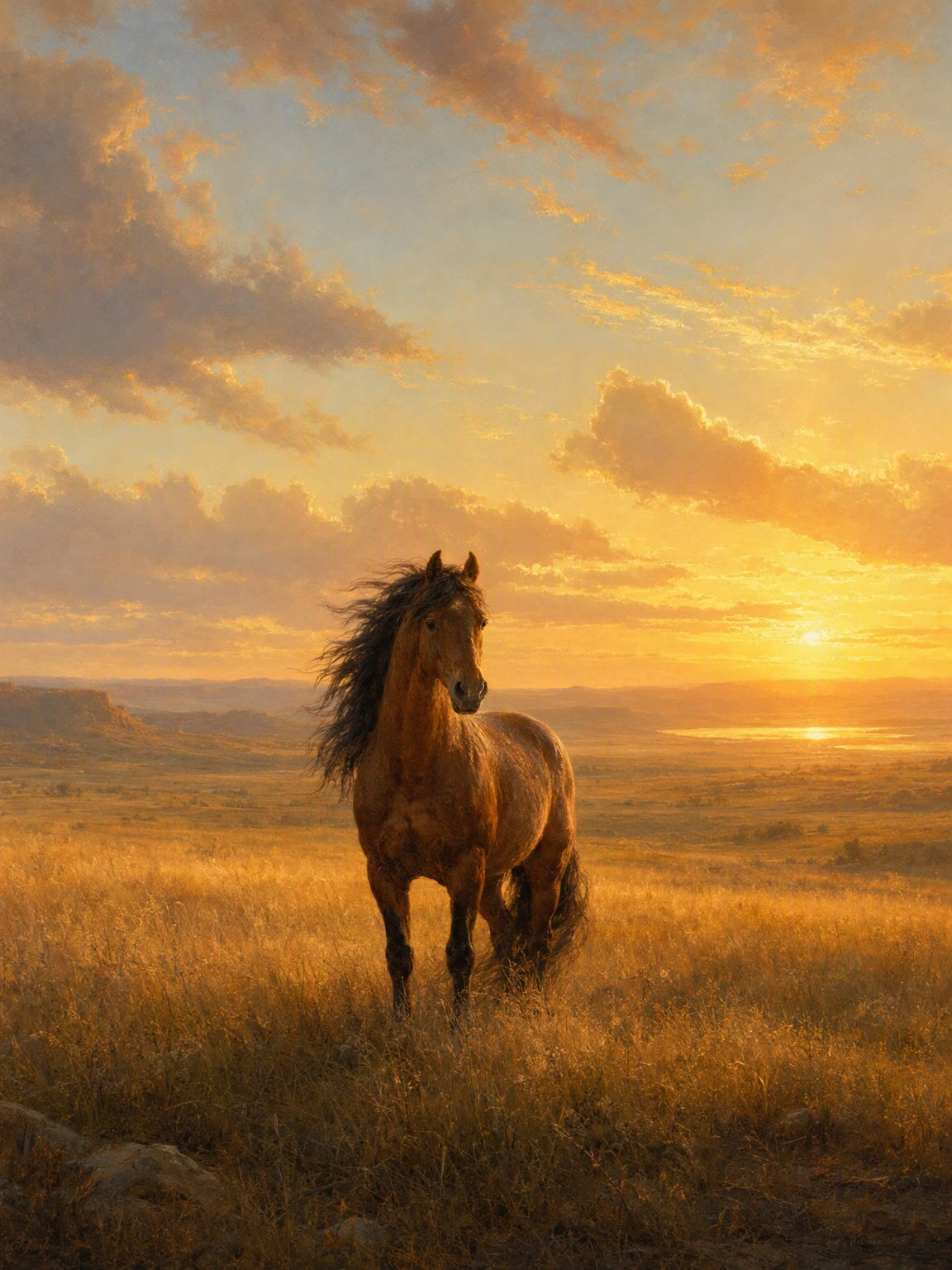
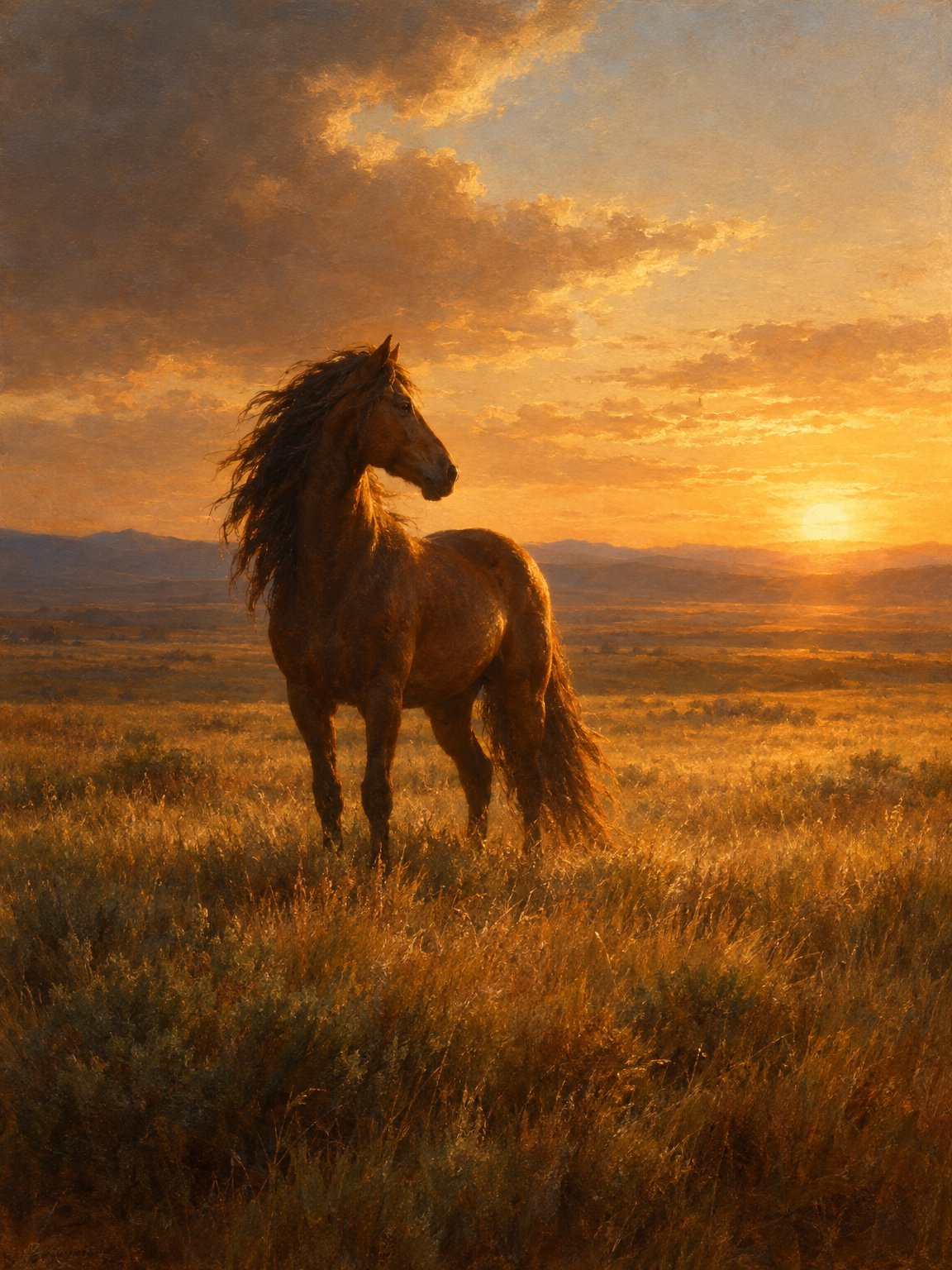
Luminism painting
What this test checks
Paint a wild horse in a vast field at golden hour, with attention to light, atmosphere and tonal restraint.
Verdict
GPT Image 2 for the wider fieldWhat we observed
Both produce warm, painterly sunsets. GPT Image 2 leaves more sky and field around the horse; Flare makes the animal larger and the light more dramatic.
Tradeoff
Choose Flare for a larger horse and more dramatic light; GPT Image 2 for a wider landscape.
Drag to compare
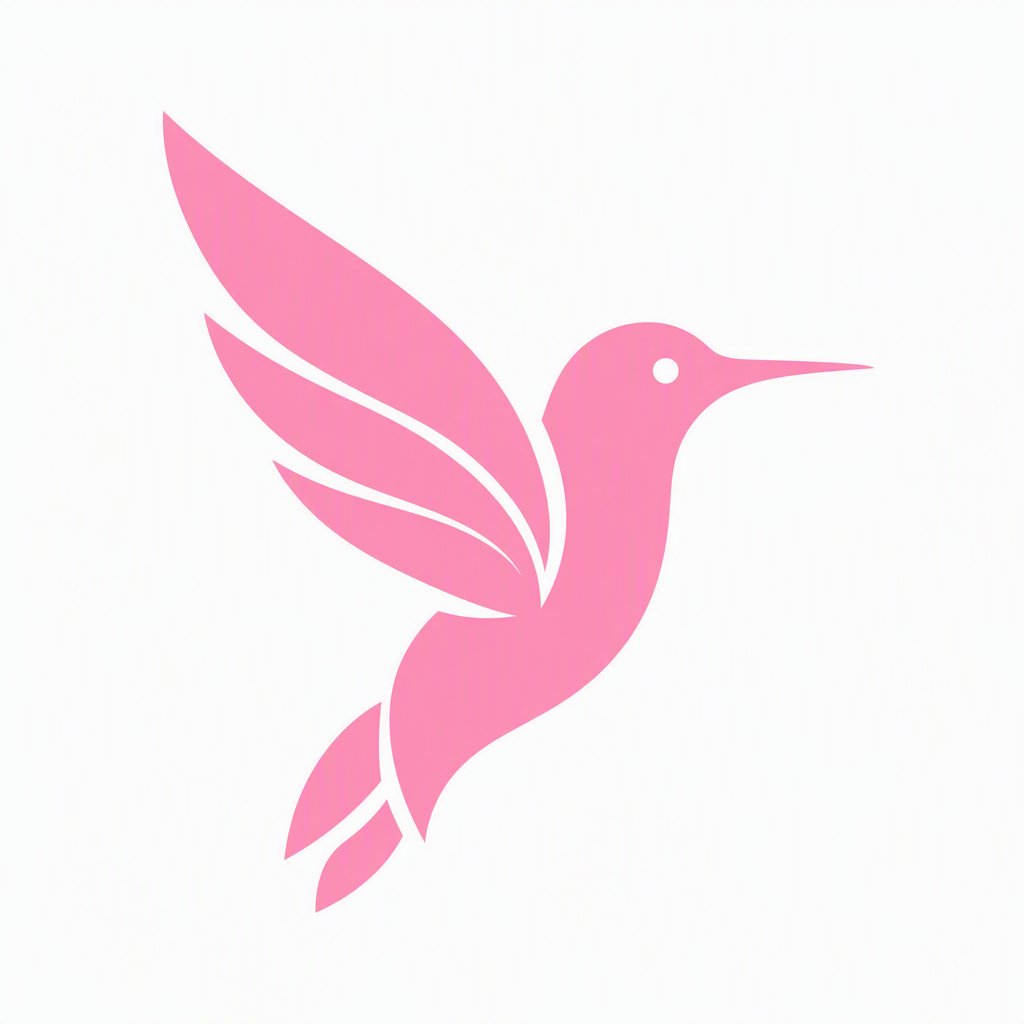
Minimal hummingbird logo
What this test checks
Create a simple pink hummingbird silhouette without text, detailed feathers or a mockup.
Verdict
GPT Image 2.5 FlareWhat we observed
Flare produces the better logo design. The beak and head form a clearer hummingbird silhouette, and the simpler wings make the mark easier to recognize than GPT Image 2’s divided feather shapes.
Tradeoff
You get a raster PNG. Convert it to an editable vector and check the brand color before using it as a logo.

Drag to compare
Subject and product preservation
See what stays intact when the background, clothing or lighting changes.
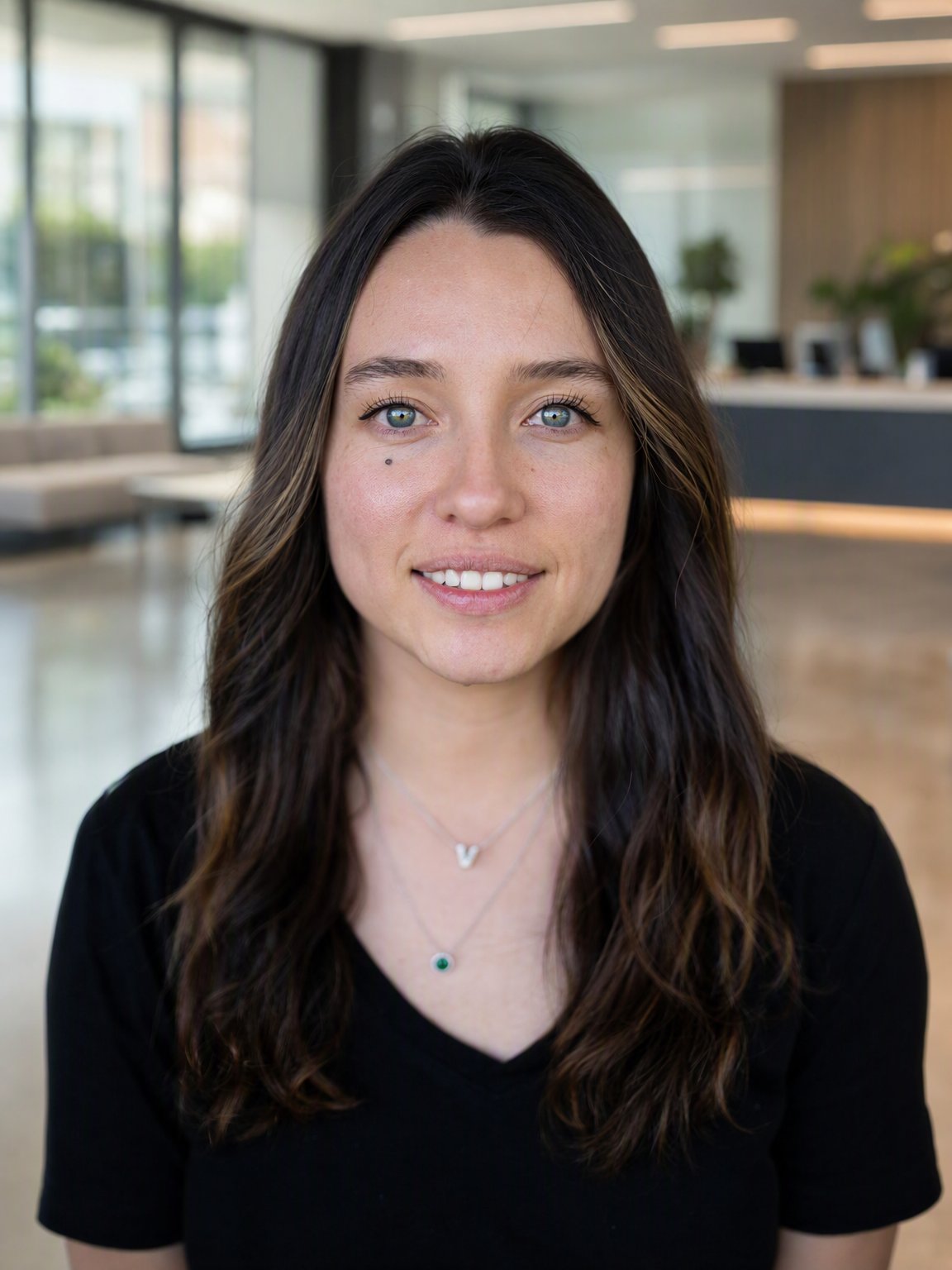
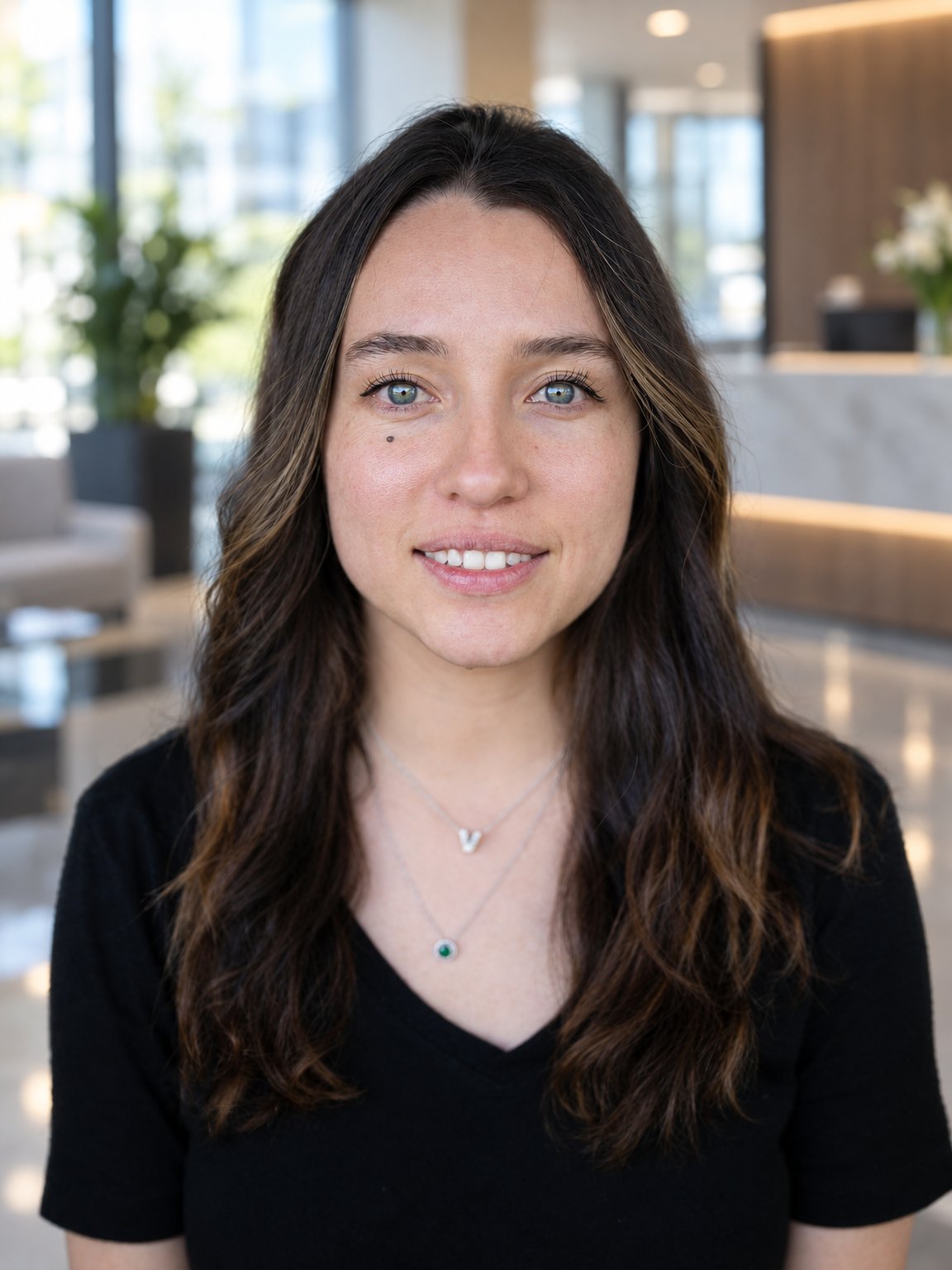
Identity-preserving background change
What this test checks
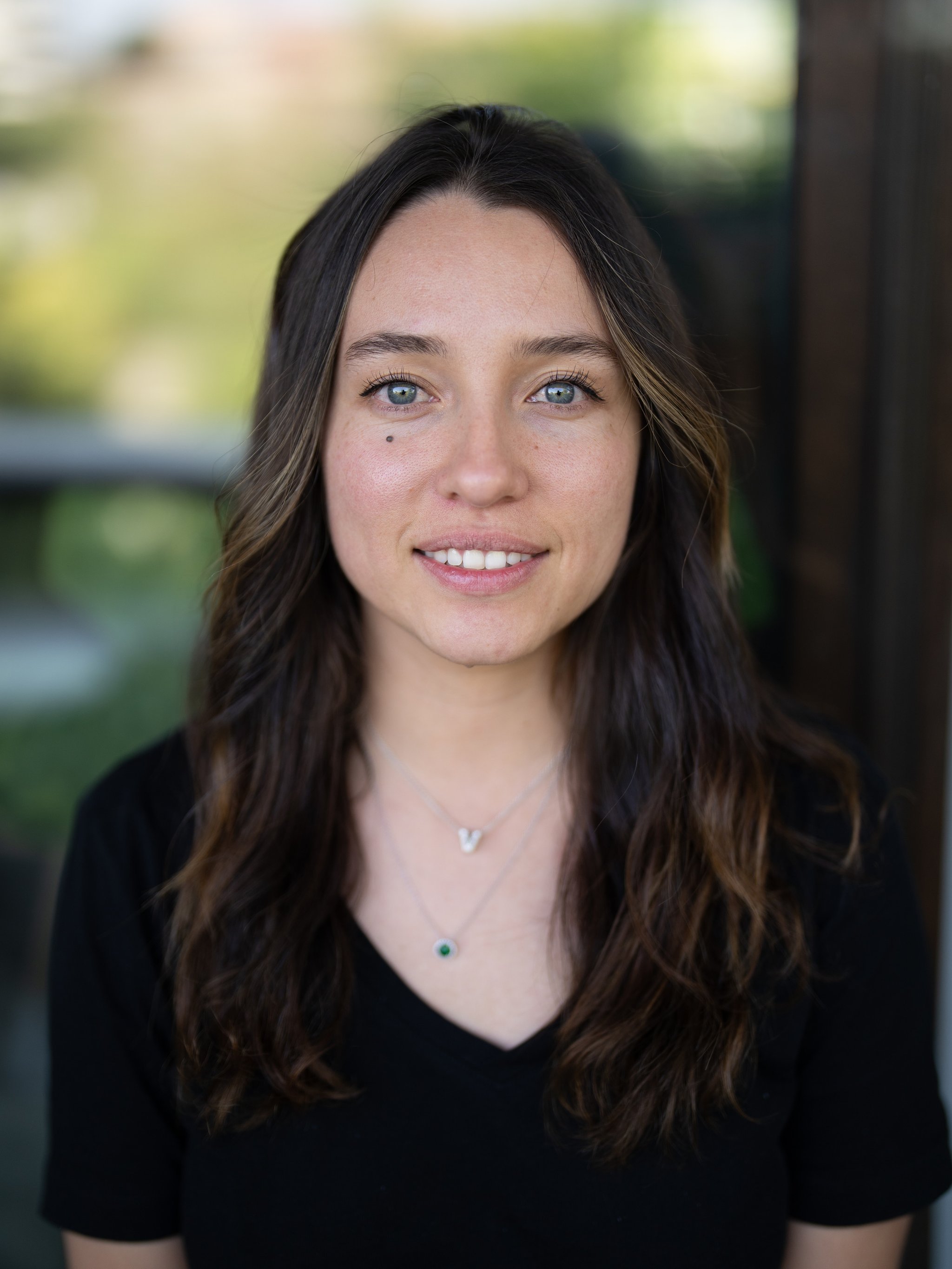
Replace the portrait background with a corporate lobby while keeping the face, expression, hair, clothing and skin texture unchanged.
Verdict
GPT Image 2.5 FlareWhat we observed
Flare better preserves the subject’s proportions within the frame and the facial features from the reference. It keeps the portrait closer to the original while integrating the subject into a brighter, warmer lobby.
Tradeoff
Small facial and framing differences remain. Compare the reference alongside the output when exact preservation matters.
Drag to compare
Reference images
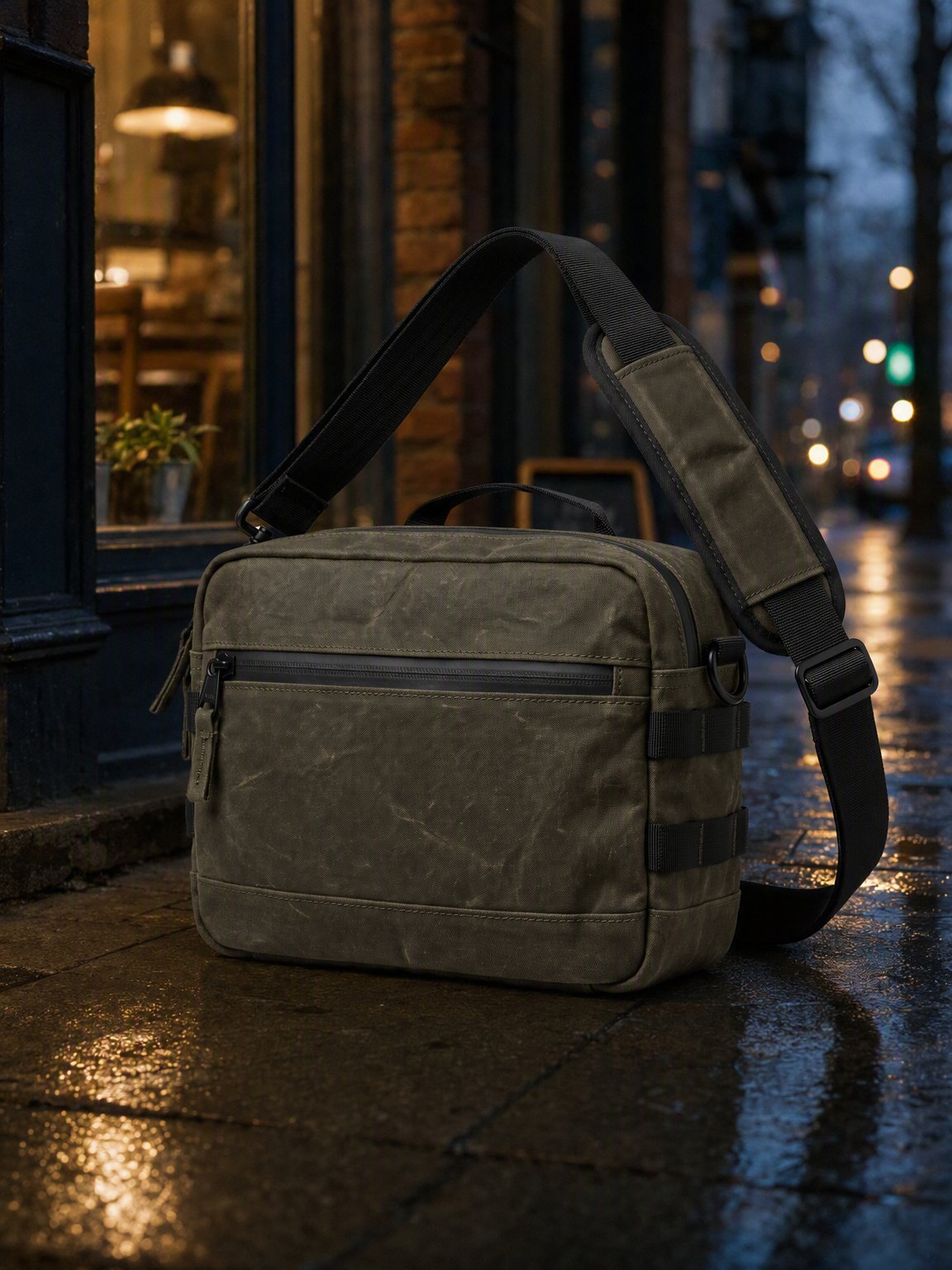
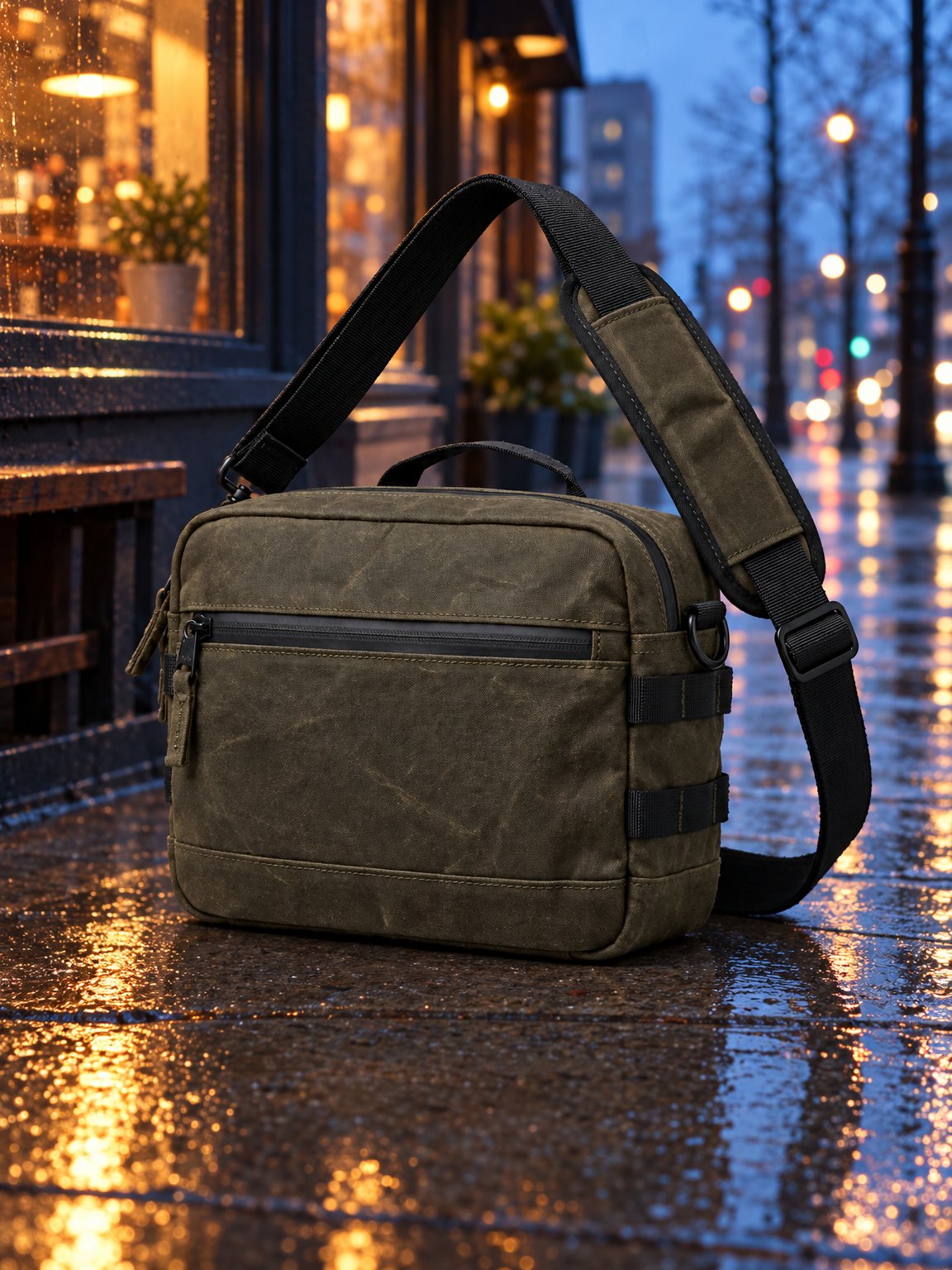
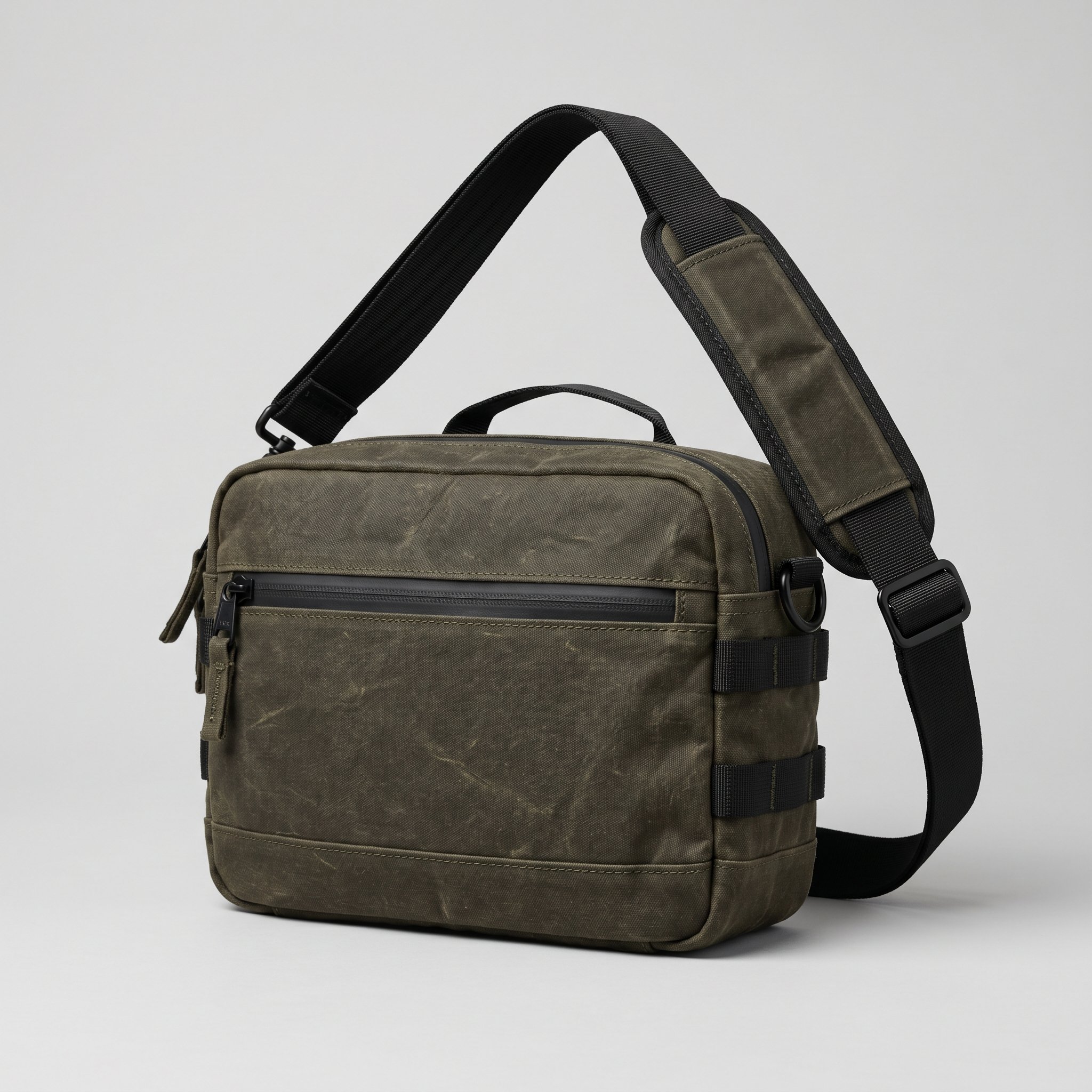
Background-only bag edit
What this test checks
Move the camera sling to a rainy sidewalk outside a coffee shop while preserving its canvas, seams, hardware, strap and camera angle.
Verdict
GPT Image 2.5 FlareWhat we observed
Flare wins on product lighting. Its brighter blue-hour background and warm reflections make the bag easier to see than in GPT Image 2’s darker scene.
Tradeoff
Neither output is an exact cutout of the reference. Compare the top handle, fabric creases and side proportions before using either as a faithful catalog edit.
Drag to compare
Reference images
Text replacement
Compare the new wording and the parts of the original image that should stay unchanged.
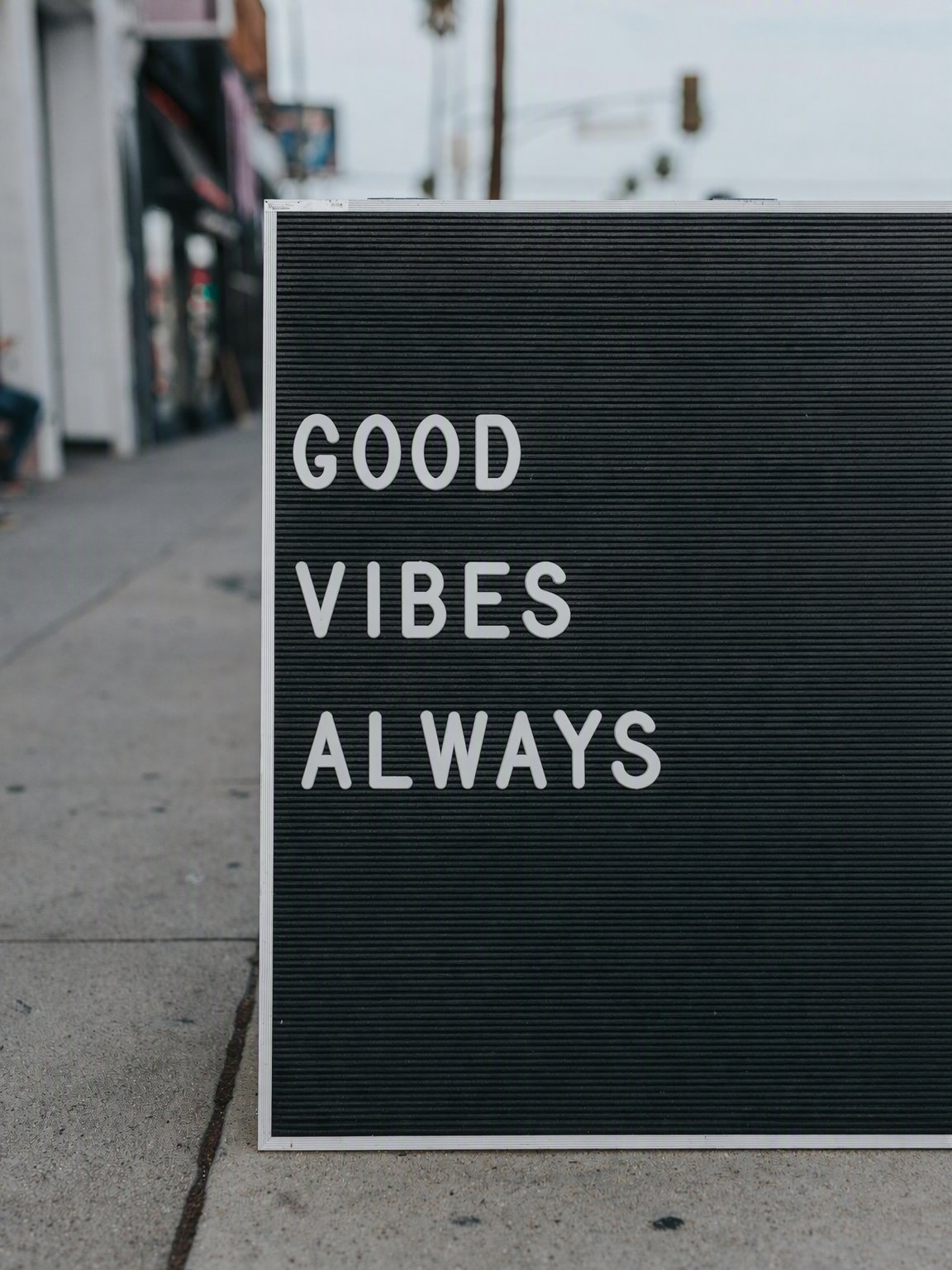
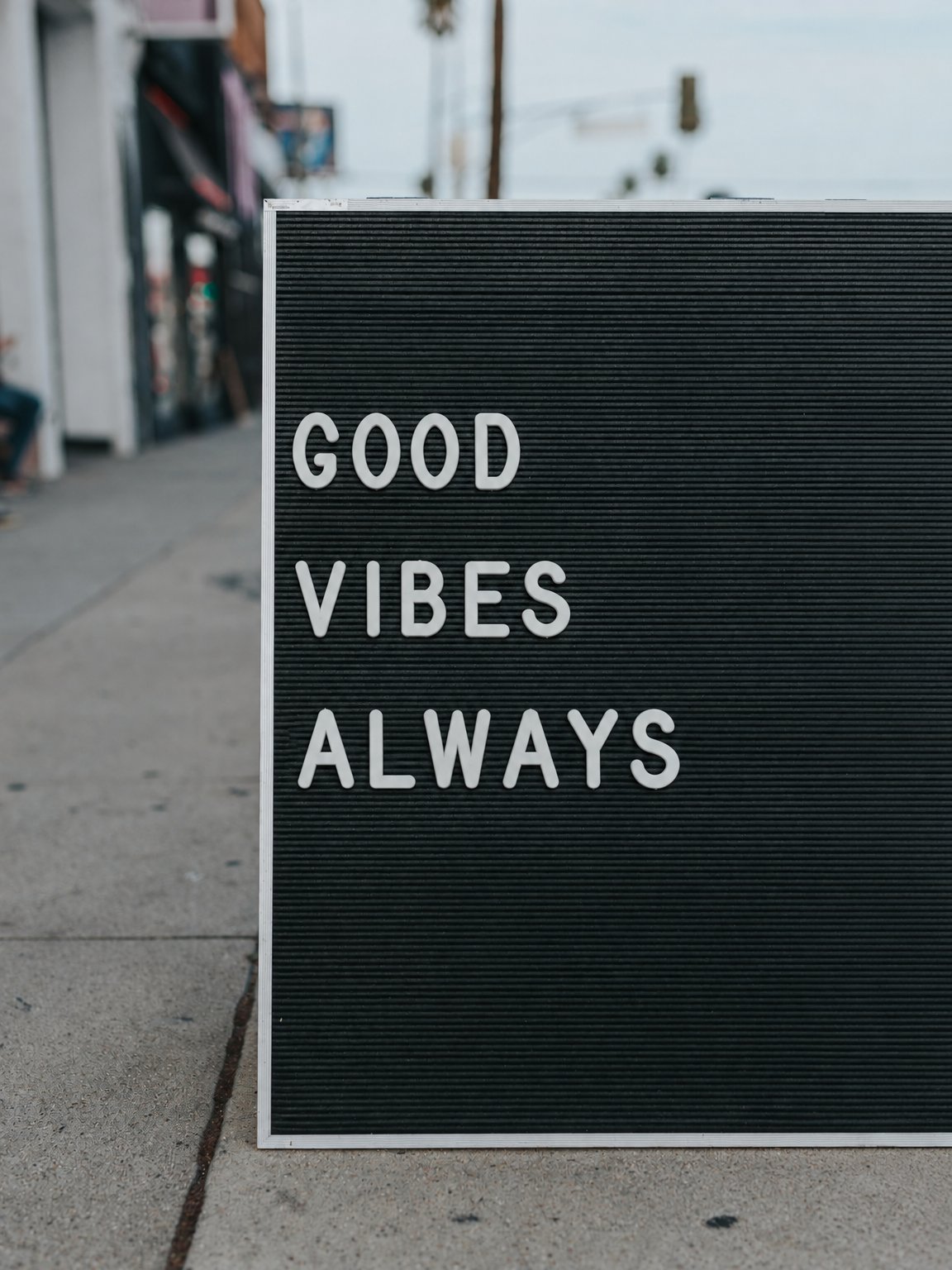
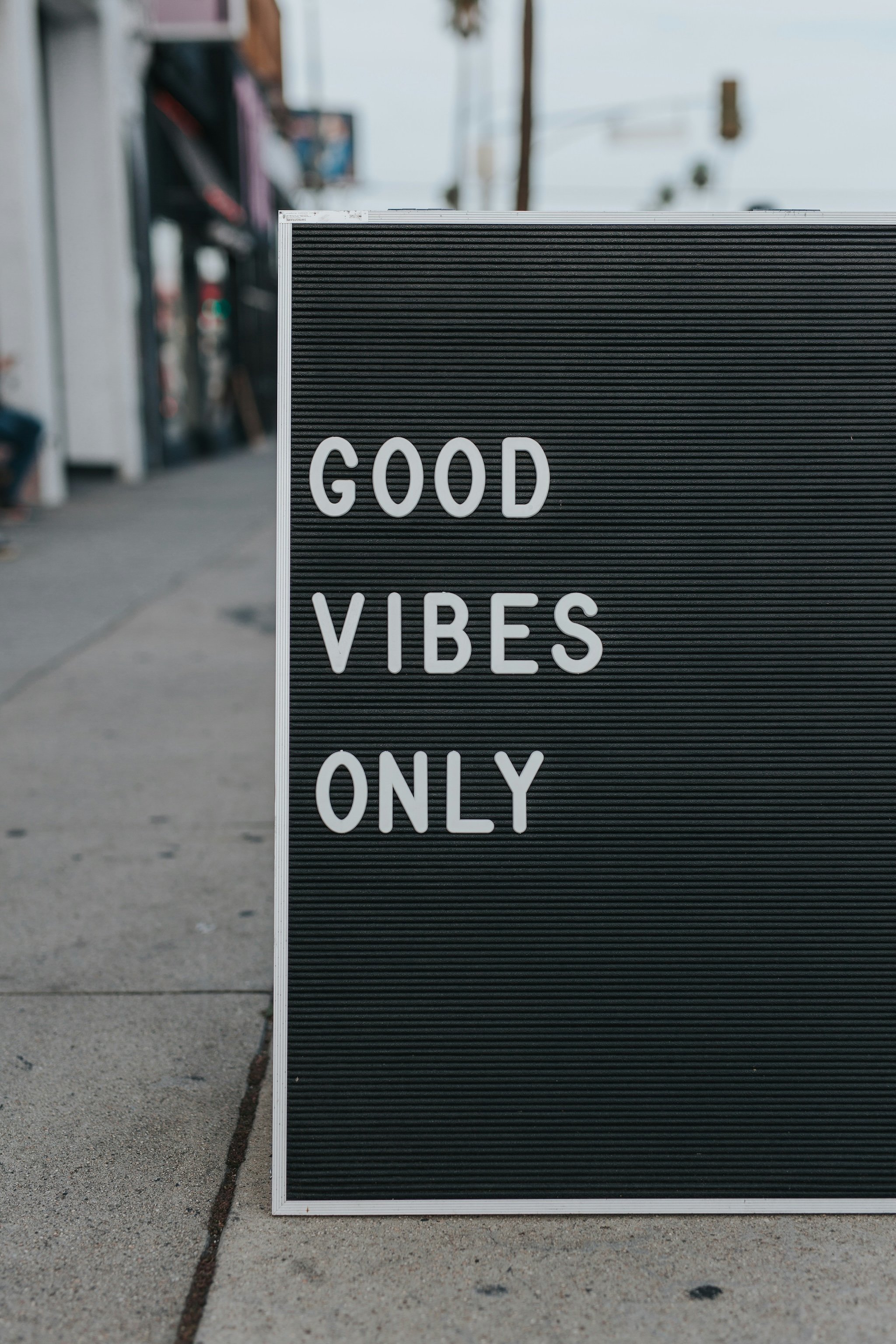
Physical sign text replacement
What this test checks
Change ONLY to ALWAYS while preserving GOOD, VIBES, the physical letters, sign framing and street scene.
Verdict
Both replace the word correctlyWhat we observed
Both show GOOD VIBES ALWAYS and retain the board, pavement and blurred background. Their letter placement and framing are very similar.
Tradeoff
Both render a wider 3:4 view than the original 2:3 reference. The wording succeeds, but the result is not a pixel-preserving edit.
Drag to compare
Reference images
Questions about this comparison
Did each model receive the same prompt and references?
Why show both Flare and Sunburst?
Is GPT Image 2.5 faster?
Does GPT Image 2.5 win overall?
Try your own prompt
Use your product or reference image to compare the results.